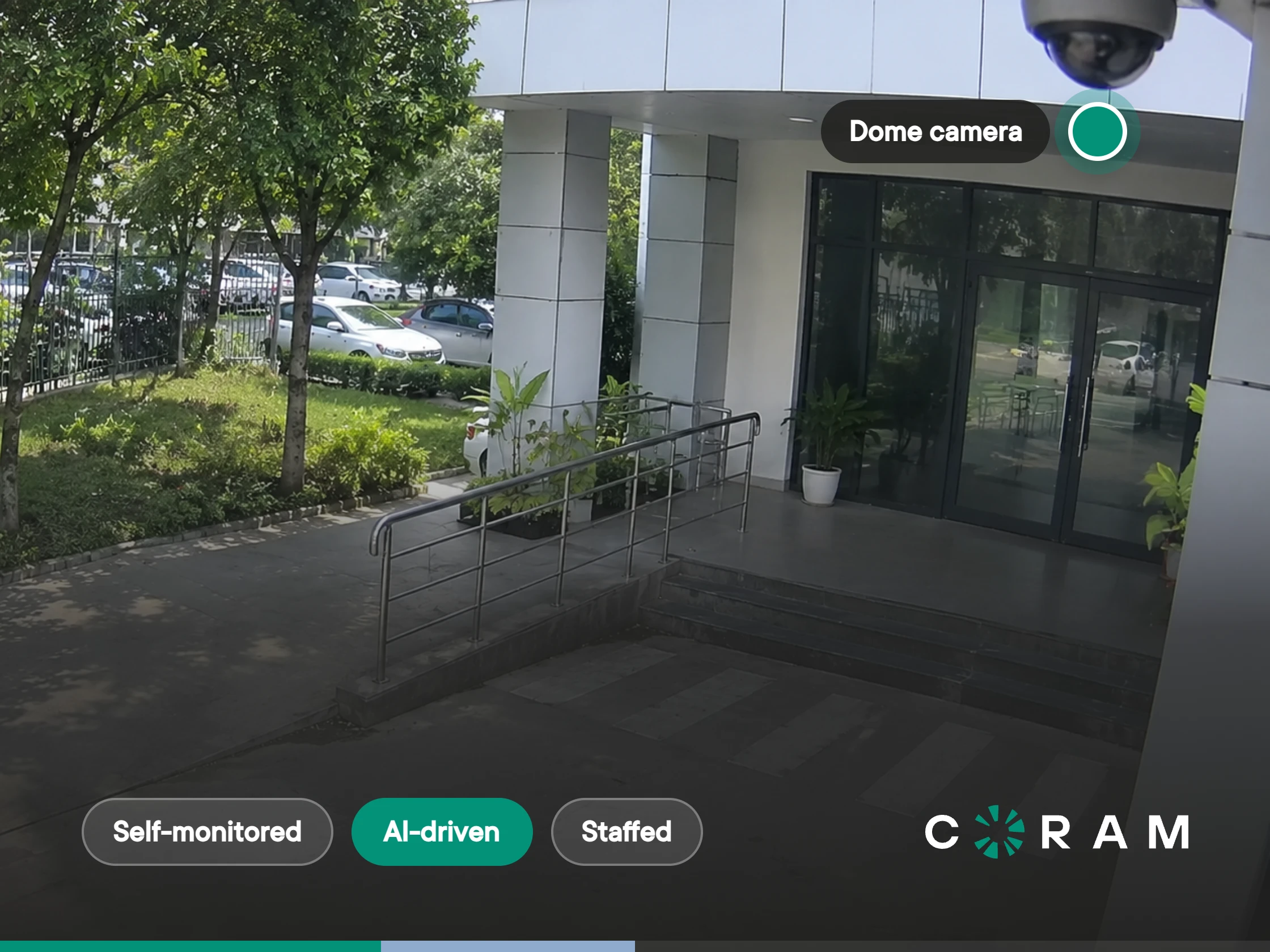
Remote video monitoring describes three different purchases. Self-monitored systems record footage that your team reviews after something happens. AI-driven systems watch continuously and alert your team when they detect something. Staffed monitoring services have operators at a remote center watch your cameras and escalate. This page helps you decide which one your sites need.
The Three Things People Mean by Remote Video Monitoring
Search for remote video monitoring and you get three product categories under one name. One vendor sells you software and an app. Another sells you a team of people watching screens in another state. A third sells you AI that sits between the two. All three call it remote video monitoring, and the difference usually surfaces on the first sales call, after you have already shortlisted the wrong kind of vendor.
The quickest way to separate them is to ask two questions: who is watching, and who acts when something happens.
Self-Monitored Systems: Your Team Records and Reviews
A self-monitored system records continuously and waits. Nothing happens until a person opens the app or the recorder and goes looking. Most installed CCTV and NVR systems work this way by default, which is why so many teams already own the hardware for remote monitoring without having the monitoring itself.
Remote access is usually part of the package. You can pull up a live view on a phone or laptop from anywhere. But a live view only helps when someone happens to be looking at it, and at 2 a.m. on a Sunday nobody is.
The real cost of this model is time. When something does happen, someone on your team scrubs through hours of footage, camera by camera, to find the right minute. Across several sites, that work lands on the same few people every time.
AI-Driven Monitoring: The System Watches and Alerts Your Team
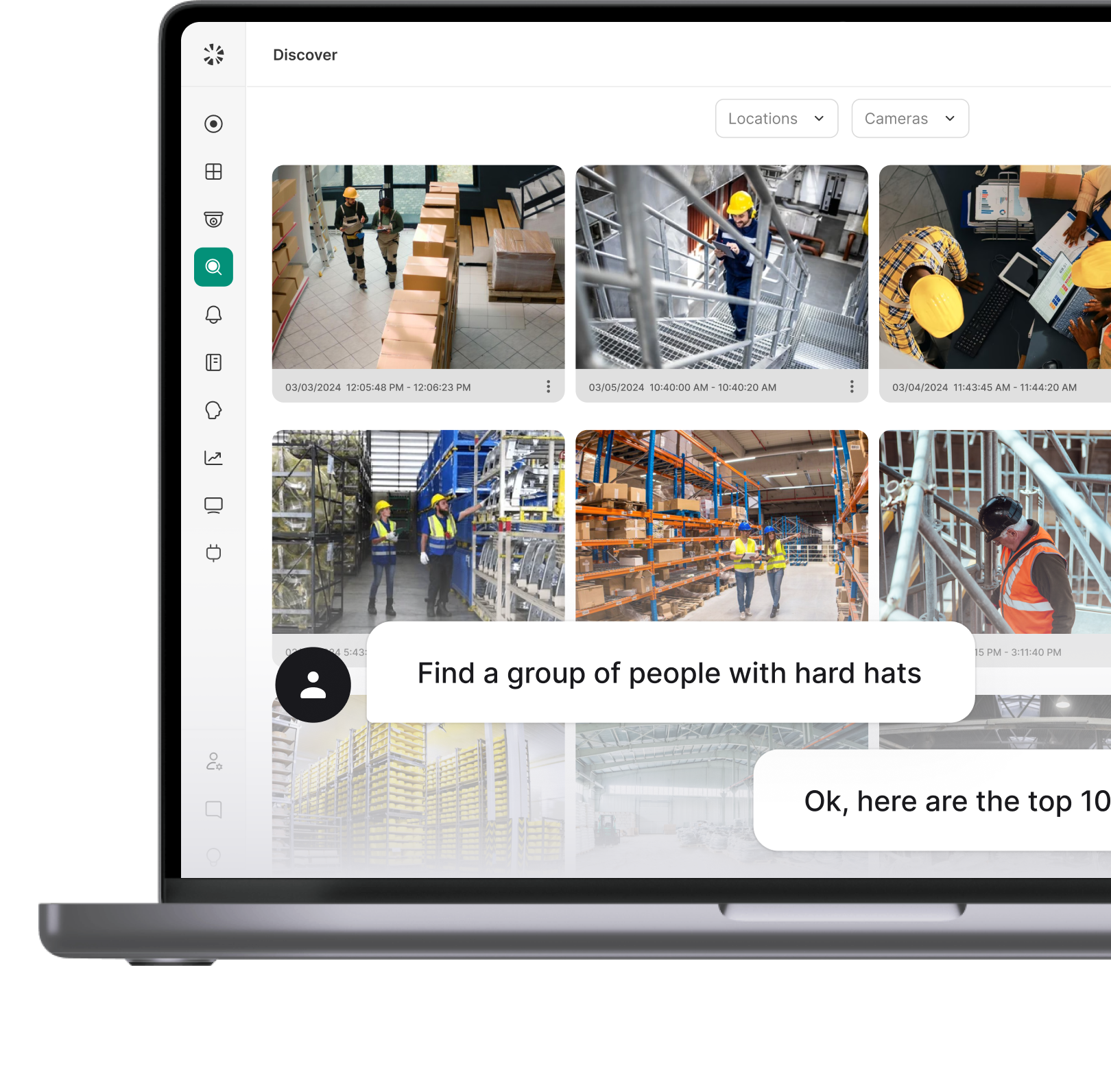
An AI-driven system does the watching for you. It analyzes every connected camera continuously and pulls a person in only when something matches what you told it to look for: someone in a closed area after hours, a vehicle in a restricted lot, a visible firearm, a slip and fall, or a missing hard hat.
The response still belongs to your people. Alerts go to the people you choose, so the person who knows the site decides what happens next, instead of someone finding out from the morning shift.
This is the model Coram sells. Coram Video Security runs AI detection on an on-site appliance connected to cameras you already own, and alerts your own team. It does not replace your team's judgment, and it does not put strangers in front of your feeds.
Staffed Monitoring Centers: Someone Else Watches and Responds
A staffed monitoring service puts trained operators in front of your camera feeds from a remote command center. Providers typically offer round-the-clock coverage or after-hours-only plans, and operators decide in real time whether what they see needs escalation. Contract terms vary widely by provider, from month to month to multiyear.
This is a different purchase from the other two. You are buying people's time and judgment as an ongoing service, not a system your team runs.
Coram does not run a monitoring center where operators watch your feeds continuously. For sites that sit empty after hours, Coram offers a narrower option: Video Alarms. When AI detects someone in an area you have armed, your team is notified, and a trained agent at Coram's dispatch partner reviews the video and decides whether the threat is real. Police are never dispatched on an unverified detection.
Which Model Fits Your Sites
Most organizations do not pick one model for everything. A common pattern is AI-driven monitoring across every site during the day, with a staffed or verified-alarm service layered on the few sites that sit empty overnight. Self-monitored recording stays underneath all of it as the record of what happened.
To decide where each model belongs, work through these criteria site by site.
- How many sites you run, and how far apart they are. One building with a guard desk can live with self-monitoring. Ten sites across three states cannot, because reviewing footage turns into a login, a recorder and a person per site. With Coram, each site or network segment gets its own appliance, and locations group separately in one live grid, so a single team can see every site from one place.
- Who is actually available to look. If your security function is an IT director, a facilities lead and a help desk, nobody is watching screens. That team needs a system that watches for them and interrupts only when it matters, which points to AI-driven monitoring.
- What happens after hours. Sites that are empty overnight are where a recording alone does the least. If a person must decide in the moment whether to call the police, you need either your own on-call staff receiving alerts or a staffed or verified-alarm service doing that first look.
- What your network can carry. Systems that record in the cloud send every camera's stream upstream all day. Systems that record and analyze on site use the uplink mainly for remote viewing and management. For sites on thin or shared connections, that difference decides what is feasible.
- What your retention policy requires. Ask how long footage must be kept, where it must live and who may see it. The answer narrows the field quickly, because storage location and retention period drive both cost and compliance conversations.
- What has to keep working when the internet drops. Anything with "remote" in the name depends on a connection. Where recording and detection run determines what survives an outage, which the next two sections cover in detail.
- Whether you need a judgment call or a fast signal. Some sites need a person to look and decide before anyone is called. Others just need the right person told immediately. Paying for staffed judgment at a site that only needs a signal is an easy way to overspend.
How Remote Video Monitoring Works
Every remote video monitoring setup answers three physical questions: where the cameras connect, where the footage is recorded and where the analysis runs. The answers separate the three models more reliably than any feature list, and they decide what you can still do when something breaks.
Where the Cameras Connect
In most commercial installs, cameras connect over the local network to a recorder on site. Some newer systems connect each camera directly to a vendor's cloud instead. The first keeps video traffic inside the building; the second sends it out over your internet connection.
Coram connects to cameras you already own rather than requiring replacement, with compatibility checked model by model. Cameras that provide a compatible RTSP stream in H.264 or H.265 can generally connect, and ONVIF support adds discovery, configuration and control. For IT teams that want cameras kept off the public internet entirely, Coram's documentation describes an isolated setup: "Option 1 (Isolated Cameras): Connect one NIC to the public internet and the second NIC to a private PoE switch linked to your cameras."
That second port matters more than it looks. An isolated camera segment with no route to the public internet keeps the cameras unreachable from outside, without changing how anyone uses the system.
Where the Recording Happens
Footage can live in three places: on a card inside the camera, on a recorder at the site or in the cloud. Each choice sets a different trade-off between bandwidth, retention cost and what survives a failure.
Coram records on site. An appliance at each location stores footage locally for your contracted retention period. Recorded footage stays on the appliance, and video goes to the cloud only when someone views, searches, saves or shares it. Clips you choose to save are kept in Coram's cloud archive, and a full cloud backup is available as a separate paid product, both covered in the cost section below.
This is the detail vendor copy most often blurs. If a vendor says your footage is "in the cloud," ask which footage, for how long and at what price per camera.
Where the AI Runs
Analysis can run in the camera itself, on an appliance at the site or in a vendor's cloud. AI in the camera ties your detection features to the camera model you bought. AI in the cloud needs every stream uploaded before anything can be detected.
Coram runs AI detection on the on-site appliance rather than in the camera, which is what lets it add detection to cameras that were never sold as smart cameras. Search, alert delivery and management run in Coram's cloud.
That split decides what happens during an outage. Detection keeps running locally when the connection drops, while anything that depends on the cloud waits for it to return, which is the subject of the next section.
What Happens When the Internet Goes Down
The short answer depends on where recording and detection run. If they run on site, an outage costs you remote access and alerts, but not the record. If they run in the cloud, an outage can cost you the record itself.
This is usually the first question an IT director asks about anything with "remote" in the name, and it is the one the ranking vendor pages skip. Here is how it plays out in practice, using Coram as the worked example because its documentation spells out both halves.
- Recording continues. Coram's appliance keeps recording without an internet connection. Its documentation states that during an outage it continues to "Record footage and log data from cameras that remain powered and locally connected." The condition matters: if a camera loses power or its local network link, for example when a PoE switch goes down, nothing is recorded or detected from that camera until the link is restored.
- Detection continues. Because the AI runs on the appliance, analysis does not stop either. In Coram's words, the appliance will "Process events using AI, such as motion and object detection, and facial recognition. Coram Point stores these detections locally and later uploads them once the internet connection is restored."
- Remote access and alerts stop. Until the connection returns, you cannot view live feeds remotely, reach historical footage, run searches or use Coram Assistant, and alerts are unavailable. Every one of those depends on the cloud.
- The gap closes when the link returns. Detections captured offline upload once the connection is back, cloud features resume automatically, and footage recorded during the outage is still on the appliance. The record has no hole in it. What you lost was the ability to see it, or be told about it, while it was happening.
The other two models behave differently. A self-monitored system that records locally loses only remote viewing, much like the case above, but it never had detection to lose. A system that records to the cloud may have nowhere to put footage while the link is down, unless the cameras buffer locally. A staffed monitoring center cannot watch a site it cannot reach, so coverage at that site pauses until the connection returns.
Before you sign with any vendor, ask four questions:
- Does recording continue during an outage, and where is it stored?
- Does detection continue, or does it depend on a cloud connection?
- What exactly stops working until the link returns, including alerts?
- What happens to footage and events captured offline once you reconnect?
A vendor who answers all four plainly, including the part that stops, is describing a system you can plan around. A vendor who answers only the first is describing a sales deck.
AI Monitoring Versus Traditional Video Surveillance
Traditional video surveillance records and waits. AI video monitoring watches and alerts. A staffed monitoring center sits beside both: it watches in real time, but with people rather than software. Most of the practical differences between them come down to four things: when you find out, how many people it takes, what you can find later and how well it scales.
This section compares monitoring models, not vendors. If you are already shortlisting AI providers, see how AI video analytics vendors compare.
Proactive Versus Reactive
Traditional CCTV systems work on a reactive model, where footage is recorded and then reviewed later if an incident happens. This setup depends on security teams to notice unusual activity, which often results in delayed responses. By recording without any real-time analysis, traditional surveillance leaves a gap in immediate detection, which is limiting for larger or high-risk facilities.
AI video monitoring takes a proactive approach, using real-time analytics to identify defined events as they happen and trigger alerts to notify security teams. This reduces the time between something happening and someone knowing about it, which is the window where a response can still change the outcome.
A staffed monitoring center is also proactive, but the detection is human. That brings judgment the software does not have, and it brings the limits people have: attention, fatigue and the number of screens one operator can watch.
Staffing and Alert Volume
Traditional surveillance needs people to watch live feeds if you want anything caught in the moment. Covering several sites around the clock that way means multiple shifts of dedicated staff, which few organizations outside large enterprises can justify.
AI monitoring removes the watching, but it creates a new job: handling alerts. A system that alerts on every shadow trains people to ignore it. The useful question for any AI vendor is not how many things the system can detect, but how precisely you can scope detections to the cameras, areas and hours that matter at each site.
A staffed center moves both jobs to someone else. You pay for that in a recurring fee, and in the hand-off: the operator knows what they see, but your team knows the site.
What the System Can Find After the Fact
Much of day-to-day security work is investigation: something happened, and someone needs to know who, when and where. In a traditional system, that means scrubbing timelines camera by camera.
AI systems change this by making footage searchable. Plain-language search is now common across modern platforms. In Coram's version, "You ask questions in plain language about cameras, video, alerts, people, license plates, doors, and access events, and Coram Assistant searches across your organization, finds the answers, and shows the evidence." Normal answers arrive in seconds, and results are limited to the cameras and locations each user has access to.
The harder problem is following one person or vehicle across a site. Coram's documentation describes it this way: "A journey path follows one person or vehicle across your cameras." You start from a single clip, Coram suggests matching clips from cameras at the same location in the minutes before and after, and the investigator confirms which ones are really the same person or vehicle. The result plays in time order and reflects a person's judgment, not just a match score.
Staffed centers are built for the live moment, not for this kind of after-the-fact work. Investigations still fall to your team and your system.
Scaling Across Sites
Expanding a traditional system usually means another recorder, another login and another set of footage someone has to check by hand. The cost of oversight grows with every site.
AI-driven monitoring scales differently. Detection runs at each site, while search, alerts and management run in one place, so adding a site adds cameras to a system your team already uses rather than another system to learn.
Staffed monitoring scales by contract. Each new site or camera adds to the service fee, which is predictable but never shrinks as your own team gets more capable.
Live Video Monitoring: What Real Time Actually Buys You
Live video monitoring means two different things, and it pays to know which one you are buying. Live viewing is a person watching a feed now. Real-time alerting is the system watching now and telling a person when it matters.
Many buyers who ask for live remote video monitoring picture the first: a wall of screens, or a phone showing every camera at once. What they usually need is the second. A live view is only as good as the attention behind it, and no one watches forty feeds closely for a full shift.
Live viewing still has a job. It is how you check a site you have just been alerted about, how a manager looks in on a remote location during an event and how a staffed operator does their work. It is the response tool, not the detection tool.
Real-time alerting is what makes live viewing worth having. In Coram, alerts reach the people you choose by mobile push, SMS and email. For time-sensitive alerts such as firearm detection, push priority can be set to Critical, so the notification comes through Do Not Disturb on devices that allow Critical Alerts. That is the difference between an alert at 2 a.m. and an alert someone reads at 7.
The practical test for any live remote monitoring setup is simple: when something happens at an unstaffed site, how long until the right person is looking at it? If the honest answer is "when someone next opens the app," what you have is remote viewing, not monitoring.
Where Remote Video Monitoring Earns Its Keep
Remote monitoring pays off fastest where sites are spread out, staffed unevenly or empty for long stretches. Three settings show the pattern clearly. For yards, docks and distribution sites, see our guide to video surveillance built for yards and loading docks. For retail centers, see security systems for shopping centers and retail complexes.
Office Buildings and Multi-Tenant Sites
Office buildings are a common use case for live monitoring, where video works alongside access control to protect employees and assets. Real-time video monitoring typically covers entry points, lobbies and other sensitive areas, checking for unauthorized access or entries.
The value shows most after business hours. A floor that empties at 6 p.m. still has server rooms, supply closets and side doors. Monitoring those points overnight protects both people and equipment, and keeps a well-regulated workplace without posting someone at every door.
Multi-Family Residential
In multi-family buildings, monitoring covers the shared spaces no single resident owns: entrances, parking areas, mail and package rooms, and amenities. Property teams are rarely on site around the clock, and many manage several buildings at once.
Consider a property manager responsible for four buildings. A resident reports a missing package on Monday morning. With searchable footage, the manager can find the delivery and the person who picked it up from the office, rather than visiting the building and scrubbing a weekend of video.
Automotive Dealerships
Dealerships hold high-value inventory outdoors and overnight, including vehicles, tires and parts such as catalytic converters. The lot is large, open and mostly empty after close.
Here the after-hours question decides the model. An AI-driven system can alert the on-call manager when someone enters the lot after close. If no one on staff can respond at night, that is the case for adding a staffed or verified-alarm service on top. During the day, the same footage helps settle customer disputes about vehicle condition at drop-off.
What Remote Video Monitoring Costs
The three models are priced in fundamentally different ways, which is why quotes for "remote video monitoring" can look impossible to compare. Before comparing numbers, compare what each number is paying for.
Self-monitored systems cost the cameras, the recorder and the storage, plus a cost that never appears on a quote: the staff hours spent finding footage. That hidden cost grows with every site and every incident.
AI-driven systems are usually priced per camera, on a license term. The drivers to check are:
- Camera count. The base license scales with the number of cameras connected.
- Retention period. Longer retention needs more on-site storage. Coram's documented retention options are 30, 60 and 90 days, set per site appliance.
- Separately licensed detections. Not every detection type is included. With Coram, a set of detection types ships with the camera license, and a smaller group, such as Firearm Detection, is licensed separately by camera. That licensing counts unique cameras across all alerts of the same type, so a camera covered by two alerts of one type is counted once.
- User seats. Some vendors charge per user. Coram includes unlimited users with no per-seat charge, which matters when you want facilities, IT and site managers all able to search.
- Cloud storage. Coram keeps saved clips in its cloud archive with no per-clip charge. A full cloud backup is a separate paid product: it copies footage off the appliance as disaster protection, but it is not viewable in the dashboard, not searchable and retrieved through a support request.
Staffed monitoring is priced as a service, typically by the number of cameras or sites covered and the hours of coverage. Round-the-clock coverage costs more than after-hours only, and the fee is recurring for as long as the contract runs. Check the term length and exit terms before you compare monthly figures.
The largest single variable across all three is whether you are paying people to watch. That cost is ongoing in a way hardware and licensing are not, and it is the first thing to size against how many of your sites actually need a human looking in real time.
Setting Up Remote Video Monitoring With Coram
Coram approaches remote video monitoring from the technology side. Coram Video Security modernizes the recording and management layer while keeping the cameras you already have.
Setup starts with an on-site appliance at each location, or per network segment for larger sites. It connects to your existing cameras, checked for compatibility model by model, and takes over the role of a traditional recorder. Recording and AI detection happen on that appliance, so recording and detection continue through internet outages.
From there, your team manages every site from one place: live views grouped by location, alerts to the people you choose, and plain-language search across all of it. Adding a site means adding an appliance and its cameras to the same system, not standing up a new one.
Video Security also sits on the same platform, login and permissions as Coram Access Control, Emergency Management, Guest Management and Video Alarms. Coram Assistant searches door and access events alongside video, so an investigation that starts at a door does not mean switching systems. Teams can start with video and add the rest when they are ready.
Choosing the Model That Matches How Your Team Works
Remote video monitoring is three different purchases, and the right one depends on who watches, who responds and what has to keep working when the connection drops. For many multi-site teams, that means AI-driven monitoring across every site, with human verification only where nobody can respond after hours. If you want to see how that looks on your own sites, book a walkthrough on your own cameras.
FAQ