What a Driver’s License Scan Actually Verifies
A license scan at reception is four separate checks, not one. Here is what each one looks at, what holds a guest at the desk, and what the system keeps.

Stu Waters
Published


A driver’s license scan at reception looks like one check and can trigger four: a name match against what the guest typed, an expiration check, a blacklist match, and a criminal database search. The name match is the one most likely to hold a guest. Once the checks finish, Coram keeps the results and never stores the ID document image.
Every check that fires holds the guest until an administrator approves or denies the entry, so someone has to be watching. When the tablet goes offline, screening waits until it reconnects.
The sections below cover each check on its own, what happens at the desk during a hold, what the system keeps, and five questions to put to any vendor.
TL;DR
- A driver’s license scan can trigger four separate checks: name match, expiration, blacklist, and criminal database search.
- The name match runs on every scan, and when background checks are on, a mismatch is the hold your desk will see most. The expiration check runs only when background checks are on.
- A blacklist matches on email, phone number or license number, so an entry with only a name never fires.
- Every hold waits on an administrator, and if no one decides within three hours, Coram denies entry automatically.
The Four Checks a License Scan Can Trigger
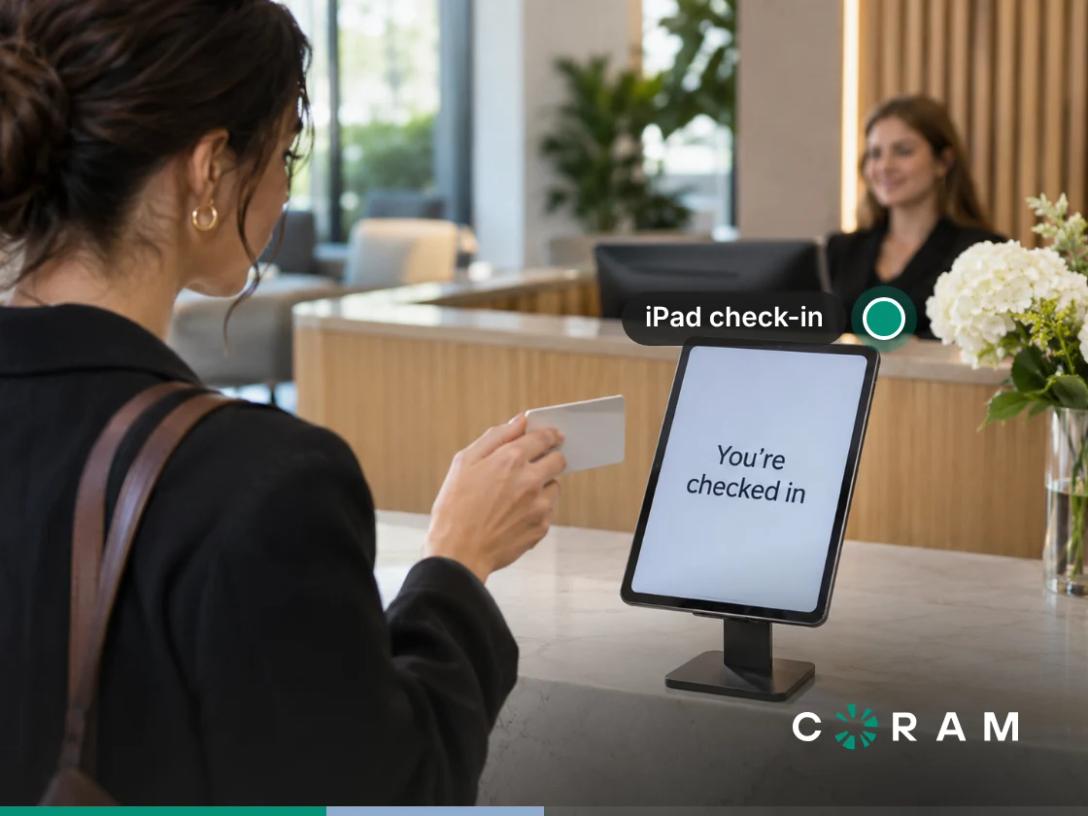
A guest hands over a driver’s license at reception, the tablet reads it, and a few seconds later the screen shows one of two words: approved or pending. That one word is the output of a driver’s license scan that can run up to four separate checks, and each of them looks at different data and runs under different conditions.
The tablet reads the license on the device. The checks themselves run on Coram’s servers, so what happens next depends on how screening is configured and whether the tablet has a connection.
Not every guest carries a US driver’s license. The Coram check-in tablet also scans passports and national ID cards, so a visitor from abroad can check in with the document they travel with. This article uses the driver’s license as its example because it is what most guests hand over at a US front desk.
Read down the last column and every row ends the same way. Whichever check fires, the front desk sees the same pending screen and the same person has to make the call.
The third column is where the checks split apart. Only the name match runs on every scan. The other three each depend on something extra: a setting, an identifier on the entry, or a live connection. Two sites running the same product can end up with different screening for exactly that reason, and a facilities manager who knows which conditions are met at each entrance knows what is being checked there.
Check One: Does the Name Match What the Guest Typed?
When the name on the license and the name the guest typed disagree, and background checks are on, the guest is held at the desk until an administrator decides. Coram compares the name on the identity document with the name the guest entered at check-in, and the two names come from different places:
- Printed name: read from the scanned license
- Typed name: entered by the guest on the sign-in form, which is part of how a cloud visitor system handles check-in
At least two parts of the name have to agree, such as the given name and the surname, and a guest with a single name has to match exactly. Punctuation, hyphens, accents, and suffixes like Jr. are ignored, but a nickname is not, so a guest who types Bob when the license says Robert is held, and so is someone whose surname has changed since the license was issued.
This is the check your front desk will meet most often. It needs only a scanned driver’s license and a typed name, so every scan with a typed name runs it. Its second input also comes from a person typing on a lobby tablet, often in a hurry, which gives these two values more chances to disagree than any other pair of inputs in the process.
A hold from this check concerns the two versions of a name and nothing else, so a guest with a clean history can still experience that wait. Staff who understand that can explain the wait calmly, and administrators can treat these holds as the routine decisions they usually are.
Check Two: Has the Document Expired?
The expiration check confirms whether the driver’s license is still up to date, and it runs only when background checking is turned on for the organization. With background checks off, the scan still reads the license and the name comparison still runs, while the expiry date goes unchecked and a name mismatch doesn’t hold anyone.
Operationally, an organization running ID scanning without background checks is reading licenses rather than screening them. If your site policy says expired IDs should be turned away at the door, that policy now depends on a setting, and someone should confirm the two line up before the front desk assumes they do. When the check runs and finds an expired license, the guest is held for an administrator in the same way as every other check.
Check Three: Is This Person Already on Your Blacklist?
The blacklist is a list your organization builds and maintains, and it matches visitors on email address, phone number, or license number. It holds the people your own team has decided to flag, so it is exactly as complete as the effort put into it.
The matching rule is where most blacklists fail quietly. Because the list matches on those three identifiers, an entry that contains only a person’s name has nothing to match against. That person can check in under their own name visit after visit and the blacklist will never fire. If your blacklist has never stopped anyone, name-only entries are the first thing to look for.
Every entry needs at least one of the three identifiers, and more than one is better, since a visitor can change an email address or phone number between visits far more easily than a license number. A license number matches only when the entry’s issuing country and state match too, so record those alongside it. Each entry also carries one of four severity levels:
- Low
- Medium
- High
- Critical
Agree internally on what each level means before anyone starts adding entries, so the person reviewing a hold reads the level the same way the person who created the entry intended.
Check Four: What the Criminal Database Search Covers
The check searches national criminal-record databases, including court records, arrest and warrant data, and sex offender registries. It runs from the scanned driver’s license plus a date of birth or phone number, and it needs an internet connection, because the search happens against databases held outside your building.
The limit comes with the method. A database search can only find what has been reported into the databases it searches, and jurisdictions differ in what they report and how quickly they report it. The result of any search reflects the data available at the moment it ran, which is why a clear result does not guarantee that the person has no criminal record.
For a facilities manager, that makes the criminal database search one layer of guest screening among several. It covers what public records hold. Your blacklist covers the people your own organization already knows it does not want on site, and the two work best when both are maintained.
What Happens When a Check Holds Someone at the Desk
When any of the four checks fires, the guest is placed on hold, and an administrator decides whether they come in. The sequence runs like this:
- The guest sees a pending screen on the tablet.
- After fifteen seconds, the tablet returns to its welcome screen so the queue keeps moving.
- Administrators are notified, by email, SMS, or both, that an entry is waiting for a decision.
- An administrator reviews the entry and approves or denies it.
- If no one decides within three hours, Coram denies entry automatically.
The fifteen-second reset is good for the line behind the held guest. It also means that guest is now standing beside a tablet that is greeting someone else, with no screen telling them what is going on. Whoever staffs the desk needs a ready answer, something like “your check-in needs a quick review and an administrator has been notified,” so the guest is not left guessing.
Every step after the third depends on a person seeing the notification and acting on it. Three hours is the ceiling on the wait. The real wait is however long it takes an administrator to notice and decide. If the people who receive those notifications are in meetings, off shift or covering another building, the guest stands in reception until someone frees up. If nobody does, the system denies entry at the three-hour mark, whether the hold came from a criminal record or a typo.
Since name mismatches are the most frequent cause of a hold, the queue fills mostly with low-stakes decisions that still need a human. The cost of a slow approver lands on ordinary guests: the contractor who misspelled their own surname, the candidate who arrived early for an interview. Before switching screening on, settle these points for each site:
- Who the administrators are, and whether their working hours cover your visitor hours
- Who covers early mornings, lunch breaks and the days the usual approver is out
- What the front desk tells a held guest, and where that guest waits
- How quickly you expect a decision, as an internal target well inside the three-hour limit
Treat the approval queue as a staffed post. Sites that do tend to experience holds as a brief pause at the desk, and sites that leave it to whoever happens to see the notification end up with guests waiting in the lobby.
What the System Keeps, and What It Never Stores
After a driver’s license scan, the system keeps a short record of what the checks found and which document they ran against, and the image of the license is never saved. Coram never stores the document image. For a check-in at the check-in device, Coram keeps the verification results, the document type, issuing country and state, expiration date, and the last four digits of the document number, but not the name or date of birth read from the document.
Here is the same split in the form your team will use when a visitor asks:
Kept after the scan
- Whether each check cleared the guest or held them
- What kind of ID it was, and the country and state that issued it
- The date the license expires
- The last four digits of the license number
Never stored
- The image of the license
- The name and date of birth read from the license, for a check-in at the tablet
That record is enough to show a guest was screened and against which license, with no copy of the license sitting in the system. When a visitor at the desk asks what happens to their license, staff can give an answer they can stand behind: “We never keep an image of your license. We keep whether the checks cleared you, the type of ID, the issuing country and state, its expiration date, and the last four digits of the number.” Be precise about scope when you say it. If a guest scans their ID while registering ahead of a visit, Coram also keeps the name and date of birth with that registration, so frame the answer around the scan at the desk.
This posture also changes what your team has to protect. Every stored image of a driver’s license is a copy of an identity document that has to be secured, governed, and eventually deleted. A system that never keeps the image removes that whole category of data from your responsibility, and leaves a much smaller set of fields to account for when someone asks what you hold about them.
Screening Stops When the Internet Does
What happens when the internet connected to the check-in tablet goes down? Check-in keeps working while the tablet is offline, and the screening waits for the connection to come back. Blacklist screening and criminal database checks are deferred until the iPad is back online, and so are the name and expiration comparisons, because all four checks run on Coram’s servers.
During an outage, a guest can complete the full check-in and see a “Verification pending” screen. Whether that person walks into the building before the checks run is up to your front desk, and whatever the deferred checks find, they find it once the tablet reconnects. The three-hour clock starts at check-in, so a held guest from a long outage can be denied automatically soon after the tablet syncs.
For a site with an unreliable connection, settle these points before the next outage:
- Whether staff call an administrator before letting guests through while the tablet is offline
- Whether certain entrances close to visitors during an outage
- Who reviews the deferred results once the device reconnects
A dependable network connection for the tablet does more for screening coverage than any setting.
Five Questions to Put to Any Visitor Management Vendor
Product pages tend to describe ID scanning as a single feature. These five questions break that feature back into the mechanics covered above, and each answer is worth getting in writing before a contract is signed.
- Does the scan authenticate the document itself, or only read it? Reading the data on a license and checking whether the license is genuine are separate capabilities. Get the answer in writing; a weak answer is a general claim that the system “verifies IDs” with no detail on what is examined.
- Which checks run while the device is offline, and which are deferred? This tells you whether an outage pauses check-in, pauses screening, or pauses neither. A weak answer is “it works offline,” with no distinction between letting a guest in and screening them.
- What is stored from the license, for how long, and who can see it? You need a field-by-field list, a retention period, and a description of who has access. A weak answer talks about security in general terms and never names a field.
- What is the time limit on an approval decision, and what happens when it runs out? A hold with no time limit can leave a guest waiting indefinitely, and a limit with no defined outcome leaves your staff improvising. A weak answer is a vendor who has not considered the question.
- Which identifiers does your blacklist match on? Name-only matching produces false hits on common names, and identifier-only matching means name-only entries never fire. A weak answer is “it checks the list,” with no mention of which fields.
Where Coram Guest Management Fits
Coram Guest Management runs the four checks covered in this article from a single scan at reception. It runs on the same platform as Coram Video Security, Access Control, and Emergency Management, with one profile for each employee.
Here is how each part of the screening described above works in Coram, and what it means at the desk:
- Name and expiration checks: The name match runs on every scan, and with background checks on, a mistyped name surfaces at the desk and goes to an administrator to resolve. The expiration check runs once background checks are switched on.
- Blacklist: Entries match on email, phone number, and ID document number, and each one carries one of four severity tiers. A list built on those identifiers catches a returning visitor by the details they bring with them, whatever name they type.
- Criminal database search: The search covers court records, arrest and warrant data, and sex offender registries. Background check rules can be configured by record type, offense category, court outcome, severity, and a year cutoff, so each organization can shape the search around its own screening policy.
- Holds: The tablet returns to its welcome screen after fifteen seconds, which keeps the line moving while a held guest waits. Administrators are notified by email or SMS, and if no one decides within three hours, Coram denies entry automatically.
- Offline behavior: Check-in continues when the tablet loses its connection, and screening waits until it is back online. That gap is the reason the outage plan covered earlier belongs in every site’s setup.
On data, Coram never stores the document image. For a check-in at the tablet, it keeps the verification results, the ID document type, issuing country and state, expiration date, and the last four digits of the license number, but not the name or date of birth read from the license. Criminal record details and blacklist reasons are visible only to Site Admins, and only an administrator can change the screening settings.
Picture a contractor arriving at 7:40 on a Monday, at a site with background checks on, who mistypes one letter of their surname on the sign-in form. The tablet shows pending, resets after fifteen seconds to greet the next person in line, and the facilities manager on the notification list approves the entry before the contractor has finished explaining the delay to the front desk.
Best for: facilities and physical security managers who want ID screening at reception with clear rules on what each check does, what gets kept, and how long a hold can wait.
Before You Turn ID Scanning On
A license scan is a set of separate checks, and you now know what each one looks at and what it needs to run. The decision in front of you is which of those checks you want running at each entrance, and who will be watching the approval queue while they run.
If you are still mapping the wider picture, start with what a visitor management system covers and come back to these settings with an owner assigned to each one.
FAQ
Is a photo of my driver’s license stored anywhere?
Coram never stores the image of your license. For a check-in at the tablet, it keeps the verification results, the ID document type, issuing country and state, expiration date, and the last four digits of the license number, but not the name or date of birth read from the license. Vendors differ on this, so ask each one for a field-by-field list of what is kept.
Does the scan tell you whether a license is fake?
That depends on the vendor, so put the question to each one directly: does the scan authenticate the license itself, or only read it? Ask for the answer in writing. A written answer gives you something specific to hold a vendor to, while a verbal assurance during a demo leaves you with nothing to check against later.
What happens to a guest while an administrator decides?
The guest sees a pending screen, and after fifteen seconds the tablet returns to its welcome screen so the next person can check in. Administrators are notified and approve or deny the entry. If no one decides within three hours, Coram denies entry automatically, so someone needs to be watching the approval queue throughout visitor hours.
Does the screening work when the internet is down?
Check-in keeps working while the tablet is offline, but screening waits. Blacklist screening and criminal database checks are deferred until the iPad is back online, along with the name and expiration comparisons. The guest sees a “Verification pending” screen, so sites with unreliable connections should decide in advance whether the front desk lets people in before the checks run.