Lockdown Systems for Schools: How They Work and What to Look For
How school lockdown systems work, from panic buttons and door locks to 911 and free egress, plus the questions to ask before choosing one.

Stu Waters
Updated
Published


A school lockdown system is the combination of triggers, door hardware, alerts and responder notification that lets staff secure a building when there is a threat inside it. A good one does five things: it starts from anywhere in seconds, locks the right doors, reaches every room, gets help moving, and never traps anyone inside.
Most districts already have pieces of a lockdown system. A panic button in the front office, electronic locks on the exterior doors, a PA system, a phone tree, a mass notification app. The question a safety director usually faces is not whether to have one, but whether those pieces work together when a teacher on the second floor sees something at 10:40 on a Tuesday.
That question gets tested in real incidents and in drills, usually without warning. For a broader view of how districts are equipping their buildings, see our 2026 K-12 physical security report.
This guide explains what a lockdown system has to do, the parts it is built from, where those parts fail, and how to evaluate one for your buildings.
What a Lockdown Is, and What It Isn't
Most districts use the Standard Response Protocol (SRP) from the I Love U Guys Foundation, which gives students, staff and first responders the same five actions. A lockdown system is built for one of them, but it has to work alongside the other four.
The distinction matters for system design. Severe weather is a Shelter response, and a threat in the neighborhood is a Secure response. If every incident is treated as a lockdown, staff learn to ignore the alert, and a system configured for one action cannot support the others. A lockdown system should be able to run a full lockdown, a perimeter-only Secure, and the other protocols as separate, clearly labeled responses.
For the procedure itself, including what teachers and students do in the room, see our guide to school lockdown procedures.
What a School Lockdown System Has to Do
Strip away the product categories and a lockdown system has five jobs.
- Start from wherever the threat is seen. The person who sees a threat is rarely standing next to the office. Triggers need to be available in classrooms, hallways, the gym and the parking lot, by more than one method.
- Lock the right doors. That means every exterior door, and as many interior doors as the building allows, without someone walking the halls with keys.
- Reach every room. Staff in every room need to know a lockdown is happening, including substitutes and people in spaces without a PA speaker.
- Get help moving. Law enforcement and the district response team need to be notified, with a location, as part of the same action.
- Keep people able to get out. Locking a threat out must never lock occupants in, and the system has to behave predictably when power, the network or a device fails.
Every part described below serves one or more of these jobs. When you evaluate a system, map each component to the job it does and look for jobs nothing covers.
The Parts of a School Lockdown System
Triggers: how a lockdown starts
Common trigger options include wearable panic buttons, wall-mounted buttons, mobile apps, a web dashboard, desk phones and the PA system. Each has a trade-off. A mobile app reaches anyone with the app installed but asks a frightened person to unlock a phone and find the right screen. A wearable button is faster under stress but only covers the people wearing one. Most districts need at least two trigger methods, and every trigger needs permissions that control who can start which response at which building.
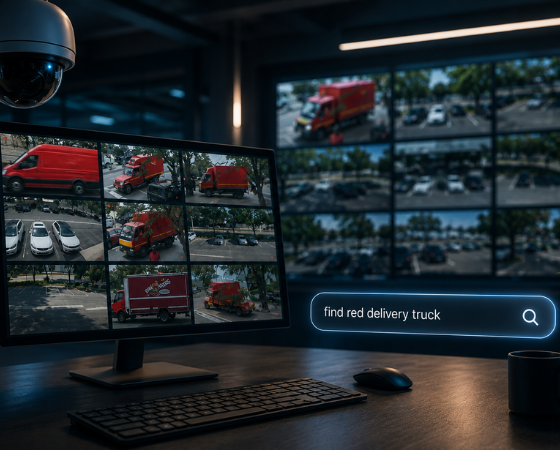
AI video analytics adds a different kind of trigger: a camera alert, such as a detected firearm, that surfaces to a responder before anyone presses a button. Treat this as a way to put information in front of a person faster, and ask each vendor exactly what happens next: whether the alert starts the response on its own or a person confirms it.
Electronic door locking: the perimeter
Exterior doors on an electronic access control system can be locked together with one command, overriding their normal schedules. This is where a lockdown system saves the most time, because no one has to run the perimeter checking doors. The limit is coverage. Only doors wired to the access control system lock electronically, so a single unmanaged side door or propped-open exterior door undoes the rest. Before you rely on a remote lockdown, list every exterior door and confirm which ones the system actually controls. For more on planning door coverage, see our guide to access control systems for schools.
Classroom doors: the hardest part
In many buildings, classroom doors are not on electronic access control at all. They are locked by hand, from the inside or outside, with a key or a thumb-turn. That makes the classroom door the step most likely to fail under stress, especially for a substitute who does not have a key. Options include classroom locksets that lock from the inside, electrified locks on classroom doors tied into access control, and add-on lockdown devices. Before buying any device that blocks or secures a door, confirm with your fire marshal that it is permitted, because requirements vary by state and jurisdiction.
Notification: reaching every room
A lockdown alert has to reach people in classrooms, offices, gyms, cafeterias and outdoor areas. That usually takes more than one channel: the PA system, desktop alerts on classroom computers, mobile notifications for staff, and the district's existing mass notification platform for wider audiences. If you already use a mass notification platform, ask whether a new lockdown system can feed it instead of replacing it.
Responder notification: getting help moving
Calling 911 should be part of the lockdown action, not a separate step someone has to remember. If your state requires schools to have silent panic alarms linked to law enforcement, confirm the specific requirements with your state education agency before choosing a system.
Video: knowing where the threat is
Cameras do not lock doors, but they change what responders know. Live video of the right camera, available to the response team the moment a lockdown starts, helps them locate the threat and direct law enforcement. Look for systems that bring the relevant cameras to responders automatically rather than requiring someone to search through feeds.
Free Egress: Locking Out Without Locking In
A lockdown keeps a threat from getting in. It must not stop anyone from getting out. Electronically locked doors are still egress doors, and people inside need to be able to leave them without a key. In practice, that usually means mechanical exit hardware on the inside of locked doors, and a fire alarm interface that releases electrically locked doors when the fire alarm activates.
The fire alarm interface deserves a specific question during evaluation, because a fire alarm during a lockdown is a known scenario. Ask how the system and your door hardware behave if both happen at once, and involve your fire marshal in the answer. How a lock behaves when power is cut is a separate decision made at installation, so confirm it for each door type.
What Happens When Something Fails
A lockdown system is tested during the worst ten minutes of a school year, which is exactly when a network switch, a power circuit or a battery is most likely to be the thing nobody checked. Ask every vendor these four questions, and get the answers in writing.
- If the internet drops, can a lockdown still be triggered? Many cloud-managed systems keep enforcing existing schedules and credentials offline but need a connection to accept new commands.
- If building power fails, which devices stay up, and for how long?
- Do panic buttons depend on the building Wi-Fi?
- When the emergency is resolved, do the doors unlock automatically, or does a person decide?
There is no single right answer to the last question, but your team should know which one applies before the first real lockdown.
How to Evaluate a School Lockdown System
Use these questions with any vendor.
- Which trigger methods does it support, and who is allowed to use each one at each building?
- Which doors will lock electronically when a lockdown starts, and which will still be locked by hand?
- Can it run a full lockdown and a perimeter-only Secure as separate responses?
- How does an alert reach a classroom without a PA speaker, a substitute without the app, or staff outdoors?
- How does it notify 911, and does it meet your state's panic alarm requirements, if any?
- Does it work with your existing mass notification platform, cameras and access control, or does it replace them?
- How does it support drills without triggering a real 911 call or a real lockdown?
- What happens during an internet outage and a power outage?
Drills matter here as much as features. A system staff do not practice with is a system they will hesitate to use. Our overview of school emergency drills covers how districts structure them.
How Coram Handles a Lockdown
Coram Emergency Management, Access Control and Video Security run on the same platform with one login, which is what lets a single action cover several of the jobs above.
- Response types: the default emergency types follow the Standard Response Protocol: Evacuate, Lockdown, Secure, Shelter and Hold. Each organization can configure up to five.
- Triggers: a wearable panic button (two presses, confirmed by a flashing green light), the web dashboard or the Coram mobile app. The panic buttons communicate over LoRaWAN radio rather than the building Wi-Fi. Permissions are set per emergency type and per location, so a responder can be allowed to start or resolve a lockdown at one building but not another.
- Door lockdown: an emergency type can be linked to an access control lockdown. When it is activated, every door, or a configured group of doors, locks and stays locked over its normal schedule. The lockdown does not end automatically when the emergency is resolved; an administrator clears it after the situation has been re-evaluated.
- Firearm detection: when a firearm is detected on camera, an authorized user can escalate the alert into an emergency and choose which emergency type it triggers, including one linked to a lockdown.
- Notification and 911: emergencies can be sent to an existing mass notification platform through webhooks in the Common Alerting Protocol (CAP) format. Users with the right permission can call 911 from the dashboard or app during an active emergency, and Automatic Dispatch, which shares the emergency and its location with a dispatch partner who notifies 911, is rolling out to eligible US organizations on request.
- Drills: drill mode marks the event as an exercise and skips the door lockdown.
There are limits worth knowing. Coram Access Control locks doors with wired 12V or 24V locks; Wi-Fi locks are not supported, so doors on wireless locksets will not join a Coram lockdown. The four-door DC-41 controller has a backup battery rated for about 24 hours; the single-door DC-11 is powered over Ethernet and goes down with its network switch. Coram's fire alarm interface cuts power to the controller when the fire alarm triggers, releasing maglocks and strikes for egress.
To see how these pieces work together, explore Coram's emergency management system and panic button.
Start With One Door and One Trigger
Before comparing systems, test the one you have. Pick a classroom on the floor farthest from the office, start a lockdown drill from there using the method a teacher would actually use, and time how long it takes for the exterior doors to lock and for every room to know. That number tells you which of the five jobs your current system is missing.
FAQ
What are some effective lockdown devices for schools?
The most effective lockdown setups combine electronic locking on exterior doors, classroom doors that can be secured quickly from inside, and a trigger that staff can reach from anywhere, such as a wearable panic button. Any device that secures or blocks a classroom door should be checked with the local fire marshal before purchase.
What are the different types of school lockdowns?
Under the Standard Response Protocol, a lockdown is called for a threat inside the building. A threat outside the building calls for Secure, which locks the perimeter while classes continue. Some districts also run a lockdown for one building or wing rather than a whole campus.
What should a school look for in an emergency notification system?
Look for more than one way to trigger an alert, delivery that reaches every room, a direct path to 911, and integration with the doors and cameras you already have. The evaluation questions above cover each of these in more detail.
Does a lockdown drill lock the doors?
It depends on the system and how it is configured. Some systems lock doors during drills and some skip the door lockdown to avoid disrupting the school day. Confirm which applies before your first drill so staff know what to expect.