


When you sit down to evaluate a physical security platform, the concerns are hardly simple. You want unified visibility, hardware that won’t become a vulnerability, yet you're still wondering: can your team actually run this system day-to-day without needing vendor support every time something changes?
That’s what makes choosing the right platform tricky. The decision is strategic, technical, and operational all at once, and if you get it wrong, the consequences stick around long after the contract is signed.
In 2026, the stakes are even higher with regulations around biometric data and video retention tightening across regions, all while physical security systems become a part of the broader cybersecurity surface. That’s why the platform you choose today will directly influence how well your organization handles these pressures, not just this year, but for the next 5-7 years.
That’s why we have put together this guide comparing the top 3 enterprise security platforms: Genetec, Verkada, and Coram, based on the areas that matter most when you’re actually deploying and operating a security system.
Genetec vs Verkada vs Coram - Company Overviews
You see, most of the security systems today bring different security tools like surveillance cameras, access control systems, sensors, and alerts into a single system. To better understand how these and other capabilities work in the 3 enterprise security platform we are considering, let's dive deeper into each of these in a bit more detail:
1. Genetec
Genetec is a leading provider of enterprise physical security systems headquartered in Montreal that develops software for managing. It was established in April 1997, and since then, it has served 42,500+ customers across 158 countries outside Canada. Its products mainly help to monitor and manage security across buildings, campuses, or multiple facilities.
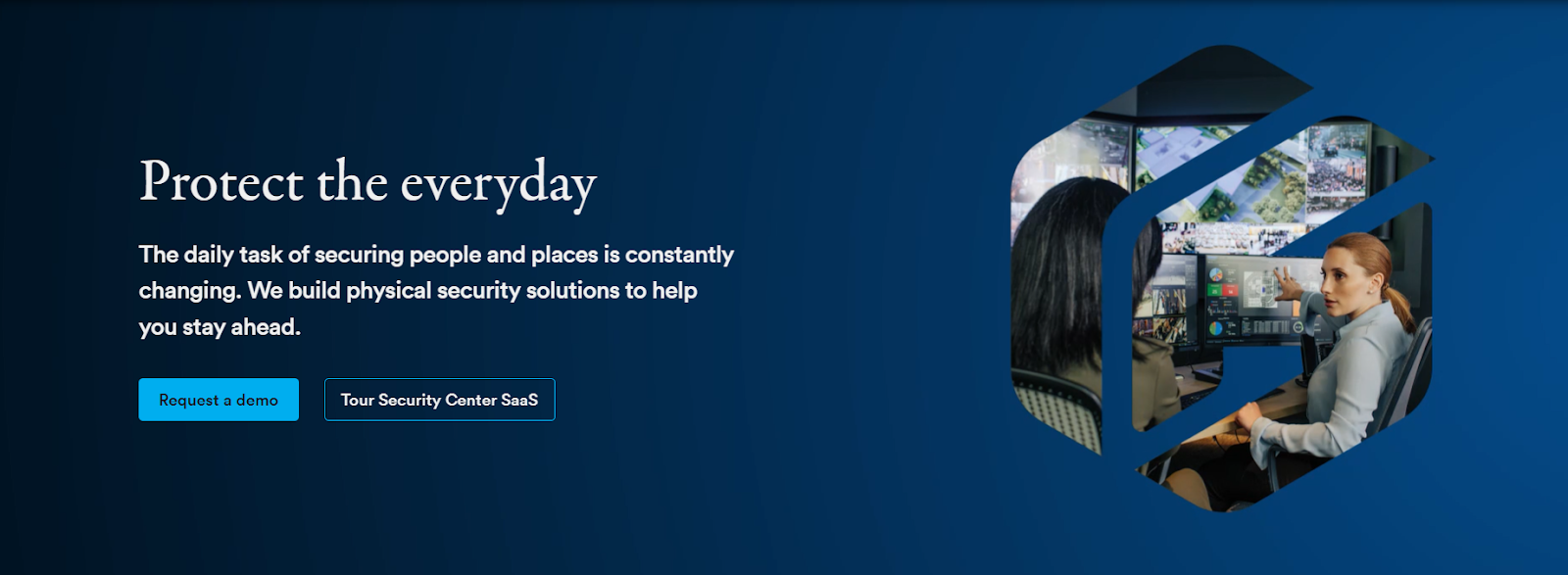
Through its main platform, Genetec Security Center, organizations can manage video surveillance, access control, license plate recognition, and intrusion detection from one system. This allows security teams to monitor camera feeds, review entry records, and respond to alerts within a unified interface.
Recently, the company has also announced the launch of Cloudlink 2210, a cloud-managed appliance to scale physical security without replacing existing infrastructure. With RAID-protected storage, dual network interfaces, and the ability to scale simply by adding more units, it is expected to ship globally in May 2026 after its showcase at ISC West.
Highlights
- Omnicast - Video Management System (VMS)
Omnicast is the video management system used to monitor and manage surveillance cameras across a facility. It also supports modern cameras and analytics, and has a flexible architecture designed to reduce network load and storage usage, while still allowing you to expand the system as the number of cameras or locations grows.
- Synergis - Access Control System
Synergis is the access control component that helps manage entry to create and manage cardholders, control doors remotely, and set access schedules based on specific security policies. It also connects with many third-party devices, allowing you to integrate different hardware systems within a single access control platform.
- AutoVu - Automatic License Plate Recognition (ALPR)
AutoVu is an automatic license plate recognition technology. It can be installed as fixed cameras at entrances or deployed as mobile units, depending on the security requirement. The same can also be integrated with other security systems, such as video surveillance and access control, to provide a more complete understanding of vehicle activity around a facility.
- Sipelia - Communications Management System
Sipelia manages communication systems within the security platform by centralizing SIP-based calls and intercom communication. It connects incoming calls, intercom alerts, and other communication channels directly with the security system interface.
- Mission Control - Collaborative Decision Management System
Mission Control identifies real threats, analyzes, and presents them in a more organized way, helping operators to understand what is happening and decide on the appropriate response. It also helps coordinate actions among different stakeholders, which can improve the speed and efficiency of incident resolution.
Pros and Cons
Source: G2 Reviews
2. Verkada
Verkada is another leading provider of a cloud-based platform to manage the security of your physical spaces in a more organized way. This is mainly done through Verkada Command, which works as the main dashboard for managing security operations. Since the platform is cloud-based, you can access it remotely.
Today, more than 30,000 organizations use Verkada’s platform, which includes small and mid-sized businesses, large enterprises, and Fortune 500 companies. The industries they serve include schools, universities, government offices, retail stores, healthcare organizations, law enforcement agencies, banks, hotels, restaurants, and property management companies.
Highlights
- Plug-and-Play Setup
With Verkada, you can set up your security system without installing separate NVRs or servers. The platform combines on-premise reliability with the flexibility of the cloud. Your data is stored both on the device and in the cloud, while firmware and software updates happen automatically.
- On-Device Storage with Cloud Backup
Instead of relying on bulky DVR or NVR hardware, Verkada cameras store video directly on the device. You can choose storage durations ranging from 30 to 365 days, depending on your needs.
- Centralized User Management
User access can be managed from one central platform. You can integrate the system with identity services such as Okta or Microsoft Entra ID using SSO, SCIM, SAML, and MFA. This helps you automatically manage users and permissions. This way, security access stays aligned with your organization’s IT policies.
- Flexibility and Cost Savings
Since the platform is cloud-based, you can expand your system without installing new servers or storage hardware. Verkada devices also come with warranties of up to 10 years, which can lower long-term maintenance costs.
- Advanced AI Capabilities
Verkada uses cloud computing to support AI-powered analytics within the platform. These tools help to search footage faster, detect events, and receive real-time alerts when unusual activity occurs. So, instead of manually reviewing long recordings, you can rely on AI to highlight relevant moments.
- Self-Serve Integrations via APIs
Through open APIs, you can connect Verkada with other software systems used in your organization. For example, door access events or security alerts can be integrated into broader operational systems.
Pros and Cons
Source: G2 Reviews
3. Coram
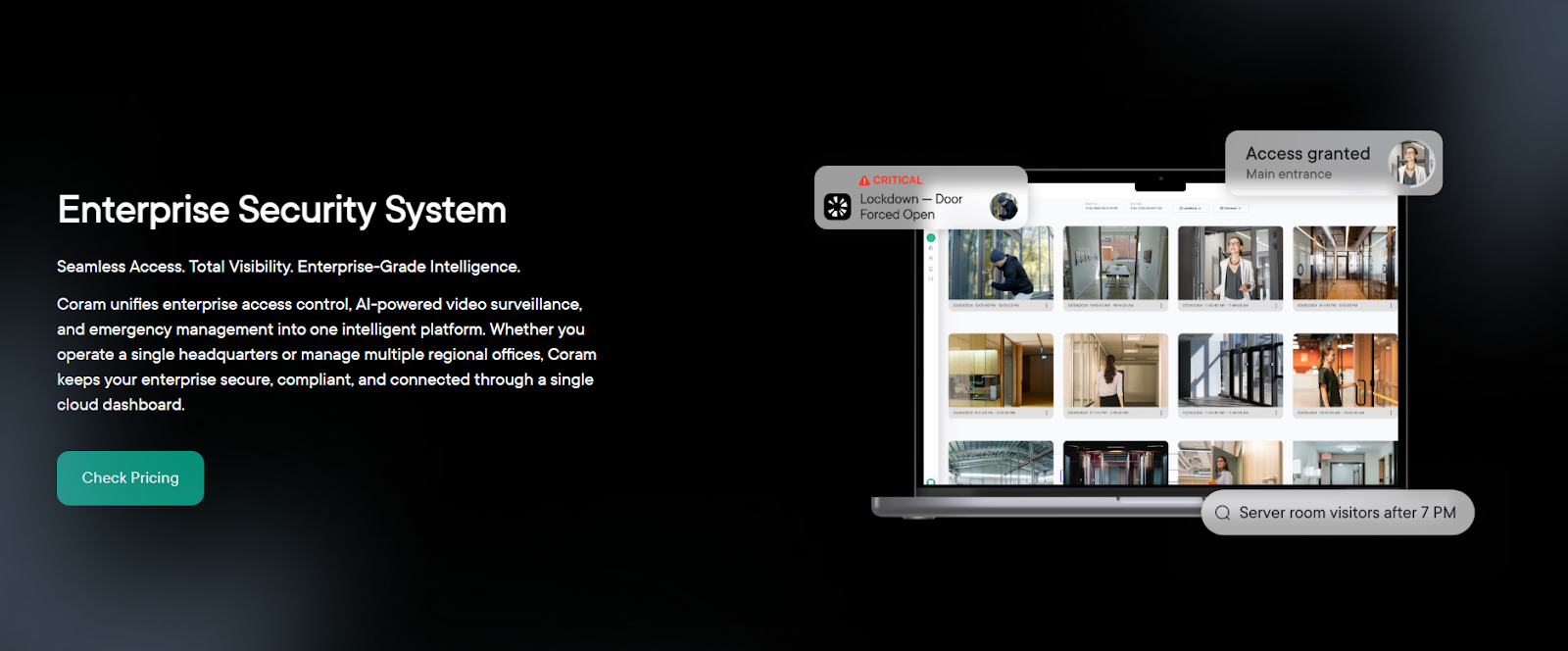
Coram AI offers an integrated AI-driven physical security platform that helps you monitor and manage safety across your facilities. One of the core aspects of the platform is its AI-native architecture, and because of this design, the platform can support capabilities such as weapon detection, slip-and-fall detection, and natural-language alerts for improved enterprise security.
Additionally, Coram AI has also received industry recognition for these capabilities, including being listed among the CB Insights AI 100 Companies of 2025 and certifications such as SOC 2 Type II and HIPAA, which support organizations that must follow strict data protection and regulatory standards.
Highlights
- Enterprise-Level Access Policy Enforcement
With Coram, you can define and enforce access rules across different locations from a single system. You can set zone-level restrictions, control after-hours entry, and manage access to sensitive areas more carefully. As these rules are applied consistently across facilities, it becomes easier to maintain security standards across regions and sites.
- Real-Time Threat Detection and Alerts
Coram’s AI continuously analyzes video feeds and sensor data to identify unusual activity. This may include situations such as forced entry, tailgating, or unauthorized access outside normal hours. When such activity is detected, the system immediately sends alerts to your security team.
- Compliance and Audit-Ready Reporting
Coram automatically records access events and links them with related video evidence, making it easier for you to review incidents. In addition, the system can generate reports aligned with standards such as SOC 2 and HIPAA, which support organizations that must follow strict regulatory guidelines.
- Integrated Emergency Response
In emergencies, Coram connects cameras, access control systems, and response workflows within a single platform. For instance, you can trigger door lockdowns, activate alerts, or share live video with responders when an incident occurs. This way, the system helps you coordinate faster across your facilities.
- Centralized Oversight Across All Locations
If your organization operates across multiple buildings or regions, Coram provides a centralized dashboard where you can monitor everything. From this interface, you can view live video, manage access credentials, review incidents, and apply security policies consistently across sites. This centralized oversight helps you maintain visibility and control over security operations across all locations.
Pros and Cons
Source: G2 Reviews
Head-to-Head Feature Comparison Table
Now that we have looked at each platform individually, let's compare side by side. While Genetec, Verkada, and Coram AI all aim to help organizations manage the security of their physical environments, they differ in multiple aspects. Here’s a quick head-to-head comparison of the features of the 3 enterprise security platforms:
From the above comparison, it becomes apparent that all three platforms solve the same core problem: helping organizations manage the security of their physical spaces. However, they approach this goal in different ways.
- Genetec follows quite a comprehensive approach where multiple systems are integrated into one environment.
- Verkada, on the other hand, focuses on a cloud-native hybrid architecture that simplifies deployment by eliminating much of the on-premise hardware typically required in traditional security setups.
But Coram takes a slightly different direction. How?
By building its platform around an AI-native approach right from the start. The platform embeds artificial intelligence directly into the system. This allows it to analyze video feeds, sensor inputs, and access events in real time and identify potential risks earlier.
Another key difference is how these platforms handle incident awareness and response.
- Genetec provides structured workflows
- Verkada offers event-based alerts
- Coram AI emphasizes real-time analysis and automated detection to help teams recognize threats faster
This approach helps you shift from a reactive security model to a more proactive one so you can identify and address the potential risks as they come up.
Access Control Capabilities: Genetec vs Verkada vs Coram
Access control is one of the most important components of an enterprise's physical security system because it determines who can enter specific areas, when they can enter, and under what conditions.
So, if you’re a large organization with multiple buildings, departments, and sensitive zones, managing access manually becomes difficult and prone to errors. This is why modern security platforms integrate digital access control systems so that you can manage credentials, monitor entry events, and enforce security policies from a centralized platform.
To understand how different platforms approach this capability, let’s take a closer look at the access control features offered by them.
1. Genetec
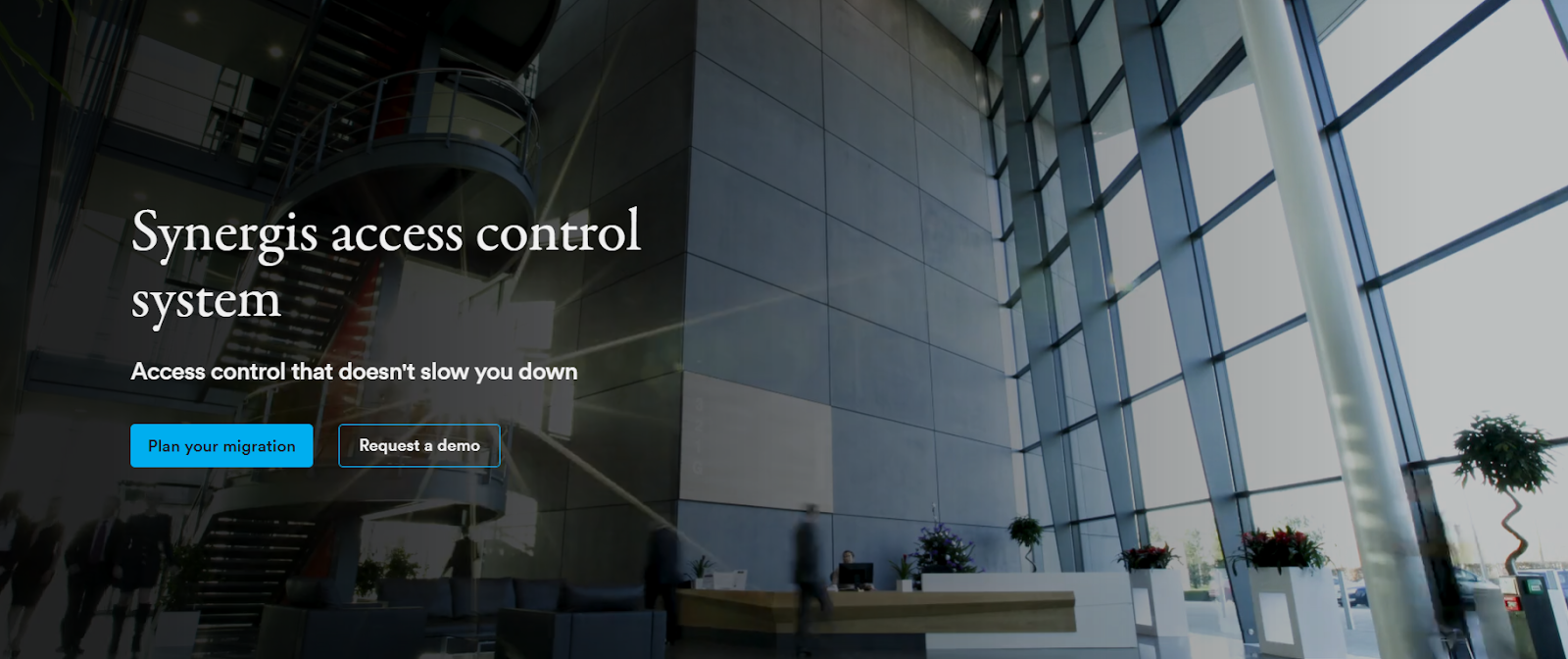
The access control capabilities of Genetec are built around Synergis, an enterprise-level system designed to help you manage access across buildings, departments, and restricted zones from one platform. It helps you to control doors, manage credentials, and monitor entry events within a centralized environment.
Source: Synergis
Another important aspect of Synergis is that it operates within the broader Genetec Security Center platform. This means access control does not function in isolation but works alongside video surveillance, license plate recognition, and communication systems, so you can view access events together with video footage or other security data.
Core Functionalities
Synergis offers three main capabilities as part of its broader access control capabilities:
- Simplified Cardholder and Access Management: With Synergis, you can enroll employees and visitors, assign credentials, and grant access rights in a few steps. The system also supports role-based access control through ClearID, which automates how permissions are assigned.
- Clear Monitoring and Automated Responses: Synergis provides customizable dashboards and map-based views that help you monitor access activity more clearly. It also includes automation features that allow you to prepare responses in advance. By filtering less relevant alerts and highlighting critical activity, the platform helps operators stay focused during important security situations.
- Data Insights and Activity Reporting: Apart from managing doors and credentials, Synergis also gives you the tools for analyzing access data. The system collects real-time information about entry events and user activity, which can help you identify patterns or detect unusual behavior. These insights can support both security monitoring and operational improvements.
2. Verkada
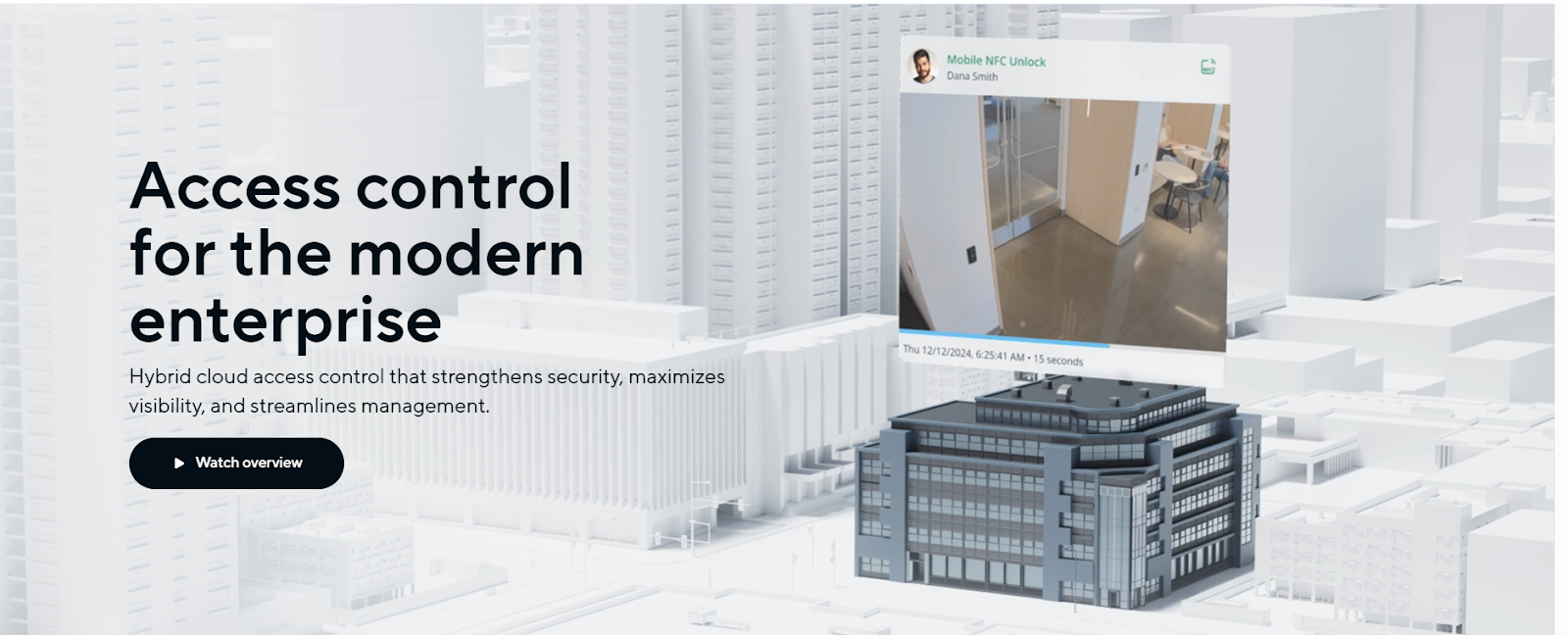
The access control system offered by Verkada is built on a hybrid-cloud architecture that combines cloud management with edge-based device processing. This means you can manage doors, users, and access permissions through Verkada Command, while key operational functions continue to run directly on the hardware devices installed at each door.
Source: Verkada
This setup allows you to deploy and manage access control systems across multiple locations without installing traditional on-site servers. Devices connect to power and the internet and can be managed remotely through the Command platform. Here’s how everything comes together:
- Serverless Deployment and Simple Setup: One of the defining aspects of Verkada’s access control system is that it removes the need for traditional server infrastructure. Instead of installing and maintaining local servers, you simply connect the access control devices to power and the internet. Once connected, the devices automatically link to the Command platform and become operational within minutes.
- Remote Management and Real-Time Visibility: With the Verkada Command platform, you can manage access control operations from virtually anywhere through a web or mobile interface. From the same dashboard, you can add or remove users, update permissions, unlock doors remotely, and monitor entry events across different facilities.
- Reliability Through Edge Processing: Access control systems must stay functional even when network conditions change. Verkada addresses this by using edge processing and local storage within its access control hardware. This allows doors to continue operating normally even if the connection to the cloud is temporarily interrupted.
Devices are also able to communicate with each other locally. Once the network connection is restored, the system automatically synchronizes event data with the cloud platform so that access records stay complete.
3. Coram
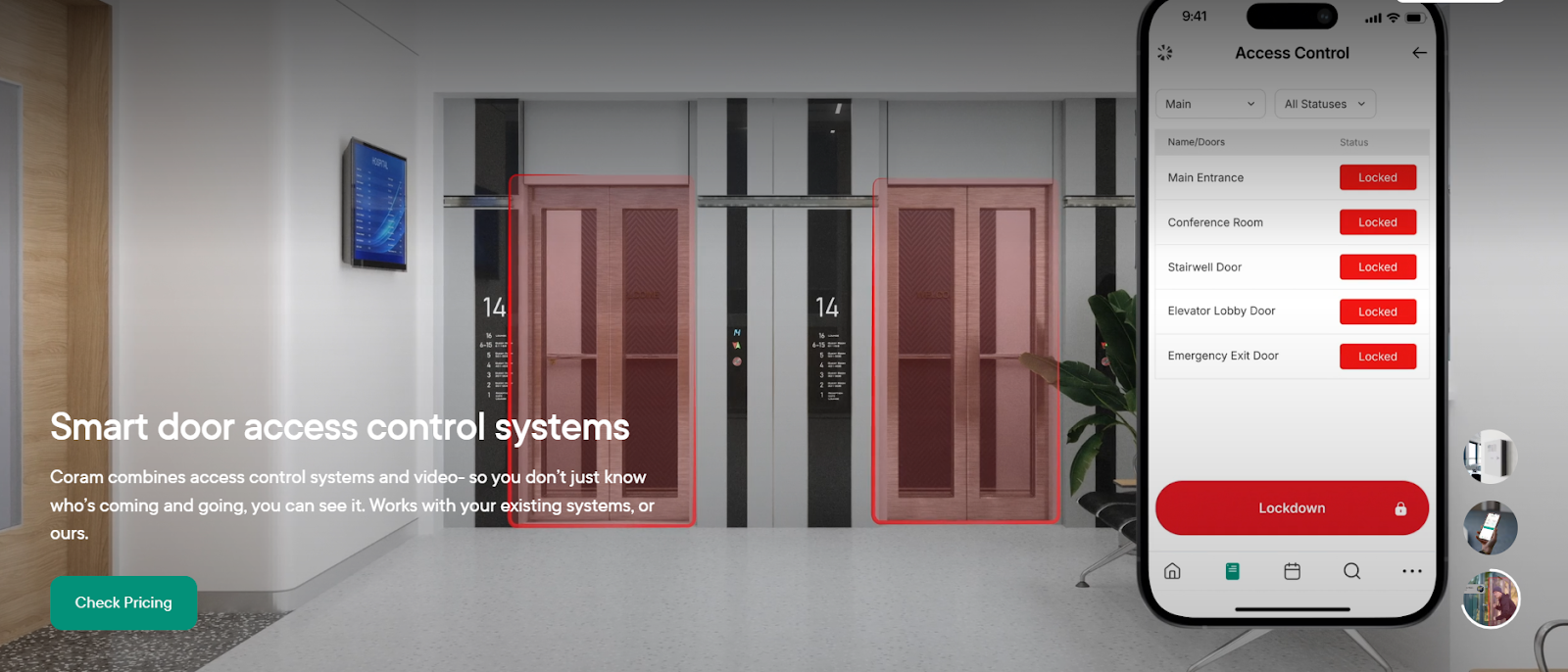
Coram’s access control system combines door access management, video monitoring, and intelligent alerts within a single cloud-based platform. It connects these systems so you can monitor access activity and security events from one dashboard. This approach can help you maintain better awareness of who is entering your facilities and respond more quickly.
Source: Coram
At the hardware level, this system typically includes two main components:
1. DC-41 Access Control
This is the door controller (main hardware unit) that manages and controls multiple doors in the access control system. This is done by:
- Connecting to door locks, sensors, and readers
- Deciding whether to grant or deny access
- Communicating with the central security platform
- Controlling up to 4 doors
Basically, it works like the brain of the access control setup for multiple doors.
2. DR-U1 Reader
This is the credential reader installed near the door that reads the credentials presented by users, which includes elements like:
- Keycards
- Mobile credentials
- Badges
- NFC cards
And then sends that information to the DC-41 controller, which then decides whether the door should unlock. Additionally, the platform offers the following functionalities:
Who Should Choose Which Platform?
You see, all three platforms, in a way, help to manage physical security. However, the right choice for YOU would ultimately depend on your infrastructure, operational needs, and how you want to manage security in the long term. So, since each platform approaches enterprise security differently, let’s look at which one aligns best with your organization’s priorities.
Choose Genetec if you…
- Already have a large or complex security infrastructure with multiple devices and vendors.
- Need a unified platform that integrates systems like video surveillance, access control, license plate recognition, and communications.
- Prefer a hybrid deployment model that can support both on-premise infrastructure and cloud services.
- Want strong integration capabilities with third-party security hardware and systems.
Choose Verkada if you…
- Want a simpler deployment process without installing and maintaining traditional servers.
- Prefer a hybrid-cloud system that allows you to manage doors, cameras, and users remotely.
- Need a platform that can scale easily across multiple locations with centralized management.
- Value ease of use and fast setup for distributed teams or multi-site operations.
Choose Coram AI if you…
- Want an AI-driven security platform that focuses on real-time insights rather than just monitoring events.
- Need a system where access control, video, and alerts work together in one dashboard.
- Want to automatically link door events with video context to quickly understand incidents.
- Are looking for a platform that helps your team move toward proactive security and faster incident response.
Final Takeaway
Now, if you take a step back and look at the bigger picture, you will notice that each of the three platforms takes a different approach to enterprise security. And as you compare these platforms, it becomes clear that each one reflects a different way of thinking about enterprise security.
So, if you’re evaluating these options, the real question becomes which approach best fits how your team monitors facilities, manages access, and responds to events across your environment. Once you become clear on that, it becomes way easier to understand which platform would go best with your specific needs and use cases.





.png)

