


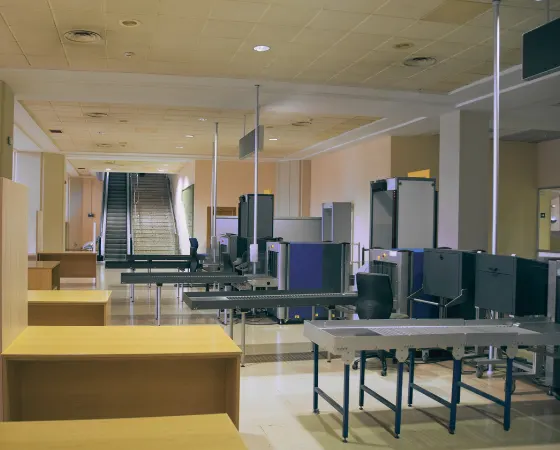
According to the World Health Organization (WHO), 3 million deaths happen annually due to unsafe care. While a lot of this is linked to clinical processes, a part of the problem also comes down to who is entering, where they're going, and what they're exposed to along the way.
In fact, this is where things start to get tricky for hospitals. On any given day, you're managing hundreds, sometimes thousands of visitors, all moving across spaces. A healthcare visitor management system helps you systematically manage this across the facility.
This article breaks down how you can approach this challenge more practically. By the end, you will get a clear idea about what a hospital visitor management system actually does, key features to look for, and a comparison of top solutions, so you can make an informed decision.
What is a Hospital Visitor Management System?
A Hospital Visitor Management System (VMS) is used to record details like who is visiting, which patient they are meeting, and how long they stay to help hospitals maintain better control over access. The system works by registering visitors at a reception kiosk or desk, verifying their identity, and issuing a visitor pass with specific access permissions.
With more advanced setups, you can restrict entry to certain areas, monitor visitor movement in real time, and generate alerts if someone overstays or tries to access unauthorized zones. That's how it improves hospital safety, reduces overcrowding, and supports compliance with security and health protocols.
Why Hospitals Need a Visitor Management System
Hospitals are open yet highly sensitive environments, where the need to balance accessibility with safety becomes constant. Because of this, visitor management in hospitals helps in maintaining security and keeping operations running smoothly without adding friction at the front desk. Here are a few ways to understand exactly why these are needed in healthcare facilities:
Combating Workplace Violence in Healthcare
Workplace violence in hospitals is more common than people usually assume. This is largely because hospitals are open environments where emotions run high among patients, families, and long waiting times can all contribute to tension.
A visitor management system brings in a layer of control by ensuring that every visitor is registered and verified. When entry is monitored and traceable, it becomes easier to prevent unauthorized access and reduce the chances of such incidents.
Protecting Vulnerable Patient Populations
Not all patients in a hospital can protect themselves, especially those in NICU, pediatric care, behavioral health units, or elder care, as these require stricter supervision. A visitor management system helps here by allowing only approved visitors into these areas to maintain a safer and more controlled environment for patients who are already in a fragile condition.
Controlling Access to Restricted Areas
In areas like pharmacies, operating rooms, labs, and even server rooms, controlling access is often needed. If access to these zones is not controlled, it can lead to issues like theft, contamination, or data-related risks. A visitor management system makes it easier to define who can go where and ensures that only authorized individuals can enter specific areas.
Infection Control and Pandemic Preparedness
After COVID-19, infection control has become an operational priority as well. Hospitals need to keep track of who is entering, screen visitors if required, and maintain records in case contact tracing becomes necessary. A visitor management system supports this by capturing visitor details, enabling basic health checks, and maintaining visit histories.
Maintaining Regulatory Compliance
Hospitals operate under strict regulations such as HIPAA, Joint Commission standards, and CMS guidelines, all of which focus on patient safety, privacy, and proper documentation. Managing this manually can get complicated, but a visitor management system simplifies things by maintaining digital records of visitor activity, controlling access to sensitive areas, and ensuring that patient information is not exposed unnecessarily.
Streamlining Front-Desk Operations and Reducing Wait Times
Anyone who has visited a hospital knows how chaotic the front desk can get, especially during peak hours. Manual registers, repeated questions, and long queues slow everything down. A visitor management system makes this process smoother through self-check-in, pre-registration, and automated pass generation. This way, visitors can get through faster, and staff don't have to spend all their time on basic administrative tasks.
Supporting Emergency Preparedness
In emergencies like a fire, lockdown, or evacuation, one of the biggest challenges is knowing exactly who is inside the hospital. A visitor management system provides real-time visibility into visitor data, making it easier to track who's present and where they might be. This helps staff conduct accurate headcounts and handle critical situations with better clarity and control.
How Does a Hospital Visitor Check-In System Work?
A hospital visitor check-in system is designed to make the entry process simple but controlled. When a visitor arrives, instead of filling out a manual register, they either go to the reception desk or use a self-service kiosk. Here, they enter basic details like their name, phone number, and the patient they're visiting.
Once the details are submitted, the system verifies the information and checks if the visit is allowed based on visiting hours or patient permissions. If everything is fine, it generates a visitor pass, which could be printed or digital (like a QR code). This pass usually mentions where the visitor is allowed to go and for how long.
During the visit, the system keeps a record of the visitor's presence inside the hospital. And when they leave, they check out, either manually or automatically. This way, the hospital always has a clear, real-time record of who is inside the facility.
Key Features to Look for in Healthcare Visitor Management Software
The set of features you choose while selecting a hospital visitor management system directly influences how efficiently it will work for your facility. So, here are some features you should prioritize while evaluating your options:
AI-Powered Visitor Screening and Anomaly Detection
AI-powered screening can actively analyze visitor data such as repeat visits, unusual timings, or mismatched information and flag anything that seems out of place. Meanwhile, anomaly detection focuses on identifying patterns such as unauthorized movement across restricted zones or unusual visitor activity during odd hours.
For instance, Coram's Visitor Management system understands behavior in real time. As a result, hospitals can catch potential risks early instead of dealing with them after something goes wrong.
HIPAA-Compliant Data Handling and Encryption
In a hospital setting, even visitor data can be sensitive because it is often linked to patient information. This is where HIPAA compliance becomes important, as it ensures that any data collected is only accessed by authorized personnel. A good visitor management system will store this data in a way that protects patient privacy and prevents misuse.
Encryption plays a key role in making this possible. It ensures that critical data is protected from unauthorized access. So even if there is an attempt to breach the system, the information remains unreadable.
EHR/EMR Integration (Epic, Cerner, Meditech, Allscripts)
Integration with EHR/EMR systems allows the visitor management system to work more closely with the hospital's existing data infrastructure. It can connect visitor details with patient records, so visits are aligned with patient permissions, schedules, or special conditions. For instance, if a patient has restricted visitors, the system can automatically enforce that during check-in.
Health Screening and Symptom Questionnaires
Health screening features allow hospitals to assess visitor health before granting access, which is especially important in preventing the spread of infections. During check-in, visitors may be asked to fill out a quick questionnaire about symptoms, recent travel, or exposure to illnesses. Based on their responses, the system can decide whether to allow entry or flag the visitor.
Visitor Badge Printing and Digital Credentials
Visitor badges help hospitals instantly know who belongs where. Once a visitor completes check-in, the system can generate a badge that includes key details like name, patient being visited, and allowed areas. Plus, with digital credentials like QR codes or mobile passes, visitors can carry a scannable code on their phone, which can be used at entry points or restricted zones.
Ward-Level and Zone-Based Access Control
Hospitals are divided into multiple zones, and not every visitor should have access to all of them. Ward-level access control ensures that visitors can only enter specific areas related to their visit, such as a particular ward or department. Zone-based control makes this even more manageable by defining permissions more precisely.
Real-Time Occupancy and Capacity Management
Hospitals often face overcrowding, especially during visiting hours. Real-time occupancy tracking helps staff understand how many visitors are currently inside the facility and in specific areas. Capacity management makes this easier by setting limits for different zones or wards. Once the limit is reached, the system can restrict further entries or delay check-ins.
Touchless/Contactless Check-In Options
Touchless check-in options are designed to make the entry process safer and more convenient without using shared devices or manual forms. Visitors can check in through their own phones, scan QR codes, or use pre-registration links. By minimizing shared touchpoints like pens, registers, or kiosks, hospitals can reduce the risk of surface-based transmission.
Emergency Lockdown and Code Integration
In hospitals, emergencies are often managed through predefined codes like Code Silver (active threat) or Code Pink (infant abduction). A strong visitor management system can integrate with these protocols so hospitals can respond faster and more effectively. For instance, during a lockdown, the system can instantly restrict visitor movement or prevent new check-ins.
Cloud-Based Dashboard and Multi-Facility Management
A cloud-based dashboard allows hospital staff to access visitor data from anywhere, without being tied to a specific system or location. For hospitals that operate across multiple locations, this becomes even more valuable. Multi-facility management ensures that all branches follow consistent processes while still being monitored centrally.
Reporting, Analytics and Compliance Documentation
Visitor data becomes much more useful when it can be analyzed properly. Reporting and analytics features allow hospitals to understand patterns like peak visiting hours, frequent visitors, or areas with higher footfall. With documentation, hospitals can maintain records for audits, incident reviews, or regulatory requirements.
HIPAA Compliance and Data Security in Hospital Visitor Management
HIPAA (Health Insurance Portability and Accountability Act, 1996) compliance in hospital visitor management governs and protects patient-related information, even when it's indirectly exposed through visitor data. Because of this, hospitals need to ensure that even their visitor management processes follow strict privacy and security standards.
If visitors can move freely without checks, there's always a risk of accidental or intentional exposure. At the same time, traditional methods like paper registers fall short because they expose information openly and lack accountability. Modern digital systems fix this with structured controls, such as:
- Limited and purpose-specific data collection
- Restricted visibility of visitor information
- Encrypted storage and secure data handling
- Detailed audit logs for tracking and compliance
That's how HIPAA compliance in visitor management helps in minimizing any chance of patient information being exposed, whether it is through systems, spaces, or simple processes.
Visitor Management for Different Healthcare Facility Types
The way visitors are managed in a large hospital is very different from how it works in a small clinic or a diagnostic lab. So the expectations from a visitor management system naturally shift based on the environment. Because of these differences, the role of visitor management also changes. So, let's look at how these systems adapt across different healthcare facilities:
Hospitals
Hospitals deal with the highest footfall and the most sensitive environments at the same time. Here, a VMS helps bring structure by managing who enters, which patient they're visiting, and how long they stay. It becomes especially important for controlling access to critical areas like ICUs, operating rooms, or maternity wards.
Clinics and Medical Offices
Clinics usually have lower footfall compared to hospitals, but they still deal with patient privacy and daily visitor movement. So, a visitor management system for clinics helps simplify check-ins by reducing manual work at the front desk and ensuring that only relevant visitors (like attendants or family members) are allowed inside.
Urgent Care Centers
In urgent care centers, quick decision-making is critical as visitors often arrive without prior appointments, so the check-in process needs to be both fast and controlled. A VMS helps by enabling quick registrations while still capturing essential details and preventing overcrowding in already high-pressure situations.
Diagnostic Centers and Labs
Diagnostic centers typically handle a high volume of short-duration visits. Also, since these spaces often deal with samples and sensitive equipment, limiting unnecessary visitor movement becomes important. A VMS ensures that only required individuals are allowed inside, keeping operations streamlined and safe.
How to Choose the Best Hospital Visitor Management System?
In hospitals, security is layered, so it's not just about allowing or denying entry at the gate. A good visitor management system should handle this entire journey, starting from identity verification at entry to controlling movement across different zones. To help you make the right decision, here are a few aspects to consider:
Integration with Existing Hospital Systems
In most cases, a visitor management system cannot function effectively in isolation because it needs to align with systems like EHR/EMR, appointment scheduling, and access control. For instance, if a patient has restricted visitors or specific visiting hours, the VMS should automatically reflect that during check-in.
Reliability and Offline Functionality
Hospitals operate 24/7, and their systems are expected to do the same. If a visitor management system depends entirely on internet connectivity and goes down during an outage, it can lead to delays or security gaps. That's why a well-designed system should have offline capabilities or backup mechanisms that allow check-ins and tracking to continue even during downtime.
Customization Based on Hospital Workflows
No two hospitals operate in exactly the same way. Visiting rules, patient categories, department sensitivities, and even peak hours can vary significantly. A good visitor management system should allow hospitals to define these workflows flexibly. This includes setting different rules for different departments, visitor types, and time slots.
Pre-Registration and Appointment-Based Entry
One of the biggest operational challenges in hospitals is managing visitor flow during peak hours. Without any structure, entry points can become crowded, leading to delays, confusion, and even discomfort for patients and staff. Pre-registration addresses this by allowing visitors to submit their details before arriving.
How Much Does a Hospital Visitor Management System Cost?
Hospital visitor management systems are usually priced based on scale, setup, and the level of control required. Most of these platforms fall between $30 and $350 per month per location. However, once you include hardware and setup, the total first-year cost can range from around $1,000 for smaller clinics to $20,000+ for large facilities.
Here's a quick breakdown of the general cost structure:
- Subscription (SaaS): Ranging from around $30/month (basic) to $350+/month (premium), depending on features like screening, integrations, and multi-location support.
- Hardware: iPad kiosks, badge printers, and scanners cost between $500 and $3,000+, usually as a one-time investment.
- Implementation and Training: Setup fees can range from $0 for simple deployments to $5,000+ for more complex, customized setups.
So while the pricing can vary, the ultimate decision usually comes down to how much visibility and control you want.
Implementation Guide: Deploying a Hospital VMS Step-by-Step
A hospital visitor management system works best when it's built around how the hospital already functions. It has to fit how your facility operates, which is why the implementation needs to happen systematically:
1. Assess Entry Points and Visitor Flow
Hospitals usually have multiple entry points, and each one behaves differently. The main entrance might be crowded during visiting hours, while side entries or emergency access points may have lighter but less controlled movement. When you observe this closely, you start noticing patterns in where checks are skipped without anyone realizing it.
2. Define Access Rules and Visitor Policies
Once the flow is clear, the next step is deciding how that flow should be controlled. These rules shape who can visit, when they can visit, and where they can go. For example:
- Visiting hours for different departments
- Limits on the number of visitors per patient
- Restricted access for sensitive areas like ICUs
When these rules are built into the system, they are applied consistently, which removes confusion and avoids situations where decisions are made under pressure.
3. Set Up Hardware and Check-In Stations
With rules in place, the next step is to bring them into the physical environment. For example, check-in stations are placed at the entry points that were identified earlier. These could be kiosks, tablets, or desk-based systems, depending on the setup. Along with that, devices like ID scanners or badge printers are added where needed.
4. Configure Digital Check-In Workflows
Now that visitors are being directed to a fixed entry point, the next step is shaping what actually happens during check-in. The flow needs to feel quick and natural. Visitors might pre-register before arriving, scan a QR code at the entrance, or enter their details on the spot. The system captures their information, verifies it, and generates a badge within a few seconds.
5. Enable Screening, Alerts, and Notifications
Once the check-in flow is working smoothly, the system can start acting on what it detects. As visitors check in, the system can run background checks, flag any risks, and notify staff instantly if something needs attention. At the same time, departments can be alerted when their visitor arrives, which reduces unnecessary waiting and coordination.
6. Integrate with Hospital Systems (EHR, Security, Access Control)
As the system becomes part of daily operations, it needs to connect with the rest of the hospital's setup. Otherwise, it ends up working in isolation, which creates more effort instead of reducing it. Integration allows visitor data to link with other systems on patient records, access control, and security monitoring.
7. Train Staff and Run Pilot Testing
Even with the right setup, the system won't work properly if the staff aren't comfortable using it. That's why training usually covers how to guide visitors, how to respond to alerts, and how to manage busy periods without breaking the process. For this, it's always a good idea to run a pilot at one entry point or department in a real setting.
8. Go Live with Monitoring and Continuous Optimization
Once everything is in place, the system goes live across the hospital. You start to see how it performs during peak hours, how visitors interact with it, and where small adjustments can improve the flow. Over time, these changes make the system feel like a natural part of operations.
Top Hospital Visitor Management Systems Compared [2026]
When it comes to choosing a hospital visitor management system, the challenge is often about understanding how they actually differ in real-world use. To make this easier to evaluate, here's a side-by-side comparison of three widely used solutions: Coram, Raptor, and Verkada Guest, based on the most important criteria:
Final Takeaway
Hospitals contain too many sensitive areas, and people are already dealing with stress, urgency, or vulnerability. In that kind of setup, hospital visitor management software brings control over who's coming in, why they're there, and where they should (or shouldn't) go. As a result, fewer random entries into restricted zones, better handling during emergencies, less chaos at the front desk, and even tighter infection control as and when needed.





.png)

