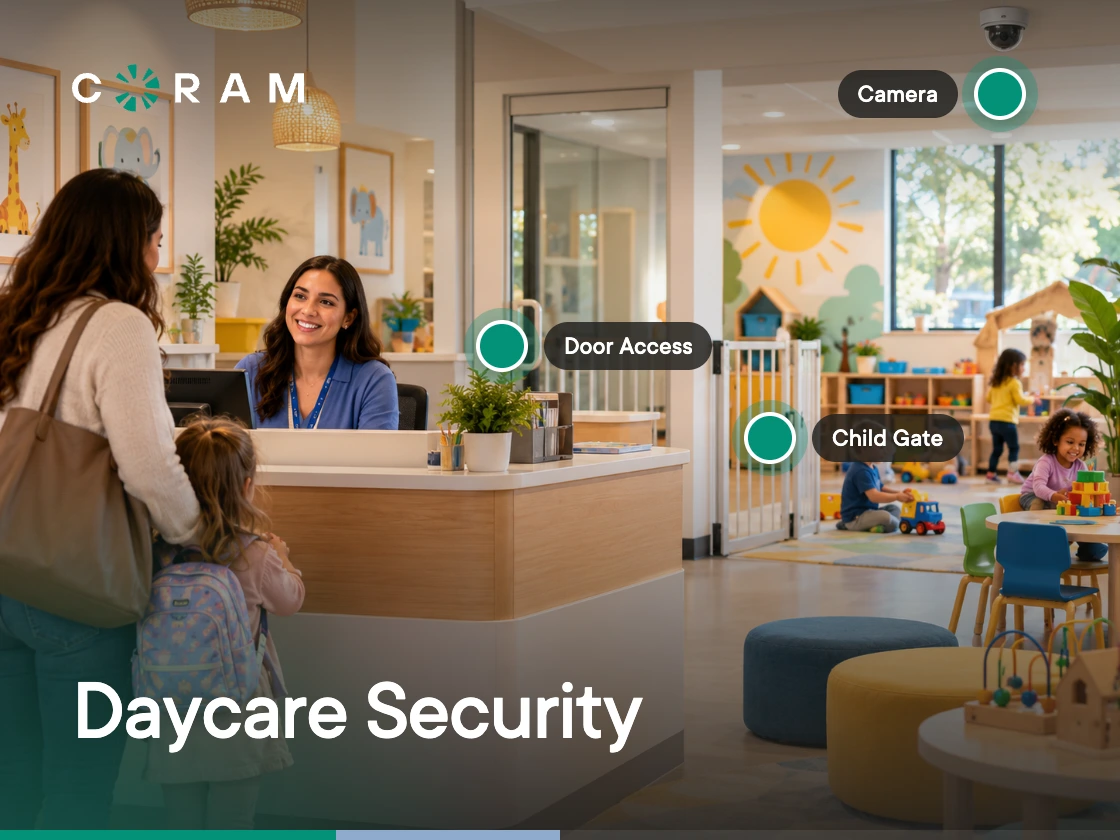
Childcare security covers four basics: controlling entry, documenting child release, recording appropriate shared areas, and keeping records organized. Cameras should not be used in bathrooms, diapering, or changing areas. These measures are primarily useful for everyday management, documentation, and incident review.
If a parent asks what happened at 2:15, you need to give a clear answer. If nobody saw the incident, you're left piecing it together from staff recollections, pickup records, or hours of footage. The same problem shows up when a child is injured, an allegation is disputed, or someone unauthorized arrives to collect a child.
That is what daycare security needs to address: knowing who came in, who picked up a child, and what happened when something goes wrong. For a center director, a reliable record can matter just as much as controlling physical access.
This guide covers the practical side of security for childcare centers, from entry and pickup procedures to camera placement, footage retention, privacy, and the requirements to verify with your state or licensor. It also covers what to prioritize when you're working with a limited budget. It's written for centers in the US; for UK early years providers, see our guide to EYFS security requirements.
What Actually Goes Wrong in Childcare Settings
A staff member may have seen only part of an incident. A parent may remember a different sequence. A pickup authorization may have changed since anyone last checked it. These situations need clear procedures and reliable records. Here are the ones worth planning for specifically.
Supervision Lapses and Injury Documentation
When an injury happens and nobody saw exactly how, staff are left reconstructing it from memory: who was nearby, what they noticed, how to explain it when a parent asks for details. Recorded footage closes that gap, so the center can document what happened instead of relying on recollection alone.
Allegations and Disputed Accounts
When accounts conflict, documentation establishes what happened instead of leaving the center with competing recollections. If an allegation is made against a staff member, a reliable record provides context around the incident and helps clarify the sequence of events. That protects both the child and the staff member involved.
Unauthorized Pickup and Custody Disputes
A pickup gets complicated when authorization changes or custody arrangements restrict who can collect a child. Keep the authorized pickup list current, document changes as soon as they're received, and make sure staff know how to handle court-ordered restrictions. At pickup, verify the person's identity so there's a clear record of who collected the child and when.
Wandering and Elopement
If a child leaves a classroom or building without an accompanying adult, the priority is knowing where the child was last seen and how they got out. Review door access, door position, and alerting around areas where children move between rooms or outside. Keep evacuation routes unobstructed, and make sure any access-control measures support safe movement rather than working against it.
External Access: The Real, and Rarer, Risk
External access is a real concern, but it doesn't need to dominate the security plan. Start by keeping entry points controlled, knowing who is entering the building, and giving staff a clear process for handling visitors and unfamiliar people. Review how contractors, therapists, inspectors, and other non-parent visitors are admitted.
What Licensing and Regulation Require
Licensing sets the baseline for childcare security, and the specific requirements for your center depend on its state, program type, and operating model. Before buying any daycare security system, check the relevant requirements for your facility and separate mandatory rules from standards you may choose to adopt.
State Childcare Licensing
Check your state's licensing rules for the areas that affect how your center operates and documents incidents: supervision requirements, staff-to-child ratios, physical and building safety, emergency procedures, and required records.
Also check what your licensor expects to see during inspections. If your center has procedures for access, pickup and release, incident documentation, or handling security-related records, make sure those procedures are current and that staff know how to follow them.
Note: The exact requirements depend on your state and the type of program you operate. Use your state licensing authority as the source to verify.
Where Camera Requirements Exist
Some states or program types have specific rules around video monitoring; others don't require cameras at all. Where requirements exist, they can cover more than whether a camera is installed. They can also cover where recording is permitted, how footage is handled, who can access it, and how long records must be retained.
Don't assume either way. Verify the current requirement with your licensor or state licensing authority before treating cameras as mandatory or assuming they're optional. If no camera requirement applies, evaluate cameras based on your center's operational needs and privacy policies instead.
Accreditation and Insurance
If you participate in an accreditation program, check its current standards separately. The National Association for the Education of Young Children, for example, includes adequate child supervision and safe practices among its accreditation standards.
Insurance is another piece to handle before you finalize a security budget. Ask what your policy requires, what documentation you need to maintain, and whether specific security measures affect your coverage or premiums. Keep these requirements separate from state licensing requirements, so you know which measures are legally required, which come from your accreditation program, and which are insurance-related.
The insurance conversation is also useful when the director isn't the one approving the budget. In childcare, a single disputed allegation can turn into a claim, and clear records of entry, release, and incidents are part of how a center responds to one. Ask your broker which records they would want to see after an incident, and bring that answer to whoever signs off on security spending.
Controlling Who Gets In
A secure entrance only works if it holds up during the busiest parts of the day. At 8:00 a.m., staff are arriving while parents drop off children. At 5:00 p.m., several families may leave within minutes of each other. Add a contractor, therapist, delivery driver, or inspector to that mix, and a center can quickly lose track of who is entering and why.
Single Controlled Entry
If the building layout allows it, route routine arrivals through one primary entrance. The GSA's Child Care Center Design Guide (2003) says a center's entrances should be securable and that movement should normally run through one main entrance, and the GSA's Property Managers Child Care Desk Guide adds that the entrance needs a way to verify the identity of visitors. With that setup, staff don't have to watch several exterior doors at once. Before restricting other doors, walk the building and classify each exterior entrance:
- Primary entrance: Parent and visitor arrivals
- Staff entrance: If one is needed for employee access
- Service/delivery entrance: Controlled separately from family access
- Playground or exterior-area doors: Review separately, based on how children and staff actually use them
- Emergency exits: Never restrict these in a way that interferes with required egress
For a converted building, this exercise can reveal why a "single entrance" policy isn't working. A side door that staff constantly prop open may need a different operational fix; a door that's part of the required means of egress can't be treated as another access point to lock down.
Staff, Parents, and Everyone Else
Not everyone who needs to enter the building needs the same access. A simple way to structure it:
The GSA's Property Managers Child Care Desk Guide specifically recommends procedures for activating and deactivating the access cards used by childcare staff. The same discipline applies to parent credentials and codes, and it matters most when circumstances change, which is why it's worth building a process for:
- Removing a staff member's access when employment ends
- Changing access when an employee changes roles
- Updating family access when pickup authorization changes
- Issuing temporary access to contractors or service providers
- Reviewing who still has an active credential, instead of assuming old credentials disappear on their own
Also separate building access from child-release authorization. Someone being authorized to pick up a child doesn't automatically mean they should have unrestricted access throughout the center. And watch for piggybacking: one person enters through a controlled door and holds it open for someone else.
Door Hardware Realities in a Childcare Building
A security upgrade can create a bigger problem if the building's existing doors aren't considered first. Before adding a keypad, card reader, electric strike, or other access-control hardware, identify:
- Which doors are part of required exit routes
- Which doors are used by children and staff during normal operations
- Which doors need to remain accessible for emergency evacuation
- Whether the proposed hardware works with the existing door and fire-safety requirements
- Who is responsible for approving the configuration
Fire and egress requirements always outrank access control. Never configure a door in a way that could delay or prevent evacuation. For multi-site operators, standardize the access policy while allowing each site to adapt the hardware to its building and applicable fire and egress requirements. Many of the same hardware questions come up in schools; see our guide to access control systems for schools.
Pickup and Release: The Daily Security Problem
Pickup is one of the few security processes that happens every day, under time pressure. Several families may arrive within minutes of each other while staff are also handling children, questions, and last-minute changes to pickup plans. A good process keeps that moving while still leaving a clear record of who was authorized to collect each child.
Authorized Pickup Lists and Custody Documentation
A parent may add a grandparent for one day, change an authorized person, or provide new custody documentation. Maintain a written record of adults authorized to pick up each child, and document custody or restraining orders when they affect release. This record should be available consistently, whether a center has one classroom or several sites.
Verifying Identity Without Slowing the Line
Have a consistent rule for situations where staff don't already know the person. Check that the person is currently authorized. If they're unfamiliar to staff, verify their identity according to the center's policy. If the pickup was changed during the day, confirm the change was properly authorized. Then record the release.
For emergency pickup changes, follow the verification procedure required by your state and your center's policy. The exact process varies by jurisdiction, so this is one area where your licensing requirements should take precedence over any internal shortcut.
Records That Hold Up Later
A pickup record should answer a few basic questions without requiring staff to reconstruct the afternoon from memory:
- Which child was released?
- Who collected the child?
- Was that person authorized?
- When did the release happen?
- Was any identity verification required?
- Was there a temporary or emergency authorization?
- Was there any relevant custody restriction?
The exact fields depend on your state's requirements. Illinois, for example, requires centers under 89 Ill. Adm. Code 407.260(e)(3) to note the time of each child's departure on a daily departure log, documented by the person the child is released to. For a multi-site operator, standardizing these basic fields makes records easier to review across locations while each center still follows its own state requirements.
Cameras: Placement, Privacy, and What They're Actually For
Cameras are most useful when you need to understand what happened in a shared area. Placement, retention, access, and staff privacy should be decided together, especially when footage includes children, families, and employees.
Where Cameras Belong, and Where They Never Do
Entrances, hallways, playgrounds, common rooms, and transition areas are the practical places for camera coverage. Bathrooms, diapering areas, and changing areas should never be monitored. There is no exception to that rule. Each camera should have a clear operational purpose, with placement that respects private areas and the center's privacy policies.
Retention: How Long to Keep Footage
There's no single retention period that works for every childcare center. Check the requirements that apply to your facility, then consider your incident procedures, dispute timelines, privacy obligations, and storage capacity when setting the routine retention period.
If an incident or complaint requires review, preserve the relevant footage separately from your routine retention cycle. For more on setting a retention window, see how long security cameras keep footage.
Who Can View Recordings
Limit recordings to people who actually need them for their role. A director may need footage for an incident review, while a teacher, administrator, or technician usually has a much narrower reason to access the system.
Use individual accounts and role-based permissions instead of a shared login. Where available, viewing logs also give you a record of who accessed a recording and when, which can matter if the footage later becomes part of a complaint or dispute.
Staff Privacy and Consent
Staff should know where cameras are installed, why footage is recorded, who can access it, how long it's retained, and when it may be reviewed or shared. Keep the policy clear about whether footage is intended for security and incident documentation specifically. Recording laws vary by state, and audio can carry different notice and consent requirements than video. Verify the rules that apply to your center before enabling audio.
The Parent Camera-Access Question
Parent-viewing camera access and a security system serve different purposes. Parent-viewing services give families controlled access to live classroom video, because some parents simply want to see how their child is doing during the day. A security system exists to help the center review what happened when there's an incident or question. The tricky part is that a classroom camera doesn't show only one child. Other children and staff appear in the same frame, and giving parents access raises questions around:
- Who gets access, and to which rooms
- How accounts are secured and removed
- Whether parents can record or share what they see
- What happens when a parent sees one moment without the context around it
- How constant parent viewing affects staff
Before choosing daycare security software, check whether parent viewing actually fits your center's policies and privacy expectations. If you do offer it, set the rules around access, viewing times, recording, sharing, and account removal upfront. Coram is a physical security platform, not a parent-viewing livestream service, so there's no parent portal or per-classroom subscription. If you need to give a specific person live view, Coram can do that with a live-only user role limited to particular cameras, or a time-limited share link. If live classroom video for every family is the goal, evaluate a tool built for that purpose.
Supporting Ratio Compliance and Inspections
A camera can give you a record of what happened in a classroom, but it doesn't count as another pair of eyes in the room. The actual ratio depends on the state and the children's ages. Virginia's current Standards for Licensed Child Day Centers (8VAC20-780-350), for example, require:
- 1:4 from birth up to 16 months
- 1:5 from 16 up to 24 months
- 1:8 for 2-year-olds
- 1:10 for 3-year-olds up to school age eligible
- 1:18 from school age eligible up to 9 years
- 1:20 for children 9 through 12 years
Note: Staff only count toward those ratios when they're directly supervising children.
Supervision rules can be just as specific. Under Virginia's 8VAC20-780-340, children must be supervised by staff, and video equipment, intercoms, or other technology cannot substitute for staff directly seeing or hearing them. For children 10 and older, where continuous sight-and-sound supervision isn't required, the rule allows checks at intervals of no more than 15 minutes.
That distinction matters during licensing visits. Footage can help explain what happened during an injury, a disputed incident, or a supervision concern, but it doesn't turn a ratio violation into a compliant situation. Technology documents supervision. It doesn't perform it.
For multi-site operators, keep security records consistent across locations, but apply the actual ratio and supervision rules for each state's license. Don't use one site's ratio as the standard for every center.
Multi-Site and Multi-Classroom Operators
The challenge across multiple childcare sites is keeping the process consistent when the buildings aren't. One location may have older security cameras and three exterior doors, another a single controlled entrance, and a third newer infrastructure already in place. You still need consistent rules for who gets access, how footage is handled, and how incidents are reviewed.
Standardize the things that shouldn't change from site to site:
- Access policy: who gets access and how credentials are added or removed
- Retention policy: how routine footage and incident footage are handled
- User permissions: who can view or manage systems at each site
- Incident review: how footage and other records are reviewed and documented
- Site administration: what the local director can manage without involving central IT
The infrastructure can stay flexible. You don't necessarily need to replace working cameras at every location just to create a consistent operating model. Coram, for example, deploys one appliance per site, so each location records locally while every site is managed from a single dashboard. The operating model stays standard even when the buildings and the cameras aren't. If some of your sites have only one or two cameras, ask any vendor how they handle those sites before you plan around per-site hardware.
Where to Start on a Small Budget
If the budget is limited, start with the parts that solve the most immediate operational problems and add the rest as the budget allows:
- Controlled entry first: Get the main entrance under control, and make sure staff have a clear process for visitors and unexpected arrivals.
- Pickup documentation next: Keep authorization records current and make the release process consistent before spending heavily on cameras.
- Common-area cameras after that: Cover entrances, hallways, playgrounds, and other shared areas where footage can help reconstruct an incident. The same placement logic applies to school security cameras.
- Connected records last: Once the basics work, choose systems where door events, visitor check-ins, and video sit together, so staff can review related events without pulling them from separate tools.
What can wait: advanced integrations, extra camera coverage, and features without a clear operational use yet. If the center already has working cameras and infrastructure, replacing them just to start a security upgrade is usually unnecessary. Close the basic access and documentation gaps first, then build from there.
Where Coram Fits
Coram is an AI physical security platform that brings video security, access control, guest management and emergency management together, and is built to work with the cameras and infrastructure organizations already have. That matters most for a childcare center on a limited budget: a working camera system doesn't need to be replaced. Coram modernizes the recorder and management layer and leaves the cameras on the wall.
The useful part for a childcare center is having related records in one place. Coram runs Video Security, Guest Management, and Access Control in one dashboard with one login and one user list. A door event is paired with the camera clip of that door, and a guest check-in links to the clip from the moment they checked in, so the record and the footage sit together instead of in separate systems. When the main question is what exactly happened at a given time, that's what lets you investigate it without manually scrubbing through hours of footage. Recordings stay on the Coram Point appliance at each site, and authorized staff can view them remotely from the dashboard.
A few capabilities are particularly relevant here:
- Works with existing cameras: Coram works with 150+ camera brands over ONVIF or RTSP (any IP camera streaming RTSP with H.264 or H.265; MPEG cameras aren't supported), so a working system usually doesn't need to be replaced.
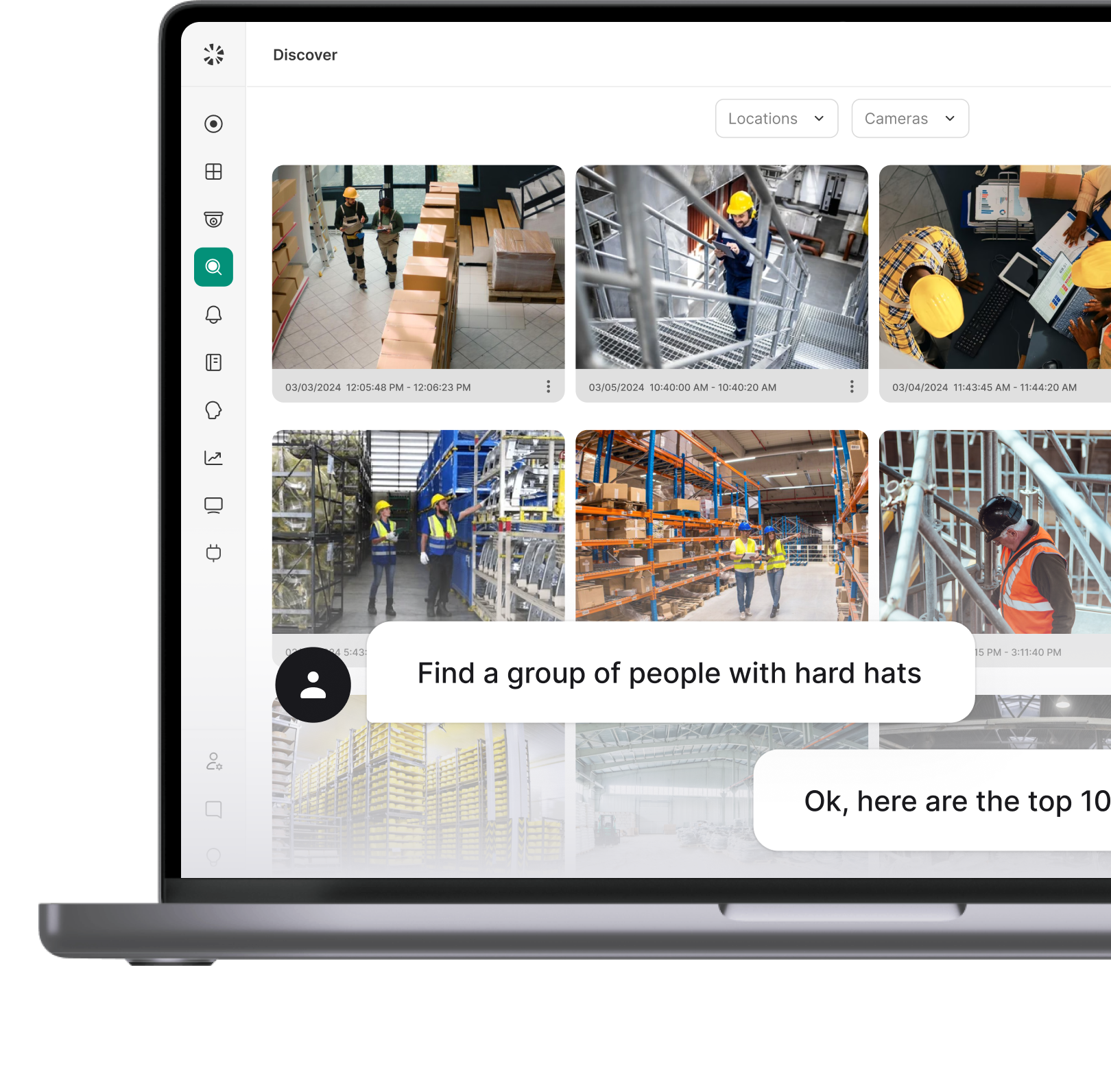
- Discover: Search recorded footage in plain language to investigate an incident, rather than working through timelines manually.
- Guest Management: Digital check-in with photo, ID scan, and an optional signed agreement, plus a searchable guest log, gives the center a record of who came in, who they were visiting, and when. It follows the same visitor management approach schools use.
- Fast deployment: Coram Point sets up in about 10 minutes once cameras are installed, with no VPN or firewall changes, which matters most for centers without a dedicated IT team.
Coram is a good fit for single and multi-site childcare operators without dedicated IT staff. For pricing, contact Coram with your number of sites and cameras.
What to Do Next
Start with the everyday processes that are hardest to document consistently: get entry and pickup procedures in order, and make sure the records behind them are easy to retrieve under pressure, not just on paper. Camera coverage should come after that groundwork, not before it. A center that gets entry and pickup right first will get more out of every camera it adds later, because the records around the footage will already hold up.
When you're ready to look at that last step, Coram can show you how door events, guest check-ins, and footage sit together on the cameras you already have.