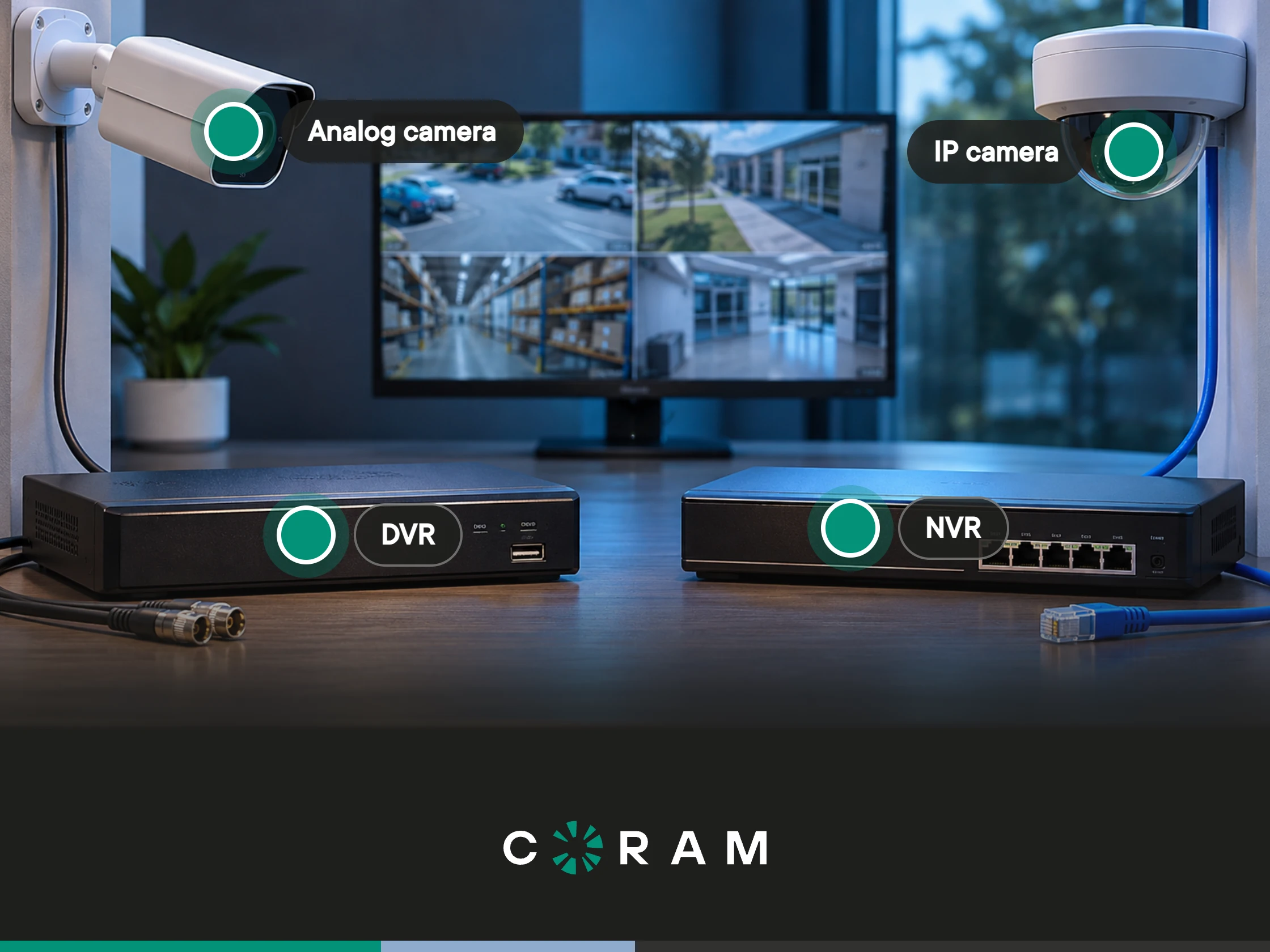
Maybe a video recorder is failing, or you’re adding a new site, and the quote that came back for the new equipment lists an NVR (network video recorder). Your building, though, is wired with coaxial cables. Does that matter? It does, and it’s worth understanding before you sign off on anything.
For a business, the choice between a DVR (digital video recorder) and an NVR comes down to two things: the cable that’s already in your walls, and what you need the recorder to do. A resolution spec sheet isn’t one of them. A recorder that stores footage for the day something goes wrong is a very different purchase than one that has to support searchable video or remote access across several sites.
Here’s how this guide is organized: you’ll get a short answer first, then a side-by-side table, followed by the full details: how each system works, what cabling you can reuse, when each recorder is the right call, and how to check which one you already have.
An NVR records from IP (network) cameras that encode video themselves and connect over Ethernet. A DVR records from analog cameras over coaxial cables and encodes the video at the recorder. In practice, the deciding factor is the cabling that’s already installed in your building, whether it’s coaxial or Ethernet.
NVR vs. DVR at a Glance
The first rows in this table come down to one hardware fact: a DVR can’t record from IP cameras, and an NVR can’t record from analog cameras unless a small converter called a video encoder sits in between. That fact drives all of the following recommendations.
It also means the two aren’t simply an old version and a new version of the same thing. They’re built for two different kinds of cabling, which is why the best fit row starts from the site you already have, not from a feature list.
The One Difference That Decides It: Where the Video Gets Encoded
Encoding means turning what a camera sees into digital video, and the difference between the two types of recorders is where that encoding happens. An IP camera does it inside the camera. By the time the video travels down the Ethernet cable, it’s already digital, so the recorder’s job is mostly to store it and run the software around it.
An analog camera works the other way around. It sends a raw signal down the coaxial cables, and the DVR converts every camera’s signal into digital video itself.
That’s the part people tend to overlook: because the DVR does all the converting, it becomes a bottleneck for every camera plugged into it. It has a fixed number of camera inputs, and its specifications show the trade-off: what it can record per camera depends on the recorder and the channel, not only on the camera. Some recorders offer their highest resolution on just a few of their channels.
This is why the decision starts with your site’s needs, not a camera’s resolution on a spec sheet. Resolution matters, but where the encoding happens decides what a site can realistically run.
What a DVR System Requires
A digital video recorder (DVR) takes the raw signal from analog cameras, converts it to digital video, and stores it.
Each camera needs its own coaxial cable running back to the recorder, plus its own power source nearby. Because the DVR does the converting for all of them, it has a fixed number of camera inputs, usually called channels. An 8-channel recorder is an eight-camera system, so camera nine usually means replacing the recorder.
None of these limitations make a DVR obsolete. If you have working analog cameras and coaxial cable already in the walls, a DVR is a complete, simple system: cameras, cable, and one box that records.
The tradeoff is built into the design. Every camera depends on the same recorder, so the box you buy sets how many cameras you can run and what each one can record.
What an NVR System Requires
An NVR stores and manages the video that IP cameras send it. For a detailed description, see what an NVR security system actually is.
Each camera needs an Ethernet cable running to a network switch, the box that connects the devices on your network, or, on some NVRs, directly to the recorder’s own PoE ports. With PoE (Power over Ethernet), that same cable also powers the camera, so there’s no separate power adapter to install. And because each camera encodes its own video, the NVR isn’t encoding anything itself. It’s storing streams that arrive in a digital format already.
The real limit is the switch. How many cameras you can add depends on how many your switch can connect and power. So plan switch capacity the way you’d plan recorder channels on a DVR system: it’s the number that limits the growth of your camera network.
Cabling: What You Can Reuse and What You Cannot
Cable is the hardest part of a surveillance system to change, because it’s inside your walls and ceilings. That’s why the recorder decision follows the cable and not the other way around. Find the situation below that matches your building and start there.
[IMAGE: cabling diagram showing the three paths below]
Coaxial cable in the walls, cameras still working. The decision: keep them. If your cameras produce footage you can use and the site isn’t changing, the cable and the cameras are doing their job, and replacing them wouldn’t give you anything the site has asked for. Before you commit, pull up a few days of recordings and check the camera positions that matter most. Could you identify a person or read a license plate from them? If you can, then reuse makes sense.
Reuse comes in two forms: you can leave the DVR in place, or you can add a video encoder, a small converter that turns the analog signal into a digital one, so the old cameras can feed a modern system. What reuse costs you is capability. An analog camera stays an analog camera, and the encoder is one more device to install and maintain. If you’re leaning toward that path, read the analog section further down first because it has limits worth knowing before you commit.
Coaxial cable in the walls, cameras failing. The decision: stop and choose, because you’re about to spend money either way. Replacing failed analog cameras on the existing coaxial cables is the least disruptive fix, and it keeps your DVR. Running new Ethernet to each camera position is a bigger job, but it leaves you with cabling any modern camera can use, and digital video from the start.
Start by asking your installer whether the fault is in the cameras, in the connectors, or in the cable itself because that tells you what actually needs replacing. Then look at distance. Coaxial cable runs further than a single Ethernet cable before you need to add hardware, which is why long perimeter runs are one of the few places analog still wins on installation cost. If the failing cameras sit along a long perimeter, replacing them like for like is often the sensible call. If they’re inside the building on short runs, and you need more than basic video management, new Ethernet usually makes more sense.
New build or new floor. The decision: run Ethernet. The question barely comes up here. With no existing coaxial cable to protect, there’s nothing to reuse and nothing to tear out, so you’d run one Ethernet cable per camera which can carry both power and video through PoE. The NVR choice follows from that.
If your building is a mix, with coaxial cables in the old wing and a new floor upstairs, treat each part as its own path and decide separately.
When a DVR Is Still the Right Call
A DVR is the right call when four things are true at once: the site is small and not growing, the analog cameras still work, nobody needs remote access or searchable video, and capital is tight. In that situation, moving to an NVR means paying to replace cameras and cables that do their job just fine, in exchange for capabilities the site says it doesn’t need.
If a quote puts an NVR in front of a coaxial-wired site that isn’t changing, it’s fair to ask what the extra spend buys you there. If the honest answer is nothing you need, keeping the DVR is a sound decision.
When an NVR Is the Right Call
An NVR is the right call when your system is likely to grow or spread out: more than one site, a rising camera count, staff who need to watch from anywhere, or any need for video that can feed analytics. These all lean on the same design strength. Because the cameras do their own encoding, adding one is mostly a cable run and a spare switch port.
If you already know the recorder has to feed searchable video, plan around IP cameras, even if that means running new cable.
For multi-site and growing deployments, the category to look at is NVR camera systems built for business.
What Neither Recorder Gives You on Its Own
In Coram’s Video Security line, the split is straightforward. The recorder determines how video gets stored. The software determines whether anyone can find anything in it. A DVR or an NVR records and stores footage, but searching a lot of video across many cameras quickly is a different job.
Coram Point is a modern, cloud-based AI NVR, and the software layer is what makes footage searchable. With Coram Assistant, Coram’s AI video search, you type what you’re looking for, such as a person in a red jacket near the loading dock, instead of scrubbing through hours of recordings. On camera compatibility, Coram supports any camera that streams over RTSP (Real-Time Streaming Protocol) and uses the H.264 or H.265 video codec.
Sizing works the way it does on any NVR. Coram Point models range from 4 to 80 cameras, based on 5MP cameras recording at 15 frames per second with H.265. Higher resolution, a higher frame rate or H.264 each increase the load a camera puts on the recorder, so plan capacity against the cameras you actually run.
Recording to the cloud instead is a third path with its own specifications and considerations.
Coram doesn’t sell or support DVRs. If your site runs on coaxial cables and a DVR, the analog path below is the route to Coram.
Running Analog Cameras Into a Modern System
If your analog cameras still work, you don’t have to choose between replacing everything and keeping an old recorder. A video encoder, a small converter that sits between your old cabling and the new system, converts analog signals into digital streams that are compatible with Coram Point. This lets you add existing analog camera setups to your Coram organization, providing basic video management alongside IP cameras.
In plain terms, analog cameras reach Coram only through a third-party video encoder, and the result is basic video management alongside your IP cameras.
That makes this path a way to keep cameras that still work while the rest of your site moves to a modern system, with the limit above in mind. If the cameras are failing, or searchable video is a hard requirement, the cabling section above explains why new Ethernet can be the better call.
How to Tell Which One You Already Have
Good news: you can tell in about five minutes, no software needed.
- Look at the cables plugged into the back of the recorder. Metal BNC connectors, which push on and twist to lock, mean a DVR. PoE Ethernet ports, or a network switch that connects the cameras, mean an NVR. Don't go by an Ethernet port alone: DVRs and NVRs both typically have one for connecting to your network.
- Count the ports. A row of BNC inputs, typically 4, 8, or 16 and sometimes 32, points to a DVR, and that number is how many analog cameras it can take.
- Check whether the cameras have their own power adapters. A camera with a separate power adapter plus a coaxial cable is most likely analog. A camera with a single Ethernet cable and no adapter is most likely an IP camera powered through PoE.
If you find both kinds of cable, you may have more than one recorder, so check each one separately.
Picking the Recorder You Will Not Replace in Two Years
That quote you received from the vendor was never the first decision. The cable in your walls was. Once the cable settles which recorder fits your site, the software decides whether you can find anything in the footage. For the next step, see choosing a commercial security system.