


Milestone XProtect is stable, widely deployed, and compatible with an enormous range of hardware. For many organizations, it's been the default for years. The infrastructure required to keep it running is where it starts to cost you.
Every camera you add means more server capacity to plan, more storage to manage, more maintenance to absorb. At a single site, that's manageable. Across five or ten locations, it compounds fast. And when something goes wrong at 11pm, resolving it means someone physically on-site, or a technician the next morning with your cameras offline in the meantime.
If you're evaluating Milestone VMS alternatives, this guide covers the 10 most relevant options in 2026: what each platform does well, where it falls short, and which type of organization it actually fits.
How to Evaluate Milestone VMS Alternatives
Most VMS comparisons lead with feature matrices. Before you get there, three practical questions will eliminate more options faster.
Can you reuse your existing cameras? Most Milestone deployments run standard IP cameras, and any platform that supports ONVIF/RTSP can connect to them directly. Platforms that require proprietary hardware mean repurchasing your entire camera infrastructure. That changes the TCO calculation significantly.
How much ongoing effort does it require? Milestone is powerful, but it takes dedicated effort to configure and maintain. If your security stack is managed by a lean IT team alongside everything else they own, the operational overhead of your next platform matters as much as its feature set.
Will it scale without a rebuild? Growth shouldn't mean redesigning your infrastructure. The right platform lets you add cameras or sites from a central dashboard, without touching the underlying architecture or dispatching anyone on-site.
Quick Comparison: Top 10 Milestone VMS Alternatives at a Glance
10 Best Milestone VMS Alternatives
The table above gives you the shape of the field. The reviews below get into deployment realities, AI depth, and whether a platform actually fits your environment.
1. Coram
Best for: Schools and school districts, healthcare facilities, warehouses, multi-site enterprises, and any organization that wants AI-grade security without replacing existing camera infrastructure.

Coram is an AI-native physical security platform that connects to any existing IP camera and unifies video surveillance, access control, and emergency management in a single cloud-managed system.
Coram was built around a problem that Milestone and most of its competitors haven't solved: how do you add real AI capabilities to a security system without ripping out the cameras you already have? The answer is a cloud-native platform that connects to any standard IP camera, processes video through AI agents at the edge, and manages video surveillance, access control, and emergency management from a single dashboard.
The operational difference from Milestone is significant. Where Milestone requires on-prem servers, separate storage planning, and dedicated IT overhead to scale, Coram runs from the cloud with a local Coram Point device per site handling edge processing. Adding a new location means connecting cameras and configuring access, not procuring hardware and rebuilding infrastructure.
Coram's AI is built in. Natural language video search, real-time gun detection, facial recognition, license plate logging, and custom alert creation in plain English all ship with the platform. Milestone can reach some of those capabilities through third-party add-ons, but the integration overhead is substantial.
Key Strengths vs. Milestone
- Works with 1,000+ IP camera models — no hardware replacement required
- Natural language video search replaces manual timeline scrubbing
- Real-time AI detection built in, not integrated
- Video, access control, and emergency management in one system
- SOC 2 Type II and HIPAA certified
Limitations
- Newer platform — less ecosystem depth than Milestone's 20+ year integration library
- Less suited to highly customized, integration-heavy environments.
Pricing Model
Per-camera subscription including AI features and cloud management. Lower total cost than Milestone for most deployments because existing cameras are reused.
Ideal Buyer Profile
IT Directors and security leaders at schools, healthcare networks, warehouses, and multi-site organizations who need modern AI capabilities without the infrastructure overhead (or the budget) of a full hardware refresh. Also a strong fit for larger enterprises consolidating a fragmented security stack.
2. Genetec Security Center
Best for: Large-scale, multi-site enterprises and public safety organizations.

Genetec Security Center is a unified security platform built for complex environments. Video surveillance, access control, license plate recognition, and intrusion monitoring all run through a single interface, and the open architecture means you're not locked into Genetec hardware.
The platform's depth is its strength and its challenge. For organizations with dedicated security engineers and complex integration requirements (government, critical infrastructure, large enterprise), it's one of the most capable platforms available. For lean IT teams managing security alongside everything else, the learning curve and infrastructure demands are real.
Key Strengths vs. Milestone
- Video, access, and ALPR unified natively — fewer integrations required than Milestone
- Strong multi-site management with centralized control
- Open architecture preserves hardware flexibility similar to Milestone
- More built-in capability, less reliance on add-ons
Limitations
- Infrastructure-heavy — requires significant on-prem server investment
- Setup and management complexity increases with scale
- Not designed for lean IT teams without dedicated security staff
Pricing Model
Per-connection licensing: approximately $99/year for access control, $149–$199/year for video. Standard and Premium tiers available.
Ideal Buyer Profile
Large enterprises and high-security environments with dedicated security engineering resources and complex multi-system requirements.
3. Verkada
Best for: Enterprises, schools, and multi-site organizations that want a fully managed cloud security platform and are willing to standardize on proprietary hardware.
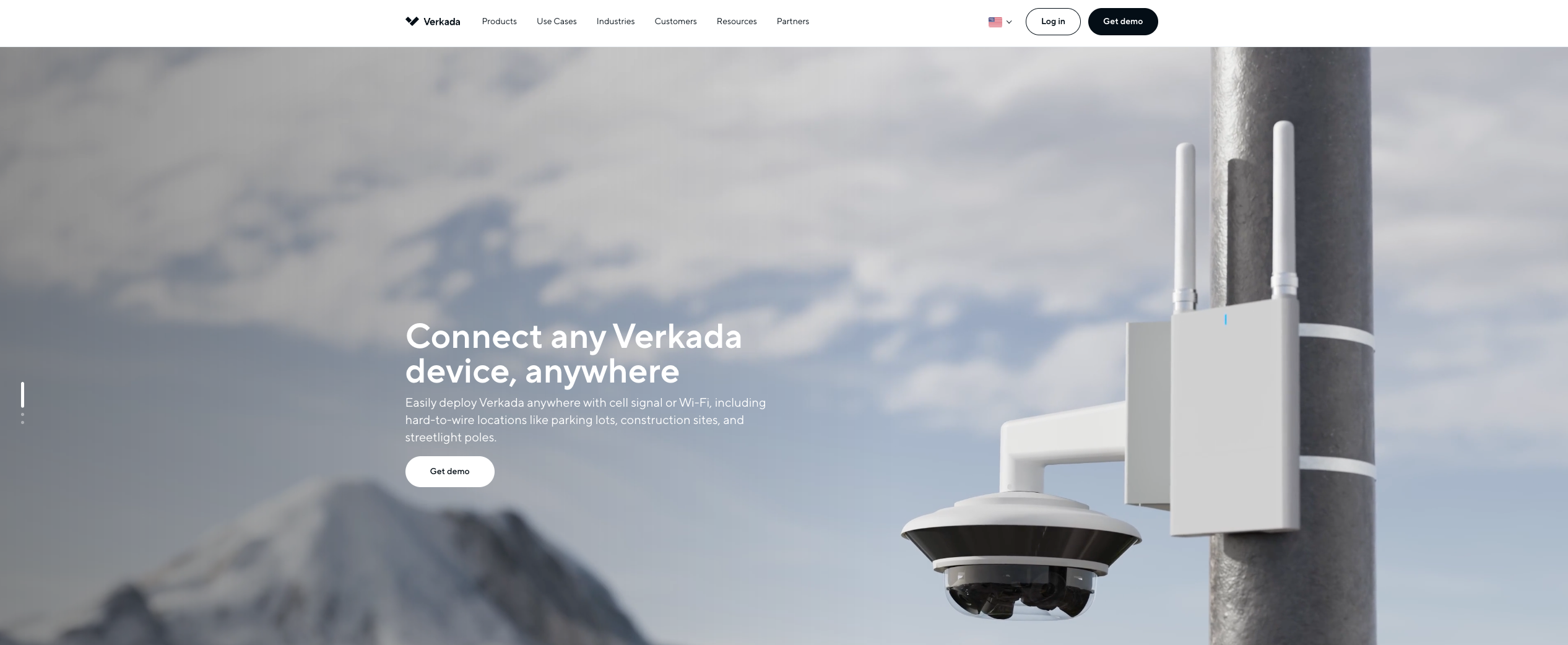
Verkada is a cloud-managed physical security platform that integrates cameras, access control, and analytics through a single interface built around minimal IT overhead.
Verkada's pitch is simplicity: minimal setup, centralized management, built-in analytics, all through a clean cloud interface. It delivers on that promise. The trade-off is hardware lock-in: Verkada cameras are proprietary, and switching means replacing your entire camera infrastructure.
For organizations starting fresh or replacing end-of-life hardware anyway, that trade-off is more palatable. For anyone with a working camera investment they want to preserve, Verkada's economics look very different.
Key Strengths vs. Milestone
- No on-prem servers required
- Simplified deployment and centralized cloud management
- Built-in analytics and search without external integrations
- Clean multi-site monitoring from a single dashboard
Limitations
- Proprietary hardware only: existing IP cameras cannot be reused
- Higher upfront hardware cost than camera-agnostic platforms
- Per-device licensing under a 10-year lifecycle model
- Users report recurring access issues related to IP filtering and software update disruptions
Pricing Model
Hardware purchase upfront plus recurring per-device subscription for cloud access and storage.
Ideal Buyer Profile
Organizations that prefer a fully managed, plug-and-play system and are comfortable trading hardware flexibility for operational simplicity.
4. Avigilon (Motorola Solutions)
Best for: High-security enterprise environments that prioritize AI-driven detection, high-resolution imaging, and proactive alerting.

Avigilon is an enterprise-grade video surveillance and access control platform with strong AI analytics, high-resolution hardware, and the backing of Motorola Solutions. It supports both cloud-native (Alta) and on-prem (Unity) deployment, giving organizations flexibility in how they manage infrastructure.
The AI capabilities are genuine: appearance-based search, self-learning detection, and proactive alerting are all well-executed. The catch is that the best AI performance is tied to Avigilon hardware. Third-party cameras work, but with reduced analytics depth. Like Verkada, Avigilon's ecosystem is designed to steer you toward its own hardware over time.
Key Strengths vs. Milestone
- More built-in AI analytics than Milestone's integration-dependent approach
- Faster video search with appearance-based and AI-assisted queries
- Flexible deployment — cloud or on-prem depending on requirements
- Tighter hardware-software optimization than mixed-vendor Milestone setups
Limitations
- Best AI features optimized for Avigilon hardware; third-party cameras reduce analytics effectiveness
- Higher price point, enterprise positioning
- Customer support responsiveness is a recurring complaint
Pricing Model
Hardware plus licensing model: cameras and appliances purchased upfront, with additional costs for software licenses and cloud capabilities.
Ideal Buyer Profile
Enterprises and critical environments that prioritize high-resolution video and proactive AI detection, and have the budget and team to support it.
5. Nx Witness (Network Optix)
Best for: Modern security setups that need a fast, intuitive interface with strong third-party integration and flexible deployment.
Nx Witness is a developer-friendly open-platform VMS built around a multi-server "hive" architecture, where multiple servers behave as a single unified system. It handles device discovery automatically, supports flexible storage configurations, and offers strong APIs for custom integrations.
It's a good fit for organizations that need deployment flexibility and integration depth, but aren't prioritizing native AI. Advanced analytics require third-party integrations. Nx Witness is a platform built for integration flexibility, not native AI.
Key Strengths vs. Milestone
- Hive architecture eliminates single points of failure
- Strong APIs and SDKs for custom integrations and AI-driven use cases
- Flexible storage — local, cloud, hybrid, or edge
- Automatic device discovery simplifies setup
Limitations
- Limited built-in advanced analytics — AI requires integrations
- Licensing costs increase as the system scales.
Pricing Model
Per-camera licensing, perpetual or subscription depending on features and deployment size.
Ideal Buyer Profile
Organizations that need a lightweight, scalable, open-platform VMS deployable quickly across multiple sites, and have the technical resources to build on top of it.
6. Bosch VMS (BVMS)
Best for: Large-scale, mission-critical environments (government, transportation, industrial) that require maximum reliability and continuous monitoring.

Bosch Video Management System (BVMS) is an enterprise-grade platform built for environments where failure isn't an option. It scales to deployments of up to 200,000 cameras, includes native AI analytics through IVA Pro, and manages storage centrally through its VRM system, avoiding the per-server configuration complexity that Milestone requires at scale.
The trade-off is the same one you find across the legacy enterprise VMS category: dedicated infrastructure, significant upfront investment, and operational complexity that demands experienced staff.
Key Strengths vs. Milestone
- Scales to very large deployments without add-on dependency
- Native AI analytics (IVA Pro) — no third-party integration required
- Centralized storage management avoids multi-server configuration complexity
- Tighter native integration with access control and intrusion systems
Limitations
- Requires dedicated infrastructure — deployment complexity and upfront costs are high
- More complex to operate than cloud-native platforms
Pricing Model
Varies by edition (Lite, Professional, Enterprise) and deployment size. Custom quotes based on scale.
Ideal Buyer Profile
Organizations running complex, multi-site deployments that need an enterprise-grade VMS with deep cross-system integration and can absorb the infrastructure and staffing requirements.
7. Rhombus
Best for: Distributed organizations (schools, retail chains, offices) that want cloud-managed security with centralized visibility across multiple locations.
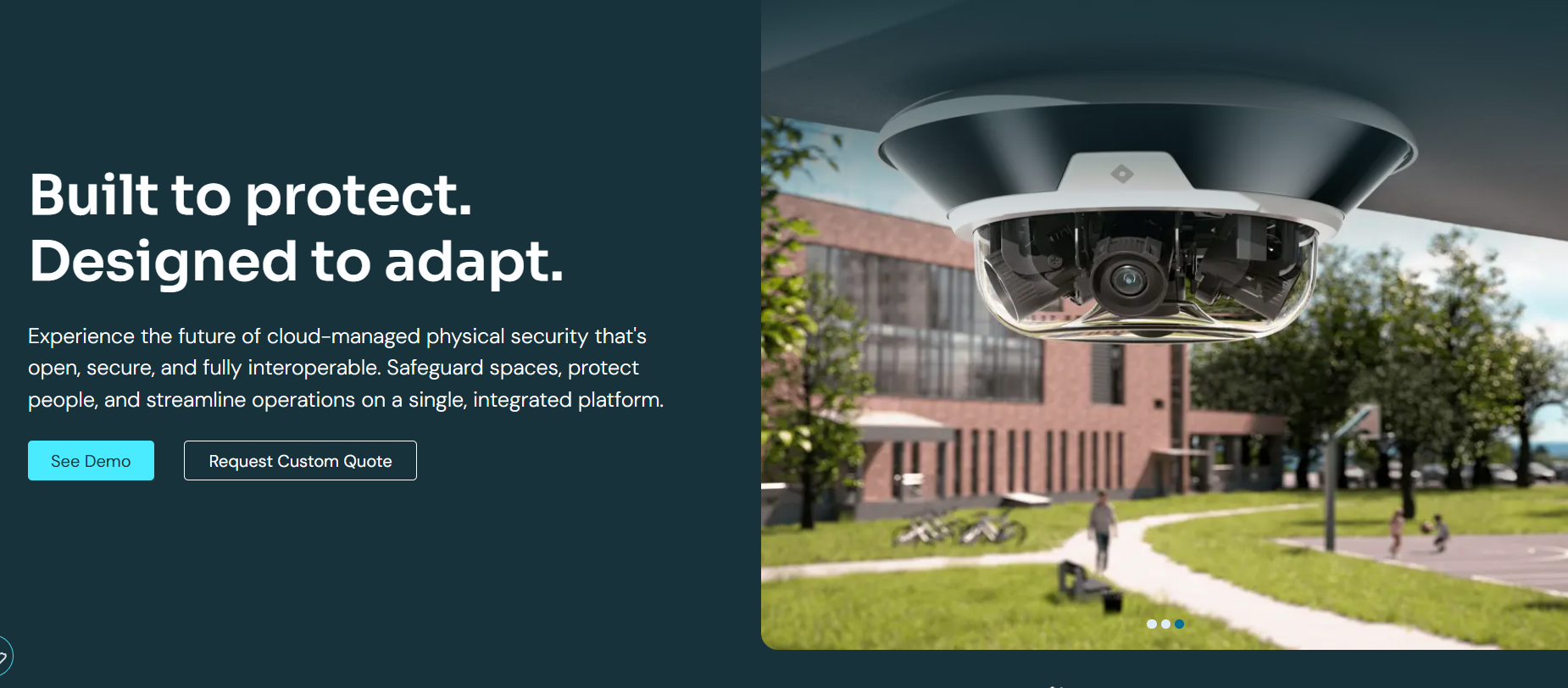
Rhombus is a cloud-native platform that brings cameras, access control, sensors, and alarm monitoring into a single system. Like Verkada, it's built around simplicity and centralized cloud management. Like Verkada, it requires proprietary hardware.
The platform is genuinely easy to deploy and manage remotely, which makes it appealing for distributed organizations with lean security staff. The hardware costs and per-device licensing make it expensive to scale.
Key Strengths vs. Milestone
- Fully cloud-managed — no NVRs or on-site servers required
- Centralized dashboard with remote access across locations
- Built-in AI analytics and real-time alerts
- Simple deployment with automatic updates
Limitations
- Proprietary hardware only — existing cameras cannot be reused
- High overall cost due to premium hardware and recurring per-device licensing
- Reports of camera instability and status inconsistencies
Pricing Model
Subscription-based per device, plus hardware costs.
Ideal Buyer Profile
Distributed organizations that prioritize remote management and centralized visibility and are starting fresh or replacing end-of-life hardware.
8. Arcadian AI
Best for: Organizations that want AI-driven proactive monitoring without replacing existing cameras or adding manual review workload.

Arcadian AI is a cloud-based security platform that uses AI to continuously monitor existing camera feeds, filter low-value alerts, and surface only the events that require human attention.
Arcadian AI's Ranger AI operates as a virtual monitoring layer, analyzing video feeds to detect threats, reduce false alarm volume, and surface only the alerts that require human attention. It works across 3,000+ existing camera models, so there's no hardware replacement involved.
The trade-off is control. Arcadian AI is cloud-dependent and less customizable than traditional VMS platforms. It's built for proactive detection. Deep workflow configuration is outside its scope.
Key Strengths vs. Milestone
- AI filters low-value alerts — reduces the noise that Milestone setups typically generate
- Works with 3,000+ existing camera models — no hardware replacement
- Context-aware alerts replace generic motion notifications
- Reduces reliance on human operators for continuous monitoring
Limitations
- Dependent on cloud connectivity — real-time monitoring degrades without it
- Less customization and workflow control than traditional VMS
Pricing Model
Subscription-based, priced by camera count and deployment scale.
Ideal Buyer Profile
Multi-site businesses in retail, education, logistics, or regulated industries that want AI-enhanced monitoring on existing infrastructure without increasing manual workload.
9. Turing Vision
Best for: Organizations that want an AI-native, cloud-first VMS with fast search, smart alerts, and minimal infrastructure overhead.
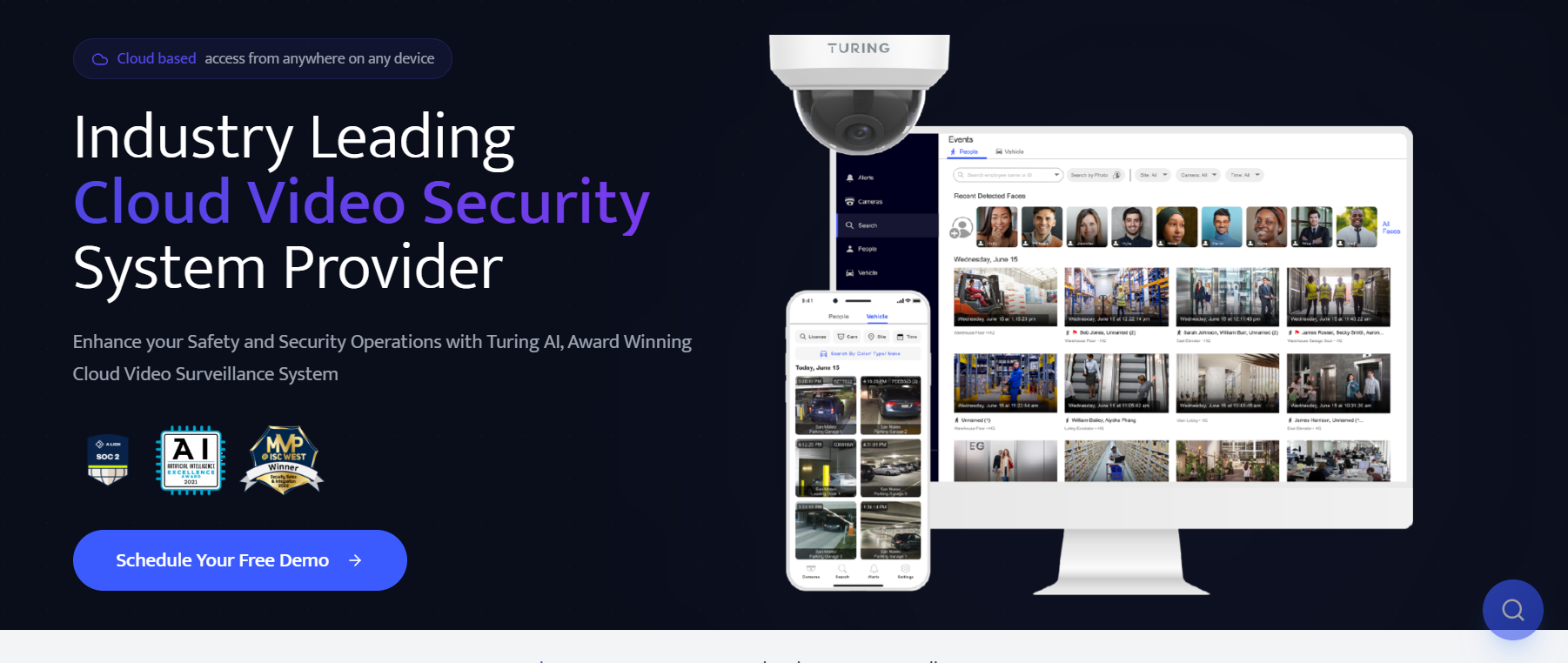
Turing Vision is an AI-native cloud VMS built for fast video investigations, combining natural language search, real-time smart alerts, and centralized multi-site monitoring.
The platform combines AI-powered search across people, vehicles, and attributes with real-time smart alerts and conversational interfaces to cut the time between "something happened" and "here's what happened." It supports third-party cameras alongside Turing's own hardware, and hybrid deployment for organizations that need local processing.
The platform's tiered AI licensing means the most advanced capabilities are locked behind higher-tier subscriptions, which can push costs up as deployments grow.
Key Strengths vs. Milestone
- AI-powered search (people, vehicles, attributes) replaces manual timeline review
- Supports third-party cameras — Milestone's plugin-based compatibility requires more configuration
- Real-time smart alerts reduce noise compared to Milestone's alert-heavy defaults
- Tiered AI capabilities allow gradual feature upgrades
Limitations
- Advanced AI features require higher-tier licenses — costs increase with scale
- Cloud-dependent — connectivity issues affect real-time performance
Pricing Model
Tiered per-camera subscription (Basic, Essential, Premium/Core AI) with optional AI add-ons.
Ideal Buyer Profile
Multi-site operations that want to simplify monitoring and reduce manual review time, and can absorb per-camera costs at scale.
10. exacqVision (Johnson Controls)
Best For: Single-site to large enterprise deployments that need a reliable, flexible VMS with broad hardware compatibility.

exacqVision is an open-platform VMS from Johnson Controls, designed to handle everything from small single-site setups to large multi-location enterprise deployments. It works with 1,900+ camera models, including analog, which makes it one of the more practical options for organizations upgrading from legacy CCTV without a full infrastructure overhaul.
The platform is straightforward to operate and well-documented, which reduces training overhead compared to more complex enterprise VMS. Advanced analytics rely on integrations rather than native AI, and the infrastructure model is server-dependent. Cloud-native deployment is not supported.
Key Strengths vs. Milestone
- Broad camera compatibility (1,900+ models) with less configuration friction than Milestone
- Supports hybrid analog/IP deployments — eases the transition from legacy CCTV
- Simpler interface reduces training effort
- Open architecture with strong access control and POS integrations
Limitations
- Server/NVR dependent: no cloud-native option
- Advanced analytics require third-party integrations
Pricing Model
Per-camera licensing, software-only or bundled with NVR hardware.
Ideal Buyer Profile
Organizations that want a cost-effective, hardware-compatible VMS for upgrading from legacy CCTV without full infrastructure replacement.
Milestone XProtect vs. Top Alternatives: Feature-by-Feature Comparison
How to Migrate from Milestone XProtect
Switching from Milestone doesn't have to mean starting over. In most cases, you can reuse existing cameras and transition site by site, without taking monitoring offline.
1. Audit Your Current Setup
Before evaluating platforms, map what you're running: camera inventory (brands, models, ONVIF support), server and storage configuration, active integrations (access control, analytics, alarms, APIs), and how monitoring and alerting currently work. Milestone setups tend to accumulate layers over time. Knowing exactly what you have makes it easier to identify what carries forward and what actually needs to change.
2. Check Compatibility and Plan the Transition
Check whether your cameras support standard protocols on your shortlisted platforms. For most open and hybrid platforms, existing IP cameras connect directly. Once you know what transfers, plan for a parallel rollout rather than a cutover: keep Milestone running, introduce the new platform alongside it, and start with one site or a subset of cameras. This reduces risk and gives your team time to adjust without gaps in coverage.
3. Deploy, Test, and Validate Before Expanding
Bring the new system up on your pilot site and test the full workflow: recording, playback, alerts, and any integrations you need. Reconfigure monitoring workflows and incident handling before you move cameras in volume. Validation on one site is far cheaper than discovering a problem across ten.
4. Rebuild Integrations and Workflows
Milestone setups often depend on multiple integrations (access control, sensors, alarm systems) that need to be reconnected in the new platform. Use the transition to improve how your team actually works, rather than rebuilding the same workflows in a new system. Set up alerts, escalation rules, and user permissions based on how your team operates now.
5. Handle Historical Footage Separately
Milestone doesn't support direct migration of recorded footage into other platforms. For most teams, the practical approach is to export critical footage for compliance or active investigations, archive older footage externally, and define retention policies in the new system going forward. Trying to move everything rarely makes operational sense.
6. Decommission Milestone in Phases
Once the new system is validated and running, remove cameras from Milestone in batches, shut down unused servers, and retain backups where compliance requires them. The pace depends on how much infrastructure you're retiring. In setups where existing cameras carry forward, teams regularly complete per-site migration in under two hours using Coram Point. The work is reconnecting and validating cameras, not rebuilding infrastructure.
Final Verdict
Milestone's longevity is a genuine asset. The integration ecosystem, device compatibility, and deployment track record are all real. Those strengths come with a model designed for when dedicated IT infrastructure was the norm and AI was still on the roadmap.
The strongest alternatives in 2026 share a different starting point: security teams are lean, camera infrastructure already exists, and AI should ship with the platform rather than be assembled from integrations. How much that matters depends on where you are. Organizations with dedicated security engineering teams and complex integration requirements will find Genetec or Avigilon worth the trade-off. Organizations managing security across multiple sites with a small IT team will find the calculus points somewhere else.
Start with the three questions at the top of this guide. They'll tell you more than any feature matrix.





.png)

