


On June 5, 2026, Verkada raised its list prices. The company's own announcement gave the reason plainly: rising costs for AI, memory, and storage, plus the ongoing impact of US tariffs. Licenses bought before that date hold their price, but only until you renew or expand. Add a building, add cameras, or reach the end of a term, and you are buying at the new number.
That is the structural problem with a platform where the software and the hardware are the same purchase. When memory and storage get more expensive, your security roadmap gets more expensive, because retention and analytics are things you buy in the form of cameras. It is not a pricing decision you can architect around. It is the architecture.
Which is why "who else should we be looking at" now shows up in security RFPs that were never going to be competitive bids.
So who else should you look at? The honest answer depends on what is actually driving the evaluation. If you are frustrated by hardware lock-in, you want a different list than if you are frustrated by how long an investigation takes. The five platforms worth a real look in 2026 are Coram, Rhombus, Avigilon, Eagle Eye Networks (Brivo), and Spot AI. Below is what each one genuinely does better than Verkada, and where each one falls short.
For the record, Verkada is not a weak product. It reached a $5.8 billion valuation in a December 2025 round led by CapitalG and is used by more than 30,000 organizations across 171 countries. It runs six product lines. This is not a list of alternatives to something broken. It is a list of alternatives to one particular set of tradeoffs.
A note on what is not on this list. Axis and Hanwha make excellent cameras, and Genetec and Milestone are serious enterprise VMS platforms. None of them compete with Verkada the way the five above do, because none of them are trying to be the single cloud system that runs your building. If your evaluation is really about camera quality rather than platform, start with Axis instead.
What Verkada does well
It is worth being clear about why Verkada keeps winning deals, because the five alternatives above only make sense against that baseline. Verkada cameras do real work at the edge: onboard processors run the analytics, and footage records to storage inside the camera itself, in tiers of 30, 60, 90, 120, or 365 days depending on the model. Recording continues through internet outages and syncs back when the connection returns. The Command platform gives one browser dashboard for every device, alerts cover motion, people, vehicles, and device health, and firmware and security updates ship automatically. Hardware warranties run up to ten years on many models. For a team that wants one vendor, minimal IT involvement, and no servers to maintain, that is a genuinely strong package.
The tradeoffs documented across this page follow from the same design. Analytics capability is tied to the camera you bought, retention is a hardware tier rather than a setting, each device carries its own recurring license, and the platform's management layer depends on cloud connectivity even though recording is local. Whether that trade is worth it is what the rest of this comparison is for.
Coram
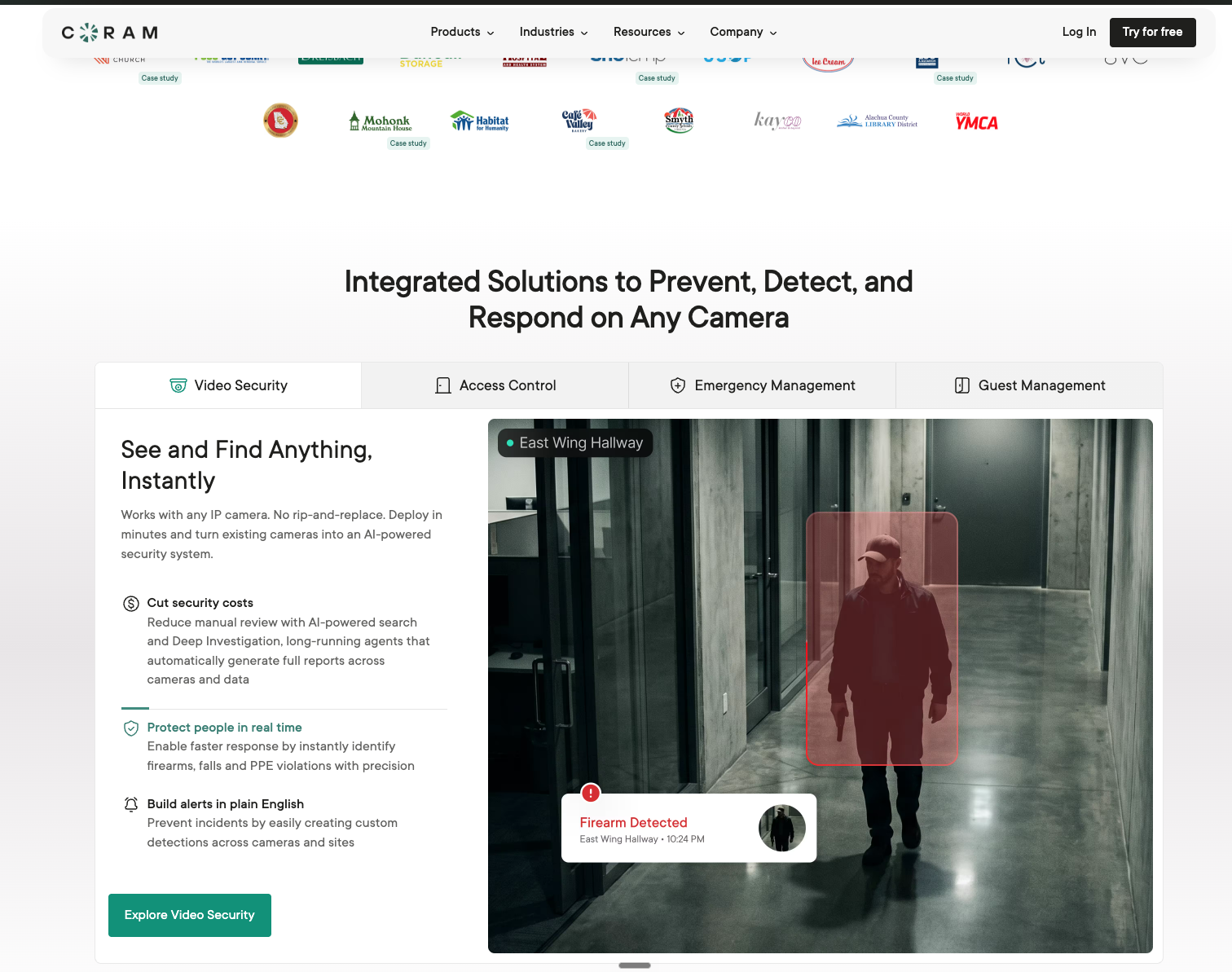
Coram is an AI native unified physical security platform. It runs Video Security, Access Control, Guest Management, and Emergency Management in one system, and it works with the IP cameras you already own.
That last part is the whole point. Most organizations replacing Verkada are not replacing it because the cameras are bad. They are replacing it because every retention change, every new AI feature, and every site expansion turns into a hardware purchase. Coram decouples the two. The intelligence layer is software. Your cameras are just cameras.
Coram raised a $35 million Series B in June 2026 and is used by more than 1,500 organizations across North America, including school districts, healthcare systems, manufacturers, government agencies, places of worship, hospitality groups, retailers, and Fortune 500 enterprises.
Investigations that take minutes instead of afternoons. Discover lets you type what you are looking for in plain language and get the clip back. "Person in a red jacket near the loading dock after 6pm" is a query, not a four-hour scrub through timeline thumbnails. You can then follow that same person across every camera on site and archive the clips as one sequence.
Real time detection on cameras you already have. Slip and fall, tailgating, line crossing, loitering, and people counting run on your existing feeds. License plate reading can be added to existing IP cameras rather than requiring an LPR-specific model. Weapon detection is available as a separate license, so schools and healthcare sites can add it where it matters without paying for it across a whole fleet. Coram runs on NDAA-compliant IP cameras you choose, which matters if you are buying with federal or state grant money that carries procurement restrictions.
One timeline for doors and video. Access Control sits in the same platform, so a denied credential, a propped door, or an after hours entry surfaces next to the footage of it. You are not correlating two systems by timestamp. Coram Access Control works with the readers, locks, and wiring already on the doors over standard OSDP and Wiegand; the door panel is the part that gets replaced.
Emergency Management built for the people who actually run a lockdown. Panic buttons, door management, reunification planning, and real time incident coordination sit in the same dashboard as the cameras and doors. When a lockdown is initiated, the person running it is not switching between four tools to see which doors are secured and which cameras show movement.
Facial recognition that is off until you turn it on. Coram's facial recognition is an administrator toggle under Settings, disabled by default. Once enabled, it detects faces, lets you build named profiles, and alerts on designated persons of interest. The models run on the Coram Point appliance on your premises, so face data does not leave the building. It is a detection and alerting tool for people you have specifically flagged. It is not a door credential and it does not replace badges.
Retention you choose, not retention you buy hardware for. Retention runs from 30 days up to one year, set per site.
Coram vs Verkada
Hardware: Verkada requires Verkada cameras. Coram works with nearly any IP camera, so modernizing does not mean a rip and replace project. Retention: With Verkada, longer retention means either a higher-storage camera model or an added cloud backup license per camera. With Coram, retention is a setting. Scope: Both are multi-product now. The difference is that Coram's four product lines were built to work with the infrastructure you have, and Verkada's were built to work with Verkada. AI: Coram's natural language search and detection models were designed for existing camera fleets rather than for a specific sensor. Deployment: Cameras come online in under 10 minutes, with no firewall reconfiguration required.
Going deeper on this comparison: Coram AI vs Verkada and migrating off Verkada without replacing every camera.
{{cta-component}}
Rhombus

Rhombus is a cloud-managed platform covering cameras, access control, environmental sensors, and alarms from a single console, with AI analytics processed on the cameras themselves. In March 2026, Honeywell announced it would offer Rhombus through its channel partner network, which tells you something about where they are aiming.
Where Rhombus beats Verkada
Sensor and alarm depth in one console. Vape and smoke detection, air quality, temperature, glass break, audio anomaly detection, and PIN-based alarm pads all live in the same interface as the cameras.
A real migration path, if a partial one. The Rhombus Relay appliance brings existing ONVIF and RTSP cameras into the Rhombus console, so you can phase a rollout instead of swapping everything at once.
Open integrations. A fully open API and 50 plus native integrations across Microsoft, Google, Slack, and Zapier.
Where it does not
Rhombus is a hardware-first platform. Relay handles roughly ten existing cameras per appliance, so "works with your cameras" describes a bridge for legacy fleets, not camera-agnostic architecture. Long term, you are standardizing on Rhombus hardware.
Verkada has sold environmental sensors since 2020, and the current SV20 series carries up to 15 sensors plus a vape index. Sensors are not the reason to pick Rhombus over Verkada. Openness is.
Worth reading if this is your shortlist: Rhombus vs Verkada.
Avigilon

The key difference between Avigilon and Verkada is deployment choice: Avigilon offers a fully on-premise line alongside its cloud line, while Verkada is cloud-managed on proprietary cameras only. The full head-to-head is in our Avigilon vs Verkada comparison.
Avigilon is now part of Motorola Solutions and splits into two distinct products. Avigilon Unity serves environments that require on premise infrastructure. Avigilon Alta is the cloud-managed line, which includes Alta Access for doors. They are not interchangeable, and any vendor comparison that says just "Avigilon" is skipping the most important question in the evaluation.
Where Avigilon beats Verkada
Appearance Search. Their forensic search is genuinely strong for investigators working through long stretches of footage across many cameras.
Deployment choice. Unity gives you a fully on premise option. If your compliance posture, your CIO, or your network reality rules out a cloud-first architecture, Verkada has no equivalent answer.
Enterprise camera range. More form factors, resolutions, and low-light options than Verkada's catalog.
Where it does not
Two product lines means two learning curves, two roadmaps, and a real decision about which one you are committing to. Unity carries the server and maintenance overhead that cloud platforms exist to remove. And worth knowing: If you already run Alta Access on your doors, you can add Coram for video without replacing your readers or locks.
Eagle Eye Video (Brivo)

The video platform here is Eagle Eye Networks, the cloud VMS that merged with access-control provider Brivo and now sits inside the Brivo Security Suite. What it has always been good at remains its strongest argument: compatibility with more than 7,500 camera models, which is the widest support of any cloud VMS on this list.
Where it beats Verkada:
Mixed fleets. If you have inherited cameras from four acquisitions and three previous integrators, this is the platform most likely to just read all of them.
Storage flexibility. On premise, cloud, or both, configured to your network and compliance constraints.
Open API maturity. Their video API has years of adoption behind it in alarm monitoring, third-party analytics, and point of sale integrations.
Access plus video. The Brivo merger means door control and video now sit under one vendor rather than requiring a third-party access integration.
Where it does not:
The merger is recent and the product surface is still consolidating. And the platform's center of gravity is video management rather than AI-driven detection. If you want the system to tell you something is happening rather than help you find it afterward, that is a different buy.
Against Verkada specifically, Eagle Eye's case is compatibility and storage flexibility: 7,500+ supported camera models and your choice of cloud, on premise, or both, against a proprietary camera line. Verkada's case is deeper native analytics and the single-vendor experience. If your fleet is mixed and staying, Eagle Eye wins that question. If you are refreshing hardware anyway, the gap narrows and the comparison moves to analytics and operations.
Spot AI
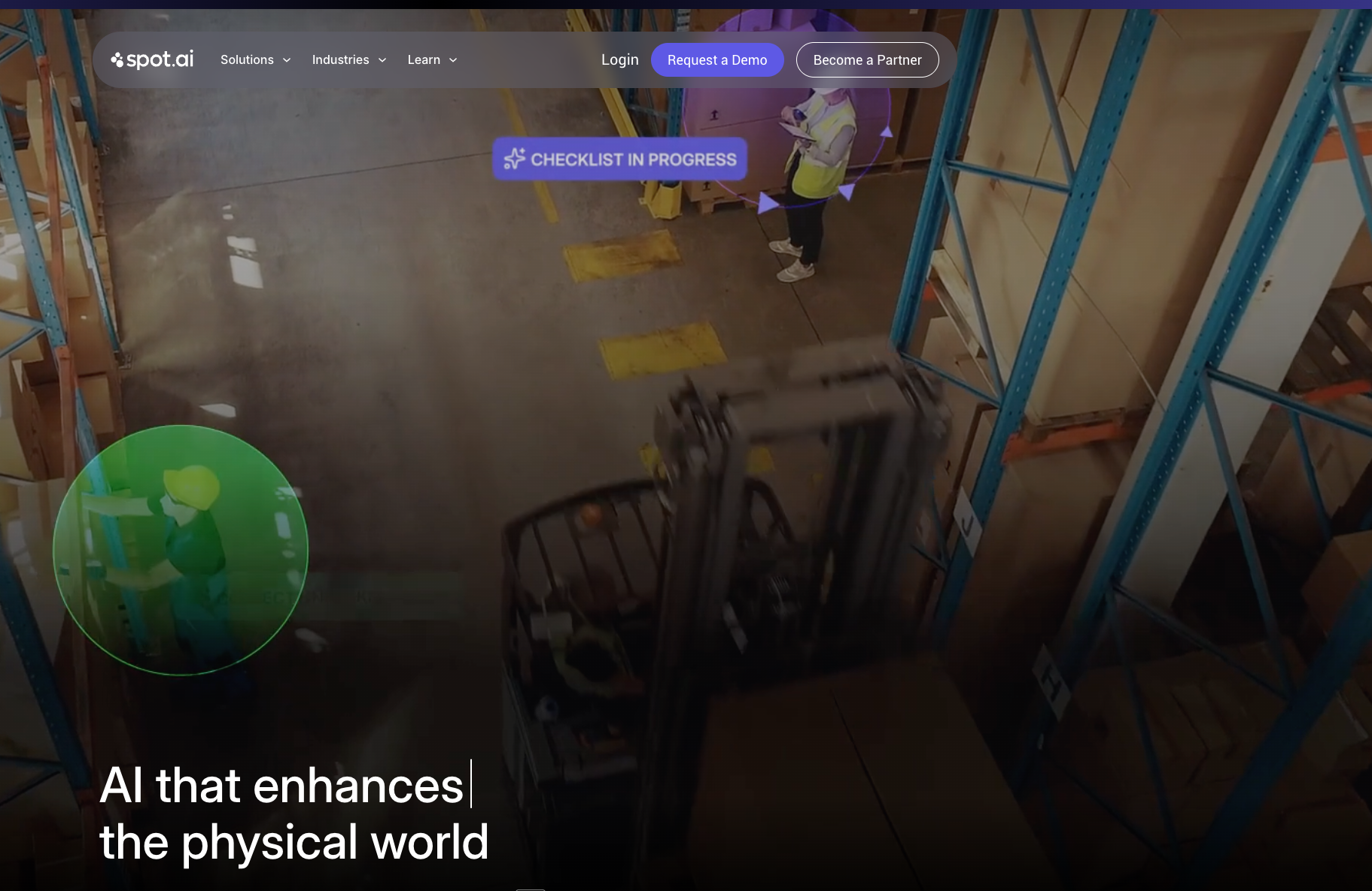
Spot AI turns existing cameras into what they call AI agents, layered onto any ONVIF or RTSP camera through an edge recorder. The pitch is not better recording. It is action: detect in context, deter in real time with talkdown, lights, and sirens, then produce case-ready evidence.
Where it beats Verkada:
Camera-agnostic by design. Any ONVIF or RTSP feed, including analog fleets bridged through their hybrid recorder.
Real time deterrence. Escalating talkdown is a genuinely different response model from alert-and-review.
Case management. Clips, notes, and law enforcement sharing are native rather than bolted on.
Operations, not just security. Their agents cover SOP adherence and PPE compliance, which is why they land well in manufacturing and multi-site retail.
Where it does not:
Spot AI is a video AI platform, not a unified physical security platform. No access control, no guest management, no emergency management. If doors and lockdowns are in scope, you are buying and integrating a second system.
Full comparison: Spot AI vs Verkada.
What to actually weigh in the evaluation
- Does retention cost hardware or software? This is the single largest driver of five-year cost. On camera-bound platforms, extending retention means either buying higher-storage models or adding a per-camera cloud backup license. Verkada's June 2026 price increase cited memory and storage costs directly, which is what that exposure looks like in practice. Ask every vendor to price 90 days and one year, per camera, for the whole fleet, and ask what happens to that price when you add a site. The spread will surprise you.
- What happens to the cameras you already own? There is a meaningful difference between "camera agnostic," "we have a bridge appliance for up to ten legacy cameras," and "you will be replacing these." Get the specific answer, in writing, with model numbers.
- Where does AI inference actually run? Edge, cloud, or both changes your bandwidth requirements, your privacy posture, and what happens when the internet drops. For anything involving faces, it also changes whether biometric data leaves your building. Coram processes person-of-interest matching on premises for exactly this reason.
- Is this one system or three integrations? If video, doors, visitors, and emergency response live in separate tools, every incident investigation is a manual stitching exercise across four timelines. That cost does not show up on any quote. It shows up on every incident.
- What is the vendor's actual security track record? You are handing this company footage of your building and, in schools and hospitals, of children and patients. Ask for SOC 2 Type II attestation, breach history, and any regulatory actions. The FTC's 2024 case against Verkada is a matter of public record, and it is a fair question to put to every vendor on your list.
- How much infrastructure and administration do you want your team to own? A turnkey stack like Verkada trades flexibility for near-zero maintenance: no servers, automatic updates, plug-and-play hardware. Self-managed platforms put you in control and on the hook for patching, storage, and refresh cycles. Coram sits between the two, with an appliance on site and management in the cloud, so there is no server administration but the fleet stays yours. Pick the model your team can actually staff, because the wrong answer here shows up two years from now as a system nobody is maintaining.
Which one should you pick?
If you want video, doors, guests, and emergency response in one system without replacing the cameras you already own, look at Coram. If you are willing to standardize on cloud-managed hardware and want deep sensor and alarm coverage, look at Rhombus. If your architecture requires an on premise option, look at Avigilon Unity. If you have a large, messy, inherited camera fleet, look at Eagle Eye Networks. If your problem is operational outcomes on the floor rather than building security, look at Spot AI.
Third-party signal, for whatever weight you give review sites: as of September 2026, Coram holds 4.9/5 across 200+ reviews on G2's Coram vs Verkada page, which shows Verkada at 4.7/5 across 141.
The one thing worth refusing is a platform where every future decision, retention, analytics, expansion, becomes another hardware purchase order. That is the trap most Verkada replacements are trying to get out of. Book a Coram demo.
FAQ





.png)

