TL;DR
- ButterflyMX is a property access platform, not just a doorbell. It brings together intercoms, access control, cameras, vehicle access, package rooms, elevator controls, and more.
- The right alternative depends on the job you need done: a tenant-facing intercom, property-wide door access, or camera evidence. Almost no vendor is strongest at all three.
- For the three jobs: Swiftlane is the strongest fit for the tenant-facing intercom job; Coram for property-wide door access when doors and video need to work together, with Gatewise when gates and lease-driven move-ins lead; and Coram for the evidence job.
- Need a video intercom at the front door? Coram is not the answer. Look at Swiftlane, Verkada, DoorBird, or Brivo's Door Station instead.
What ButterflyMX Actually Sells, and Why That Matters for Your Shortlist
If you're looking at ButterflyMX because a renewal is coming up, you're working on a new build, or you've inherited the system at an existing property, it's easy to approach the search as a simple vendor swap. But that can lead you in the wrong direction. ButterflyMX is not built around just one entry point or one access problem. Its product lineup covers:
- Video Intercoms
- QR Code Intercom
- Access Control System
- Package Room
- Security Cameras
- Vehicle Access Control
- Smart Locks
- Elevator Controls
- Front Desk Station
This particular range matters when you start looking at ButterflyMX alternatives. You're not necessarily trying to find another platform with the same list of products. You're trying to figure out which part of the system matters most to your property and find a vendor that does that job well. In practice, that usually comes down to three questions:
- Do you need a tenant-facing intercom for visitors, delivery drivers, and contractors?
- Do you need property-wide door access for residents, staff, and contractors moving through the building?
- Do you need camera evidence that makes it easier to understand what happened after an incident?
These needs can overlap, but they are not interchangeable at any point. A vendor that is a strong intercom replacement may not be the best fit for managing every door across a property. Similarly, an access control platform may become a more practical choice when the priority is connecting door activity with security footage.
So instead of asking which ButterflyMX competitor is most similar to ButterflyMX, try to start with a more useful question that can give you more clarity moving forward. Check which of these three jobs you are actually trying to solve. That exact distinction will make the rest of the shortlist much easier to navigate.
Three Jobs These Products Do, and How to Tell Which One You Have
Once you look past the product names, the choice between ButterflyMX alternatives becomes much easier to frame. The systems in this category may overlap in features, but they are often solving different problems for the property manager using them every day. Think about what happens at your property from three different angles:
- A visitor needs to get through the front door: That is primarily an intercom problem.
- A resident, employee, or contractor needs access to the right doors: That is an access control problem.
- Something goes wrong, and you need to understand what happened: That is an evidence problem.
You may have all three needs, but they don't necessarily need to be solved with the same type of system. A tenant-facing intercom needs to make visitor access straightforward. Property-wide access needs to handle credentials, permissions, and changes in who can enter. And an evidence-focused system needs to make footage and door activity useful after the fact.
So before comparing ButterflyMX competitors feature by feature, identify which job is causing the most friction today. Here are 3 tests that can help you do that.
The Tenant-Facing Intercom Job
This is the part of the system that deals with people who do not already have a credential. Think about a delivery driver arriving at the front entrance, a guest visiting a resident, or a contractor who needs temporary access. The system has to give that person a clear way to reach someone who can let them in, without turning every visitor into a manual access-control task.
This is where video intercoms are particularly relevant. The property needs a way to communicate with visitors, verify who they are, and remotely unlock the door when appropriate. If this is the experience your residents interact with most often, an intercom-focused platform may matter more than the breadth of the rest of the access system.
Test: How does someone without a fob get in today, and who do they have to call?
The Property-Wide Door Access Job
This is a different problem. Here, the focus is not the occasional visitor at the front entrance but the people who already have authorized access to the property. Residents, staff, and contractors may need to move through entrances, amenity spaces, and back-of-house doors, with access changing as their roles or tenancy change.
That makes the day-to-day management of credentials and permissions important. For example, when someone moves out, you should not have to wonder whether their access is still active or manually chase down every door they could use. A system built for apartment access control should make those changes manageable across the property rather than treating each door as a separate task.
Test: How long does it take to cut off access for someone who moved out on Friday?
The Evidence Job
Sometimes the question is not who should get through a door, but what actually happened there. A resident reports that someone entered behind them. An unauthorized person may have accessed a restricted area. An incident happens at an entrance, and now an insurer, police officer, or property owner wants to know what took place.
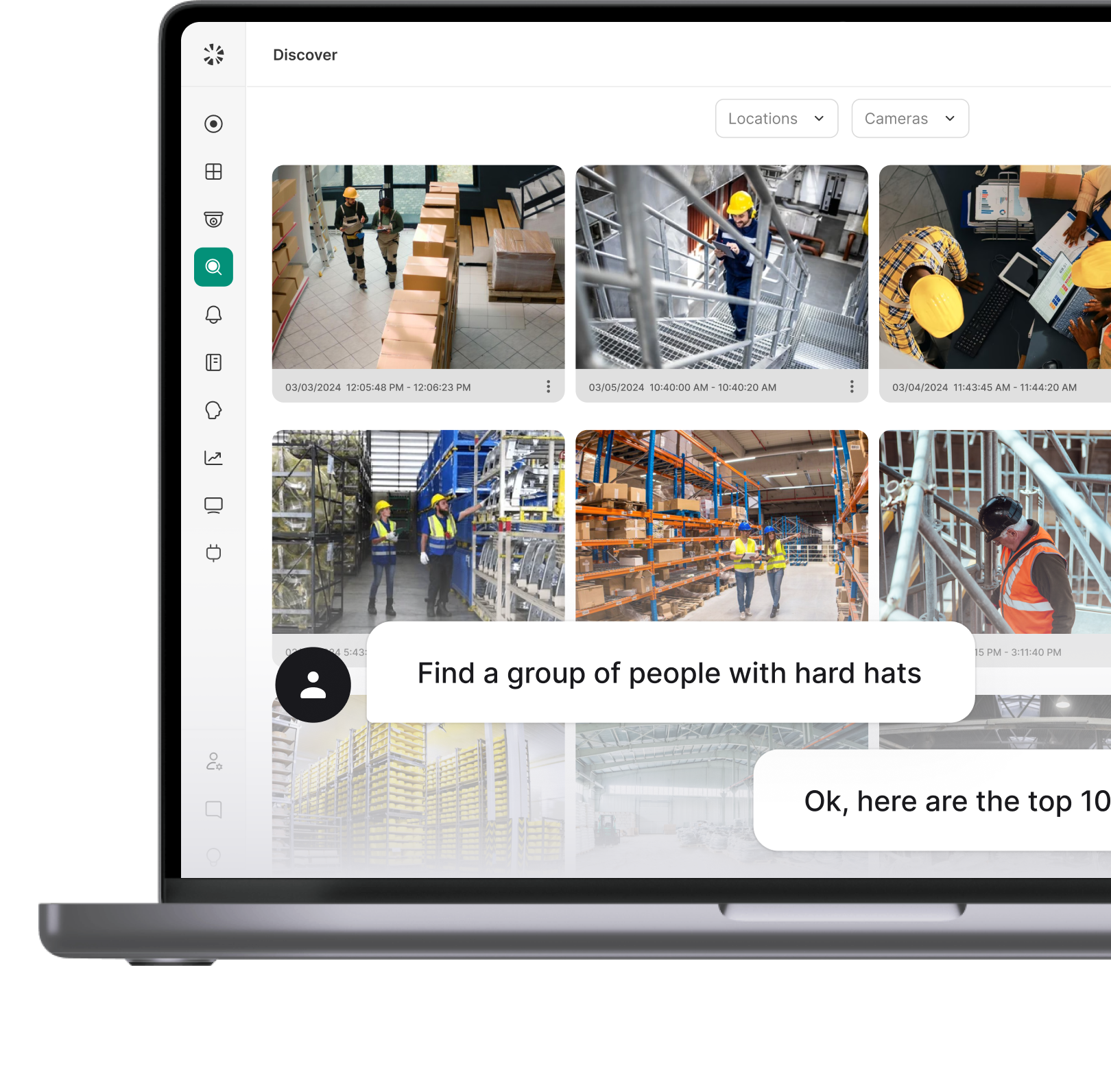
That is where the value of connected camera evidence becomes clearer. You need more than a camera that recorded something somewhere in the building. You need to be able to find the relevant footage and connect it to the event you are investigating. The easier that process is, the less time your team spends searching through hours of video after an incident.
Test: When something happened at a door last month, how long did it take to find the clip?
ButterflyMX Alternatives Compared: The 2026 Shortlist
The quickest way to narrow this list of ButterflyMX competitors is to start with the job your property needs the system to do. The table below shows how each vendor lines up across tenant-facing intercoms, property-wide door access, and cameras, along with where each one is strongest. Here's a quick comparison to get started before a detailed exploration of each alternative.
Coram
If the problem at your front door is a visitor who needs to speak with a resident and be let in remotely, Coram is not the answer, as it does not sell a video intercom today. So if you specifically need a tenant-facing video intercom, go for Swiftlane, DoorBird, Verkada, or options covered below.
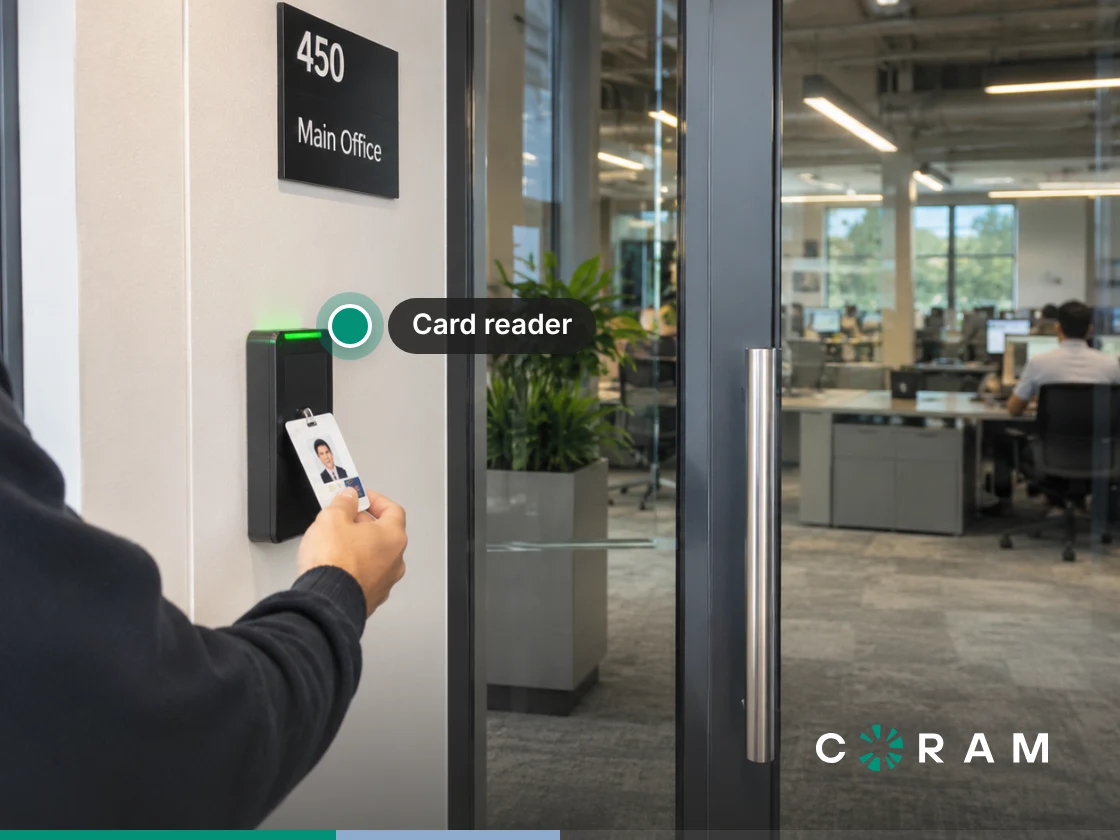
Coram Access Control is better for these two cases: property-wide door access and security evidence. Doors are managed from the cloud in a browser, giving property teams one place to manage doors, users, schedules, and video. You can unlock doors with a keycard, a PIN, or remote unlock in the Coram mobile app.
You can reuse existing readers, locks, and cabling, replacing only the access panel. That helps when you're working with an existing property where the physical setup is already in place. Coram also brings door activity and video together: when a Coram-connected camera is linked to a door, the door's events show that camera's footage.
That makes it useful beyond simply deciding who can unlock a door. Admins can export door events to CSV from the Events page, covering up to a year of history. The Tailgating alert uses video analysis on the linked camera, while held-open and forced-entry alerts come from the door's sensors and show video context when a camera is linked. If the internet drops, the controller keeps enforcing existing schedules and permissions and syncs door events when it reconnects, though new credentials and permission changes have to wait until then.
Hardware And Deployment
The hardware is straightforward. The Coram Access Controller comes in two models: the DC-41 supports up to four doors, while the DC-11 supports one door. Readers are wired rather than wireless, and each door supports up to one Wiegand reader and one OSDP reader. ASSA ABLOY Aperio wireless locks can connect through a hub. Coram doesn't document elevator floor control or vehicle-gate control, so check those against your property before treating it as a full ButterflyMX replacement.
Coram works as a single platform across Video Security, Access Control, Emergency Management, and Guest Management. Its Guest Management feature is designed for iPad check-in at your front desk or lobby, so it is not a substitute for an intercom. For properties where door access and evidence are a priority, Coram Access Control is the stronger fit.
Swiftlane
If the main reason you're looking at ButterflyMX alternatives is the tenant-facing intercom, Swiftlane is the closest fit. It combines the intercom experience with access control, so the same system can handle communication with visitors as well as the door access that follows. Swiftlane's intercom provides two-way audio and video calling, remote door unlock, and touchless access control.
That makes the distinction fairly straightforward. If your front-door problem starts with a visitor who needs to reach a resident and ends with that resident deciding whether to unlock the door, Swiftlane is addressing the same core job as ButterflyMX. The difference becomes more noticeable when you look at how access is handled alongside the intercom.
Face unlocking is Swiftlane's distinguishing feature. Users can unlock doors by simply walking up to a door and looking at the SwiftReader, making a person's face part of the access experience. For a property considering that approach, the convenience is obvious, but it also changes the conversation around credentials. A property manager needs to be comfortable with the consent and local-law questions that come with using face recognition at the door.
Best for: Multifamily and commercial properties that want intercom and access control from one vendor, particularly when face unlock is an access option the property is prepared to consider.
Counterweight: Face recognition is not simply another access method to evaluate in isolation. Using a face as a credential raises consent and local-law questions that the property manager needs to address for the building. The point is not that face unlock is automatically unsuitable, but that it deserves a deliberate decision rather than being treated as a neutral convenience.
If the priority is a tenant-facing intercom with access control attached, Swiftlane is one of the clearest ButterflyMX alternatives in this shortlist.
Verkada
Verkada is the enterprise answer in this shortlist, particularly when the goal is to bring several security functions together at the entrance. Its TD33, TD53, and TD63 video intercoms combine two-way communication, an AI-powered security camera, an access controller, and a door reader in a single device. For entrances that need a tenant directory on screen, Verkada also sells the TK74 touchscreen intercom.
That combination matters because it puts three parts of the entry experience together: the visitor can communicate through the intercom, the device provides camera coverage, and the door reader handles access. Instead of evaluating those functions as completely separate pieces, a property can look at them as part of one entrance device.
For a portfolio with multiple sites, that kind of consolidation can be appealing, which also makes Verkada a different proposition from a hardware-first intercom. Verkada publishes its intercom hardware prices, starting at $1,499 for the TD33.
Best for: Commercial and mixed-use portfolios that want to standardize on one platform across many sites, particularly when intercom, camera, and door access are all a priority.
Counterweight: Verkada represents a heavier commercial commitment than many multifamily operators may want for a straightforward intercom replacement. It is also about how comfortable the property is building that part of its security setup around one vendor. If you're specifically evaluating other systems against Verkada, see our guide to Verkada alternatives.
DoorBird
DoorBird is the hardware-first option in this shortlist. Its clearest contrast with subscription-oriented platforms is simple: it offers free cloud recording with single images, with no monthly fees at the base level and no hidden costs. That free history keeps images of the 50 most recent visitor and motion events; HD video recording is a paid Cloud Recording Pro subscription.
That makes the buying decision feel different from a platform where the recurring service commitment is part of the equation. Instead of starting with a broader property access platform and working backward to the entrance, DoorBird puts the physical intercom device at the centre of the decision.
That can be useful when the property's main requirement is the front-door experience rather than a larger property-wide access strategy. If you are primarily trying to give visitors a way to communicate with the property and want to avoid adding a monthly fee to that setup, DoorBird's model is a clear point of comparison with the other options here.
But that distinction is also where you need to be careful. A device that solves the front-door problem is not automatically a replacement for every function a broader property access platform may provide. ButterflyMX itself spans video intercoms, access control, package rooms, security cameras, vehicle access control, smart locks, elevator controls, and a front desk station.
Best for: Smaller buildings, HOAs, and owners who want to buy a hardware-first intercom without a monthly fee or hidden costs.
Counterweight: Buying an intercom device is not the same as replacing a broader property access platform. If your evaluation also includes property-wide access, move-in and move-out automation, or evidence workflows, make sure those requirements are being evaluated separately rather than assuming the front-door device covers all three jobs.
DoorBird therefore makes the most sense when the intercom itself is the priority and a simple ownership model is part of the decision.
Gatewise
Gatewise is the multifamily specialist in this shortlist. Its approach is less about trying to reproduce every part of ButterflyMX and more about handling the recurring access tasks that property teams deal with across a portfolio. It comes with a monthly pricing that scales with the portfolio, 30-day contracts, automatic access changes at move-in and move-out, and cellular receivers that do not need internet at each door.
The move-in and move-out workflow is particularly relevant when access changes are part of the day-to-day workload. Gatewise says access automatically activates at move-in and deactivates at move-out, driven by its integrations with Yardi, RealPage, Entrata, and ResMan. That makes it worth considering when the property wants access changes to follow the resident lifecycle.
The connectivity model is another practical distinction. Gatewise says its cellular receivers do not need internet at each door, and its hardware has battery backup. That is useful to keep in mind when comparing systems that approach connectivity differently, particularly if the property has multiple access points rather than one front entrance. For visitors, Gatewise offers a virtual call box, where a guest scans a QR code and video calls to request entry.
Best for: Multifamily operators that want automated move-in and move-out access, centralized management across a portfolio, and a mobile-first approach to gates, doors, and amenities. Gatewise also offers simple monthly pricing that scales with the portfolio and 30-day contracts, making the commercial model notably more flexible than a long-term commitment.
Counterweight: Gatewise is narrower than some of the broader platforms in this comparison, and its own site says less about the hardware. That matters if your evaluation goes beyond access operations and into the physical infrastructure and wider security capabilities you need from the system.
Brivo
Brivo is the cloud access control incumbent in commercial real estate in this shortlist, with its catalogue covering access control, video surveillance, a security suite and video management system, as well as visitor management.
That makes Brivo a useful comparison when access control is the centre of gravity for the property. Rather than approaching the buying decision entirely from the front-door intercom outward, the evaluation can start with the broader access-control requirement and then consider how video and visitor management fit around it.
For mixed commercial portfolios, that distinction matters. If the property team is already thinking about access across the wider security environment, a platform that brings access control, video, and visitor management into the same catalogue may be more relevant than a vendor whose primary focus is the tenant-facing intercom.
Note: Brivo's front-door option is the Brivo Door Station, an all-in-one reader with a camera and a video intercom. Its intercom uses two-way audio and one-way video, so visitors can talk to whoever answers but can't see them, and calls can be answered and the door unlocked from Brivo Access or the Brivo Mobile Pass app. It also supports facial authentication and is sold as hardware-as-a-service with a monthly subscription.
Best for: Mixed commercial portfolios where access control is the centre of gravity, and video and visitor management are also part of the security evaluation.
Counterweight: Brivo is a broader commercial security platform, so it can be more system than a property needs if the immediate problem is simply replacing a tenant-facing intercom.
What to Weigh Before You Sign
Once you have a shortlist, the hardest part is figuring out how each system will behave in your building five minutes after installation, six months into a lease cycle, and during the kind of outage nobody planned for. So, before signing, ask each vendor these questions.
1. Which of the three jobs is actually failing today?
Go back to the three jobs: tenant-facing intercom, property-wide door access, and camera evidence. If the front-door intercom is the problem, an access platform that excels at door management may not solve it. Likewise, replacing a strong access system just because its intercom is dated could create more work than it solves.
2. What happens to the hardware if you stop paying?
Do not look only at the recurring software commitment. Ask what happens to the controllers, readers, locks, and other installed hardware if the contract ends. Does the hardware continue operating? Do you lose administration or access to historical data? Get the answer in writing so you know what you actually own and what remains dependent on the vendor.
3. Do the readers and wiring already in the building get reused or replaced?
This can materially change the scope of a replacement. Ask the vendor to identify exactly what can stay, what needs to be replaced, and why. Existing hardware should not be assumed compatible simply because it is already installed. A proper assessment should consider compatibility, condition, supportability, and whether keeping it makes sense for the new system.
4. How is a move-out handled, and how long does access survive it?
Ask the vendor to walk you through the actual move-out workflow. Can access be revoked centrally? Does the change apply immediately across the relevant doors? Can property staff handle it themselves, or does someone have to intervene? This is one of those routine processes that becomes painful quickly when the system does not match how your property actually operates.
5. What happens when the internet drops, and separately, when the power drops?
These are two different failure scenarios, so make the vendor explain both. What happens to valid credentials? Are door events stored and synced later? What happens when power to the controller or lock is interrupted? A Coram controller keeps enforcing existing schedules and permissions when the internet drops, but power is a separate question: the DC-41 has about 24 hours of backup battery, the DC-11 has none and goes down with its network switch, and a longer outage calls for a UPS or generator.
6. Who answers at 9pm when a resident is locked out?
Finally, ask about the support experience, not just the product. Who does your team or resident contact after hours? Is there a defined escalation path? How quickly does someone respond? A system can work perfectly on paper and still become a facilities headache if the person responsible for the building cannot get help when something goes wrong.
Which One Should You Pick?
For the tenant-facing intercom job, pick Swiftlane or DoorBird. Swiftlane is the closest alternative to ButterflyMX when the front-door visitor experience is the priority. Its two-way audio and video calling, remote unlock, and multiple credential options make it ideal for intercom and access. DoorBird is another option for smaller buildings and owners who prefer a device without monthly fees.
For the property-wide door access job, pick Coram, with Gatewise as the runner-up. Coram is the stronger choice when you need to manage doors, users, schedules, and video together, while also reusing existing readers, locks, and cabling where appropriate.
Gatewise is a better fit when the property is primarily focused on multifamily access operations, especially automated move-ins and move-outs synced to your property management system, gates spread across a campus, centralized portfolio management, and mobile-first access. The choice comes down to whether broader security and evidence or multifamily access operations are driving the decision.
For the evidence job, go with Coram, with Verkada as the runner-up. Coram connects door events with footage from Coram-connected cameras linked to each door, flags tailgating from that video, and lets admins export door event history to CSV. Verkada is the stronger alternative when you want intercom, video, and access hardware combined in one device and are standardizing security across commercial or mixed-use sites.
For a property where understanding what happened at a door is central, both approaches connect access activity with video, but Coram is the more direct fit for the evidence-focused job established in this comparison.
Your Next Step
Figure out which of the three jobs is creating the most friction at your property: tenant-facing intercom, property-wide door access, or camera evidence. Use that test against your own building before weighing vendors, and the shortlist becomes much easier to narrow down.