


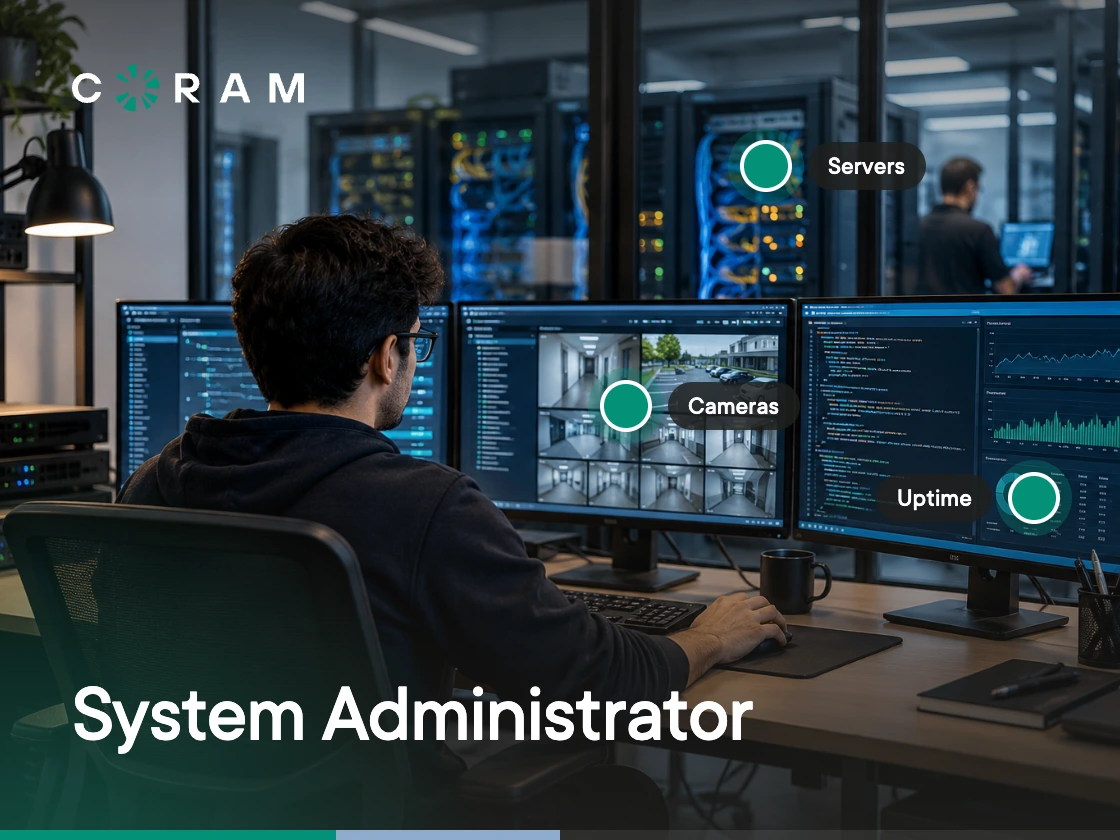
A server stays online overnight. A new hire has working accounts on day one. A security patch rolls out to hundreds of machines without anyone noticing. None of that happens on its own. A sysadmin made it happen, usually without anyone knowing they were involved.
System administration covers troubleshooting outages, managing user access, applying security patches, recovering backups, and solving problems before anyone notices they existed. This guide covers what a sysadmin does day to day, the core responsibilities and skills employers actually look for, how the role compares to adjacent IT positions, and where the career path leads.
What Is a Sysadmin?
A sysadmin, short for system administrator, is the IT professional responsible for administering and maintaining an organization's technical infrastructure. That includes servers, operating systems, networks, user accounts, storage, and the core technology employees rely on every day to do their jobs.
The role sits between the infrastructure and the people who depend on it.
- When something breaks, they troubleshoot it.
- When a new employee joins, they provision accounts and devices.
- When security patches need to be deployed across hundreds of systems, they make sure the rollout happens with minimal disruption.
In smaller organizations, one sysadmin may manage everything, from servers and networks to security, backups, and user support. In larger organizations, those responsibilities are often divided among specialists such as network administrators, security engineers, cloud engineers, and database administrators.
The sysadmin works across these systems to keep the IT environment stable and reliable. The title may vary (systems administrator, IT administrator, infrastructure engineer), but the purpose stays the same: keep systems available, secure, and running smoothly so everyone else can do their jobs.
Core Responsibilities: What a Sysadmin Does
At the core, a sysadmin has one responsibility: keeping an organization's IT infrastructure secure, available, and running efficiently. That work spans managing servers and user accounts, monitoring systems, applying security updates, and helping employees stay productive.
Server and Operating System Management
Servers are the foundation of an organization's IT environment. A sysadmin installs, configures, and maintains the physical and virtual servers that run business applications, databases, and critical services. That includes configuring operating systems, managing storage, maintaining virtualization platforms such as VMware or Hyper-V, and ensuring systems meet uptime requirements.
When a server behaves unexpectedly (performance slows, a service stops responding, or storage begins to fill up), the sysadmin identifies the cause and resolves the issue. They also monitor capacity trends and plan infrastructure upgrades before performance becomes a business problem.
User Accounts and Access Management
Every employee who joins the organization needs the right accounts, permissions, and system access from day one. When someone leaves, that access must be removed immediately. Managing this process, known as Identity and Access Management (IAM), is one of the most important system administrator responsibilities.
In practice, this includes managing Active Directory or Microsoft Entra ID, configuring role-based access control (RBAC), setting up single sign-on (SSO), enforcing multi-factor authentication (MFA), and ensuring users only have access to the resources they need.
In many organizations, IT teams also oversee physical access systems, extending these responsibilities beyond digital identities.
Monitoring and Performance
A sysadmin can't fix what they don't know is broken. Monitoring involves deploying and maintaining tools such as Nagios, Zabbix, Datadog, PRTG, or Prometheus to track system health and generate alerts when something falls outside expected thresholds.
Effective monitoring helps identify problems before employees notice them, such as a disk nearing capacity, unusually high CPU usage, or a server that stopped responding overnight. Early detection reduces downtime and allows issues to be resolved before they affect the business.
Backups and Disaster Recovery
Protecting business data is one of the most critical parts of the role. A sysadmin designs and maintains backup systems, regularly tests restores to verify backups work as expected, and documents recovery procedures that can be followed during an emergency.
Recovery Time Objective (RTO) and Recovery Point Objective (RPO) define how quickly systems must be restored and how much data loss is acceptable, and they guide every backup and disaster recovery strategy. These objectives need to be defined, tested, and reviewed before they're ever needed.
Patching and Upgrades
Keeping systems up to date is essential for both stability and security. A sysadmin manages the patch lifecycle by identifying required updates across operating systems, applications, and firmware, testing them in a staging environment, scheduling deployments to minimize disruption, and confirming successful installation.
At scale, automation becomes essential. Manually updating hundreds of endpoints isn't practical. Tools such as Windows Server Update Services (WSUS), Ansible, or PDQ Deploy automate deployment, while the sysadmin remains responsible for defining policies, approving updates, and scheduling maintenance windows.
Security
Security runs through nearly every part of a sysadmin's job. Beyond maintaining infrastructure, it's often one of the largest parts of what the role actually involves.
Sysadmins manage access permissions, deploy security patches, configure firewalls and endpoint protection, enforce password and MFA policies, and monitor systems for suspicious activity.
In organizations with dedicated cybersecurity teams, sysadmins work closely with security engineers to implement controls and remediate vulnerabilities. In smaller organizations, they often take ownership of these responsibilities themselves.
Technical Support
Many sysadmins provide Tier 2 or Tier 3 technical support, handling issues that the help desk can't resolve. This often means tracing a user's problem back to the underlying infrastructure, identifying the root cause, fixing it, and preventing it from happening again.
Technical support also includes documentation. A well-documented solution saves time, improves consistency, and reduces repeated work. Rather than solving the same issue multiple times, experienced sysadmins create runbooks, knowledge base articles, and automated processes that help both IT teams and future troubleshooting efforts.
A Sysadmin's Daily Tasks
No two days are identical, but most sysadmins settle into a rhythm, until an unexpected alert changes the plan. Some days are spent improving systems behind the scenes. Others are spent solving problems nobody knew existed five minutes earlier. Here's what a sysadmin's day actually looks like.
Morning: Check What Happened Overnight
For most sysadmins, the day doesn't begin with email; it begins with dashboards.
Before opening the ticket queue, they review overnight alerts, backup reports, server health, storage capacity, and monitoring notifications.
- Did a backup fail?
- Did anything trip a threshold?
- Is a disk suddenly running out of space?
- Has CPU or memory usage stayed unusually high since midnight?
Many mornings end with a quick review and a few routine fixes. Others don't. Occasionally, a failed service, an offline server, or a critical alert immediately becomes the top priority. Before anyone else starts their workday, the sysadmin is already troubleshooting to prevent a larger outage.
After overnight review, the sysadmin checks the patch status from any deployments that ran during off-hours. Did they apply across all targets, or did a subset of machines fail and need a manual push? Not every update succeeds on every machine, so failed installations are identified and corrected before users begin reporting problems.
Midday: The Ticket Queue and Provisioning Work
Midday is typically the busiest window for reactive work. As employees settle into their day, support requests start arriving.
- A user who can't access a shared drive they should have permissions to.
- A department head whose VPN won't authenticate.
- A developer who needs a new service account for a deployment.
This is also when sysadmins spend time provisioning and removing user access. Every new hire needs the right permissions (accounts, email, system access, and group memberships that match their role), and every departing employee needs access revoked (AD account disabled, email forwarded or archived, remote access credentials invalidated) promptly to protect company data. This sounds simple but breaks down quickly in organizations where onboarding and offboarding aren't standardized.
Alongside support work, there are usually planned changes to prepare, such as documenting a planned configuration change, getting it approved through the change board, and scheduling it for a maintenance window that minimizes disruption. This is the part of the job nobody talks about, and the paperwork that makes the actual changes safe to execute.
Afternoon: Projects and Preventive Work
If no urgent issues demand attention, the afternoon is often reserved for longer-term projects. That might mean testing patches in a staging environment, writing a PowerShell or Bash script to automate a repetitive task, reviewing storage and capacity reports, or evaluating a new monitoring platform.
Some days include vendor meetings, license renewals, support cases that need escalation, or hardware quotes for servers nearing the end of their lifecycle.
It's also when documentation finally gets attention. Runbooks are updated, recovery procedures are refined, and lessons learned from previous incidents are recorded so the same problem doesn't take hours to solve next time.
This preventive work rarely gets noticed by the rest of the organization, but it often prevents tomorrow's outages.
On-Call: What an Incident Actually Looks Like
An on-call alert rarely arrives with an explanation.
At 11:30 PM, a monitoring system reports that a critical application is unavailable. Within minutes, the sysadmin connects remotely, checks logs, reviews recent changes, and narrows down the cause.
- Is it the application itself?
- The database?
- The network?
- A failed update?
- A storage issue?
Each layer ruled out narrows the problem.
Finding the cause is one thing. Fixing it under pressure, while tracking every change made so the incident report is accurate afterward, while possibly looping in another team member if the problem is outside one person's scope: that's what on-call actually looks like.
Once the system is back online, the incident isn't over. The post-incident review identifies what failed, why the monitoring didn't catch it earlier, and what changes to the runbook or the system will prevent a repeat.
That constant balance between planned work and unexpected problems is one of the reasons the role can be demanding. PDQ's 2026 State of System Administration report, based on a survey of 1,034 IT professionals conducted between October and December 2025, found that 57% of respondents felt more stressed than the year before, while 52% said they were constantly playing catch-up with technology changes. The same respondents named patching, responding to security threats, and troubleshooting device issues with users (51% each) as the everyday tasks that take too much time. For many sysadmins, that's the honest shape of the job: balancing day-to-day operations against infrastructure that never stops changing.
Key Skills a Sysadmin Needs
Understanding the responsibilities is one thing. Doing the job well requires a mix of technical expertise, problem-solving ability, and sound judgment. On the technical side, that means comfort in at least one major operating system (Windows Server or Linux), working knowledge of networking fundamentals like DNS, DHCP, and VPNs, scripting in PowerShell, Bash, or Python, familiarity with virtualization and at least one cloud provider, security fundamentals, and the ability to read what monitoring data is actually saying about system health.
None of the technical skills count for much without the harder-to-teach habits: troubleshooting methodically under pressure, explaining the same incident differently to a user, a manager, and a vendor, prioritizing when everything arrives at once, and writing things down. A sysadmin who resolves an incident without documenting it has solved it once. One who writes a clear runbook has solved it permanently.
For a deeper breakdown of each skill area and where demand is heading, see our guide to system administrator skills.
Sysadmin vs. Related Roles
One of the most common questions about the role is where it ends and where other IT positions begin. The answer depends on the organization. In smaller companies, one person may wear multiple hats. In larger organizations, those responsibilities are usually split across specialized teams. Here's how the roles differ in principle, and where the overlap actually lives.
The boundaries between these roles often overlap. In a small business, a single system administrator may also handle networking, cloud infrastructure, backups, and security. In a large enterprise, each responsibility is usually owned by a dedicated team.
At its core, the sysadmin role is still the generalist position that keeps the organization's technology running day to day. As cloud platforms, automation, and DevOps practices continue to evolve, what a system administrator does keeps shifting, but the goal stays the same: maintaining reliable, secure, and available IT infrastructure.
Certifications and How to Become a Sysadmin
Most sysadmins enter the role through a help desk or IT support position, where they build hands-on experience with user problems and basic infrastructure. That experience is often more valuable than a degree alone. A bachelor's in computer science or IT helps, but practical experience and industry certifications often carry just as much weight.
A common career path for most sysadmins is CompTIA A+ → Network+ → Server+ or Security+, followed by vendor-specific certifications such as Microsoft Azure, Red Hat, VMware, or Cisco, based on the environment you'll be supporting.
Sysadmin Salary and Job Outlook
According to the U.S. Bureau of Labor Statistics (BLS), the median annual wage for network and computer systems administrators was $99,130 in May 2025.
Pay varies widely with experience, location, and employer. The lowest-paid 10% earned less than $62,640, while the highest-paid 10% earned more than $155,050. Sysadmins working with cloud infrastructure, automation, or specialized enterprise environments tend to sit toward the upper end of that range.
The BLS projects employment in this occupation to decline 4% from 2025 to 2035. The agency attributes this to some tasks shifting to software developers focused on DevOps, some being outsourced to Networks-as-a-Service providers, and sysadmins increasingly automating routine work. However, it still expects about 13,400 job openings each year, all driven by the need to replace workers who retire or move into other occupations.
The role isn't disappearing; it's evolving, and people who adapt their skills toward cloud, automation, and security will remain in demand.
How Sysadmins Fit Into Physical Security
For many organizations, physical security is no longer managed separately from IT. As security systems have moved to cloud-managed platforms, the responsibility for managing them has increasingly become part of a sysadmin's day-to-day work.
Identity and Access Go Beyond User Accounts
Modern cloud-based access control systems no longer operate in isolation. The software that manages who can access which doors runs on IP networks, connects to identity providers like Microsoft Entra ID (formerly Azure AD) through single sign-on, and is administered through a browser.
For a sysadmin, this feels familiar. User provisioning, role-based permissions, audit logs, and identity management follow the same principles used across the rest of the IT environment. The same skills used to manage employee access to business applications increasingly apply to managing physical access.
Video Infrastructure Is Now an IT Responsibility
Video systems have followed the same path. A cloud-managed NVR (network video recorder) records camera footage on site while the cloud handles viewing, search, alerting, and administration, replacing the standalone servers and per-site software that older systems depended on.
Managing camera health, storage, user permissions, and system availability now resembles administering any other networked service. As organizations modernize their infrastructure, these responsibilities naturally become part of the broader IT environment.
The Sysadmin's Role Is Expanding
The result is that what a sysadmin does continues to evolve. Alongside managing servers, operating systems, backups, and user accounts, many sysadmins now help administer connected physical security systems because they rely on the same networks, identity services, and access policies as the rest of the organization's infrastructure.
Coram is one example of how this convergence looks in practice. It's an AI physical security platform that brings Video Security, Access Control, Guest Management, and Emergency Management together in a single browser-based interface, built on the kind of API-driven, network-dependent architecture that fits naturally within modern IT operations. It works with the IP cameras already installed on a network (150+ camera brands over ONVIF or RTSP) rather than requiring a hardware swap, which matters for IT teams that don't have budget to replace what's already working.
The details a sysadmin would check first are familiar ones:
- Sign-in: SSO over SAML or OIDC, so it works with identity providers such as Okta, Microsoft Entra ID, and Google Workspace.
- One user list: all four products share it, so a new hire is set up once rather than four times.
- Network posture: devices connect outbound only, with no inbound port forwarding to open.
- Where video lives: footage records on site on a Coram Point appliance, while the cloud handles viewing, search, alerting, and administration.
- Outages: if the internet drops, door events keep logging locally and sync when the connection returns, with no audit data lost.
For sysadmins whose responsibilities already include cloud infrastructure and identity management, supporting physical security is becoming less of a separate discipline and more of an extension of the work they already do. Rather than introducing an entirely new operational model, platforms like these expand responsibilities that increasingly fall within the modern sysadmin's role.





.png)

