TL;DR
- Sign In Enterprise is a product name within Sign In App, the brand that Sign In Solutions is moving to. Before that, the product was known as Traction Guest.
- If you're already a customer, the vendor says the brand change requires no immediate action, and its help center still points users to the Traction Guest login page. The name change doesn't require an immediate change to your setup.
- Before renewing, confirm the legal entity on your contract and whether your latest security review still covers the product you're using.
- Compare alternatives on four practical points: what visitor data they retain, what you can export, how pricing works, and how visitor records connect with camera and access control data.
- If your current setup works across sites, renewing may make sense. If the paperwork or product fit raises questions, compare alternatives before committing again.
The Name on the Product Has Changed Three Times
If you're reviewing Sign In Enterprise alternatives for a renewal, the first thing to know is that the company is bringing its brands together under the name Sign In App. The Traction Guest name came first, followed by Sign In Enterprise, and for now, that remains the product name under the new Sign In App brand. The vendor announced the change in September 2026 and says its websites will come together under Sign In App from January 2027.
For existing customers, the immediate impact appears limited. Sign In App says the brand transition doesn't change existing products, configurations, or support, and that there is no immediate action to take. Its help center still refers users to the Traction Guest login page, and organizations on a private instance can get their account URL from support. If that's the address your team still uses, it isn't by itself a reason to assume anything has changed about your setup.
However, the company's announcement of the change says that product names, like Sign In Enterprise, will evolve over time, and says they will provide clear guidance before any changes take effect. The vendor also states that the brand transition doesn't affect the corporate entity on your contract. Before renewing, it's still worth confirming how the vendor is identified in your contract, data processing agreement, and latest security documentation. That gives you a clearer picture of what needs updating on your side without treating the name change itself as a warning sign.
What to Check Before You Renew
A vendor changing its name doesn't automatically mean the software has changed. But it does give you a reason to check whether your paperwork still reflects the product you're using and the company you're contracting with. For a security leader, that's important because the contract, data processing agreement, and security review all need to point to the right vendor and service.
Before you renew, start with the documents you already have rather than assuming you need to redo the entire review. Check which legal entity is named in your agreement, what product your last security assessment covered, and whether anything material has changed since then. If you're also comparing alternatives, check how the main visitor management systems compare before deciding whether to renew or look elsewhere.
Which Entity Your Paperwork Names
- Start with the legal entity named on your current contract and check whether it matches what the vendor's latest invoices and correspondence show.
- Next, check the data processing agreement to see which entity is identified as responsible for handling your organization's data.
- Review the most recent security attestation letter you hold and confirm which company and product it covers.
- Finally, check your internal third-party risk register to see whether the vendor is still listed under an earlier name.
If the names don't match, treat it as an administrative issue to clarify with the vendor, not an automatic reason to question the relationship.
What Your Security Review Covered, and Whether It Still Applies
A previous security review is only useful for renewal if you know exactly what it assessed. A change in the vendor's name doesn't automatically invalidate that review, but you shouldn't assume the existing paperwork covers everything you currently use, either. So, check these four things before signing another term:
- Review date and product: Confirm when the last security review took place and whether it assessed Sign In Enterprise, Traction Guest, or the service you're using today.
- Data residency and sub-processors: Ask whether the locations where visitor data is stored or processed, or the list of third parties handling that data, have changed since your last review.
- SSO and directory integration: Verify that your existing single sign-on (SSO) setup and directory integration are still supported, rather than assuming the configuration will continue working unchanged.
- Visitor log export and exit terms: Check what your contract says about retrieving visitor records if you leave, then test the export process with every vendor you're considering, including Coram. Don't wait until you're switching systems to find out what data you can actually take with you.
How to Evaluate an Enterprise Visitor Management System
When comparing Sign In Enterprise with alternatives, look at these 4 details: how visitor information is stored, what records you can export, how licensing works, and whether visitor records connect with the rest of your physical security setup. These differences affect what your team can review, what you pay for, and what happens if you eventually move to another system.
- What does the system store about a visitor, and what does it not store? Coram, for example, never stores the image of the ID used for verification. The iPad hashes the document number, and Coram keeps that hash for blacklist matching and the last four digits for the guest log, along with the verification result, document type, issuing country and state, and expiry date. Compare this with each vendor's actual data-retention practices rather than assuming all systems handle identity documents the same way.
- What does the system export, and in what format? Check whether you can retrieve the visitor records your organization needs and whether the exported data will be usable outside the platform. Coram offers guest log search across visitor name, email, phone number, company, and host, and admins can export the guest log as a CSV, with each export recorded in Coram's access logs. Ask for a demonstration of the export process and confirm the available formats and exit terms with every vendor.
- What is the licensing unit: per site, per visitor volume, or bundled into a wider platform? The pricing model can change the cost of expanding a deployment. Coram, for instance, offers a site license with unlimited users and no per-seat fee. Envoy publishes a Visitors Premium price of $362 per location per month, billed annually, while Verkada Guest is included in its Workplace license.
- Do visitor records sit beside camera and door records, or in a separate tool? Coram runs Guest Management in the same platform as Video Security, Access Control, Video Alarms, and Emergency Management, and with facial recognition turned on, Guest Face Matching uses a guest's check-in photo to find their detections on your Coram cameras around the time of the visit. Guest Management doesn't connect to Coram Access Control door records today. So, check what each vendor actually connects, including whether visitor events can be linked to relevant camera footage and door activity.
These four criteria give you a practical basis for comparing Sign In Enterprise alternatives against your current deployment. If you're also assessing options for public-sector sites, check out this guide to visitor management for government facilities for another point of reference.
Sign In Enterprise Alternatives Compared
The main differences between Sign In Enterprise alternatives come down to licensing, published pricing, visitor screening, and integration with other workplace or security systems. Use the comparison below to narrow your shortlist, then confirm feature availability and total costs directly with the vendor.
Now, let's go through each vendor individually.
Coram Guest Management
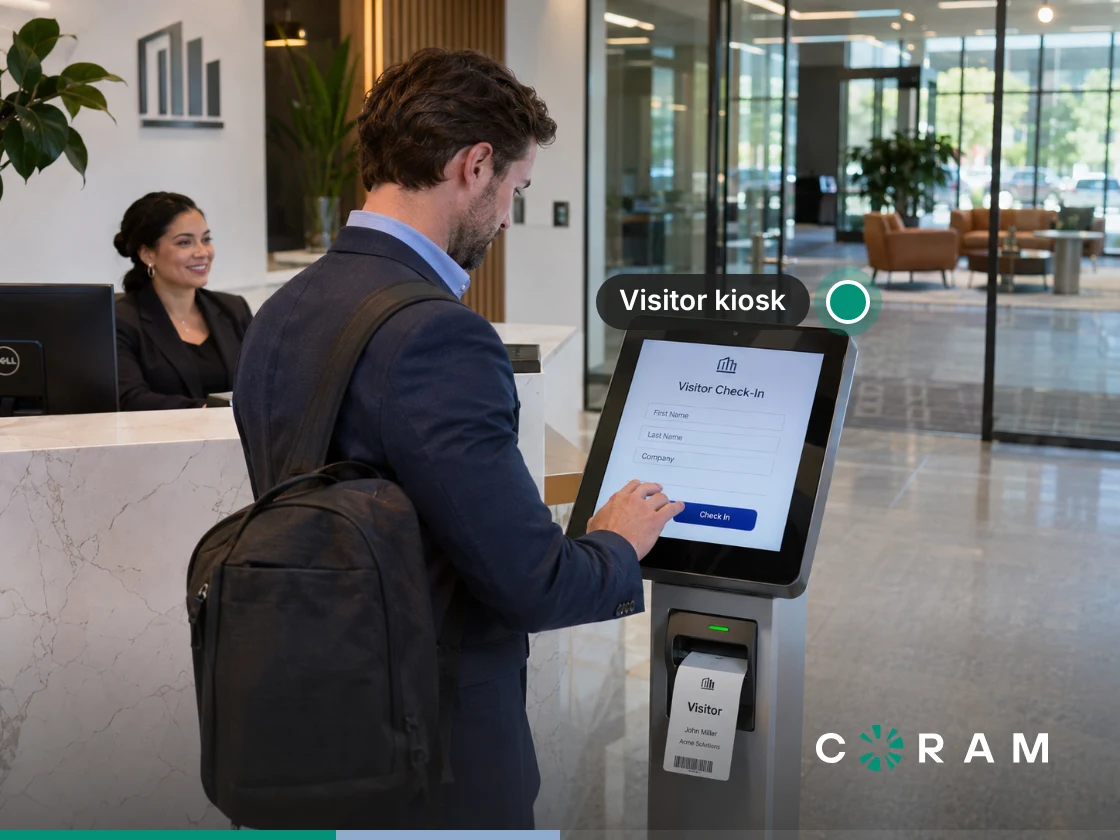
Coram Guest Management replaces paper sign-in sheets with a digital check-in flow that captures guest information, notifies the person they're visiting, screens against your blacklist and against criminal record databases, captures signed legal agreements, and prints identification badges. It runs on iPads running iPadOS 26 or later, and the check-in fields can be configured for the site's requirements, with up to three custom questions, and visitors can sign the legal agreement directly on the iPad. The signed PDF is then saved on the guest's record and can be emailed to a recipient list you set.
Pre-registration lets you invite guests before they arrive, and each guest fills in their details on their own phone. Invited guests get a check-in code they scan as a QR code or type at the kiosk, and walk-ins can scan the kiosk's QR code to finish check-in on their phone without downloading an app.
ID verification happens on the device. Coram checks whether the name on a visitor's identity document matches the name entered during check-in, and, with background checks turned on, whether the document has expired. It doesn't store the ID image but keeps a hash of the document number for blacklist matching and the last four digits for the guest log, along with the verification result. It doesn't store the name or date of birth read from the ID.
It also checks visitors against an organization's blacklist using their email address, phone number, or ID document number. A match places the check-in on hold for approval. The iPad shows "Approval pending" for 15 seconds and then resets while an admin approves or denies the guest in the web app, and an unresolved check-in is automatically denied after three hours.
The system also runs an instant search of national criminal-record databases, including court records, arrest and warrant data, and sex offender registries. It is a database search rather than a live county-court search, so coverage depends on what each jurisdiction reports. The way it handles identity data is particularly relevant for organizations reviewing visitor information retention. Since the ID image isn't stored, the system retains the verification result, a hash of the document number, and only the last four digits. This gives security teams a specific data-handling practice to assess against their own requirements.
Check-in can continue if the iPad loses connectivity. Visitors can complete the full check-in flow offline, including the agreement, and the iPad asks them to wait for staff. Blacklist and background checks and host notifications run when the device reconnects, and the badge prints automatically if that happens within 15 minutes; after that, staff print it from the guest log. Coram prints paper-label badges on supported Brother QL printers rather than plastic cards.
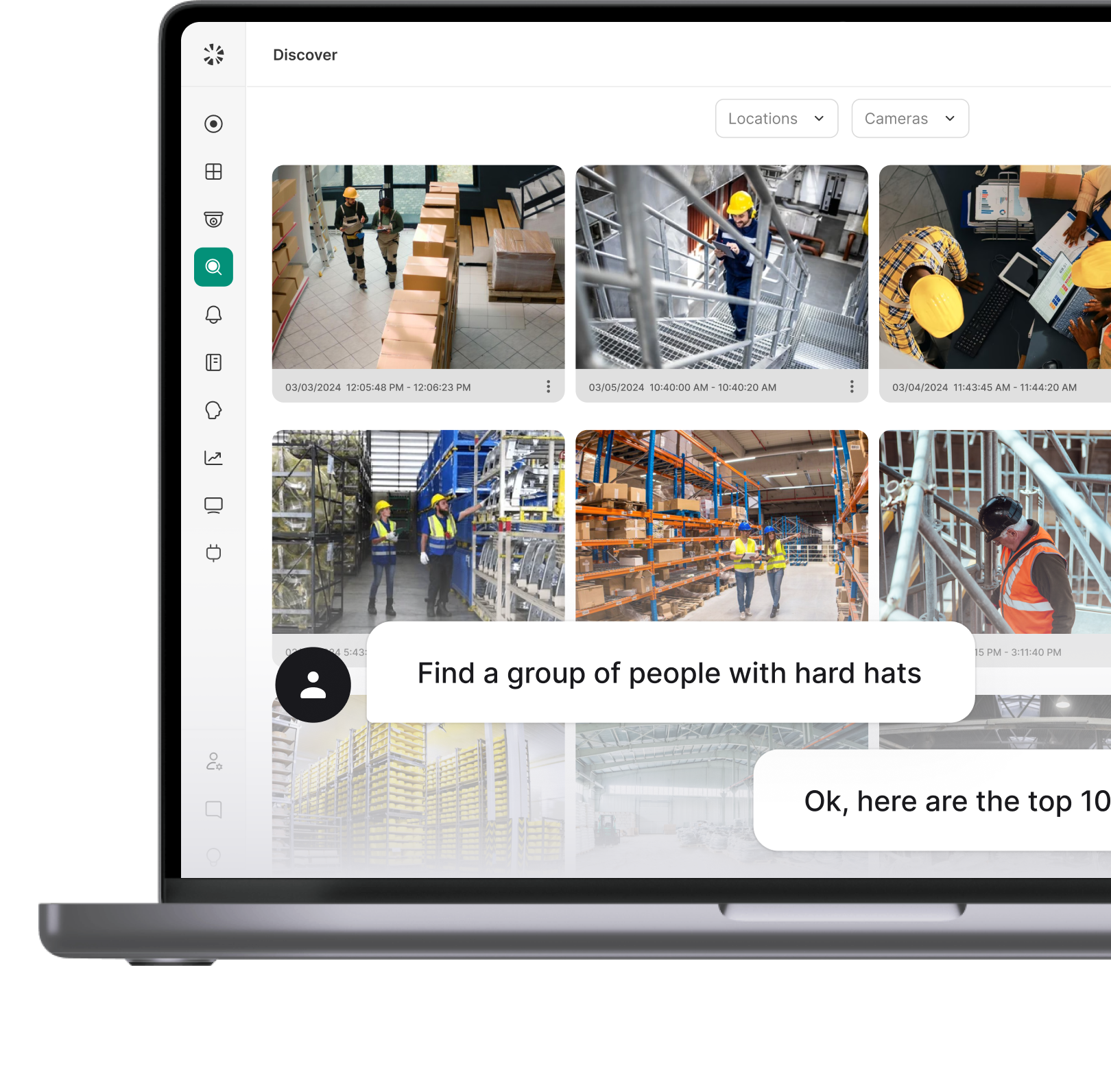
Coram uses a site-based license with unlimited users and no per-seat fee. Guest Management runs in the same web app as Video Security, Access Control, Video Alarms, and Emergency Management, with one profile per employee and a role for each product. With facial recognition turned on, Guest Face Matching uses the guest's check-in photo to find their detections on your Coram cameras around the time of the visit, connecting visitor information with relevant video within the wider platform.
Limits To Consider:
- Host directory sync: Microsoft 365 and Entra ID host directory sync aren't currently supported; hosts are imported from a CSV, which may create extra work for organizations managing large host lists.
- ID checks: Verification checks the name and expiry date, not whether the document is authentic.
- Door access: Guests cannot unlock a door directly from the kiosk, and Guest Management doesn't connect to Coram Access Control today.
- Badges: Badges are paper labels printed on supported Brother QL printers, not plastic cards, and the badge design isn't customizable.
- Offline screening: Blacklist and background checks wait until the iPad reconnects.
- Exports: Signed agreements download one guest at a time, and blacklist export isn't documented.
Hence, Coram Guest Management is ideal if you need digital check-in, pre-registration, ID verification, blacklist and criminal-record screening, and a link between visitor records and camera footage. Its site-based licensing also avoids per-seat fees as the number of users grows. Before choosing it, assess the host-directory limitations, door-access needs, and badge requirements against your site's needs.
Sign In Enterprise (Sign In App)
Sign In App is the brand that Sign In Solutions is consolidating under, with Sign In Enterprise (previously known as Traction Guest) used as a product name within the platform. For existing customers, the vendor says the brand transition doesn't change existing products, configurations, workflows, or support, and there is no immediate action required.
Sign In App has now expanded beyond visitor management and adopted a name that better represents its wider suite of workplace and compliance solutions. The vendor describes Sign In Enterprise, Sign In Compliance (formerly ThreatSwitch), and Sign In Workspace (formerly Pronestor) as product domains rather than separate brands, and its published information explains that those names will continue to evolve without giving a clear timeline.
Pricing isn't published, so you'll need to request a quote to compare costs with other vendors. That makes it difficult to compare pricing directly with options such as Envoy, which publishes a price for its Visitors Premium plan, or Verkada Guest, which is included in its Workplace license. If you're an existing customer, see whether the current deployment still meets your needs and whether changing vendors would offer enough benefit to justify the work involved. If you also run smaller sites on Sign In App or SwipedOn, our guide to SwipedOn alternatives covers that side of the same vendor.
Best for: Organizations already using Sign In Enterprise across multiple sites that want to preserve their existing configuration rather than take on the work of moving to another system. If the current setup meets your requirements, reviewing the contract and security documentation may be all you need to do before renewing.
Envoy
Envoy is worth comparing if you're looking for visitor management with a polished experience for hosts and employees. Its Visitors Premium plan costs $362 per location per month, billed annually, giving buyers a published price to work with when budgeting across multiple sites.
One detail to watch when comparing plans is that ID scanning, blocklist scanning, and restricted-party list integration are included in Envoy's Enterprise tier, not Premium. Enterprise ID scanning includes 500 scans a year, with add-ons for higher volume. If your security requirements include any of these capabilities, make sure you're comparing the Enterprise quote against alternatives rather than using the Premium price as the full cost of your required setup.
Best for: Organizations that want a smooth host and employee experience and access to a broad catalogue of integrations. If you also need ID scanning or restricted-party screening, check the Enterprise tier to understand the actual cost of the features your deployment requires.
Eptura Visitor
Eptura Visitor was formerly known as Proxyclick and is now part of Eptura's workplace suite. If you're reviewing an older contract, you may find the Proxyclick name in your records, so check that your vendor documentation reflects the product and provider you're currently evaluating.
It doesn't publish pricing for Visitor, so you'll need to request a quote. The available information also doesn't establish current pricing or screening details for the product, so confirm those directly with the vendor before comparing it with other options.
Best for: Multi-region enterprises already using other Eptura workplace modules that want to evaluate visitor management within the same broader suite. Before choosing Eptura Visitor, ask the vendor for its current product documentation and confirm what screening capabilities are available.
FacilityOS (formerly iLobby)
FacilityOS is the name to look for if you're comparing the visitor management product previously sold under the iLobby brand. Its VisitorOS plans now sit under FacilityOS, with published starting prices for two tiers: Corporate starts at $225 per month, while Enhanced starts at $299 per month. The pricing page doesn't specify a billing unit, so don't assume these figures represent a per-kiosk or per-site rate.
ID validation and visitor screening are available as add-ons on the Corporate and Enhanced plans. FacilityOS lists these capabilities as included in the Enterprise tier, although third-party watchlist integration remains an optional add-on. That distinction matters if your security requirements include identity checks or screening against watchlists and criminal record databases; compare the full cost of the required features, not just the starting subscription price.
It also offers products beyond visitor management, including EmergencyOS for emergency notifications and evacuations, and contractor management capabilities. Organizations evaluating the wider suite can therefore consider how visitor check-in fits alongside contractor workflows and emergency preparedness.
Best for: Regulated sites that need visitor management alongside contractor workflows and emergency management, particularly when they want to evaluate several facility operations modules from one vendor.
HID SAFE Visitor Manager
HID SAFE Visitor Manager takes an identity-first approach to visitor management by connecting visitor workflows with the physical access control and identity systems that enterprise security teams already use. The cloud-based platform supports visitor registration, identity verification, watchlist screening, check-in, and temporary access provisioning across multiple facilities. HID also sells a separate product, HID Visitor Manager, so make sure the quotes you compare are for the same one.
It can connect with physical access control systems (PACS), HR management systems, identity management systems, and background screening tools through HID's integration framework. You can also configure visitor pre-registration, approval workflows, policy acknowledgments, and badge issuance. This makes it relevant when visitor access needs to follow the same identity and security policies as employee or contractor access.
It doesn't publish standard pricing for SAFE Visitor Manager. Its website says pricing varies by deployment size, integration requirements, and visitor volume, so you'll need a quote to compare the full cost. When evaluating it, see which integrations are included, whether any additional services or subscriptions are required, and how temporary visitor credentials will work with your existing access control setup.
Best for: Organizations that already use HID credentials or access control systems and want visitor identity, screening, and temporary access managed within the same broader security environment.
Verkada Guest
Verkada Guest is part of Verkada's broader physical security platform. The Workplace and Workplace K-12 licenses include Verkada Guest, Mailroom, and Incident Response. The standard Workplace license is listed at $3,600 USD MSRP for one year, while the Workplace K-12 license is listed at $1,500 USD MSRP for one year.
The pricing page specifies one software license per iPad, billed annually, so account for the licensing model when estimating costs across multiple check-in points. Guest can screen visitors' IDs against criminal databases and sex offender registries and check them against custom deny lists. However, the main consideration is how well Verkada fits your existing security setup. If your sites already use Verkada cameras and access control, keeping visitor management in the same ecosystem can make sense.
If you're using other vendors, adopting Verkada Guest may mean extending your deployment into Verkada's environment rather than adding a visitor management tool to your current stack. Compare the cost of that broader commitment, not just the visitor management feature.
Best for: Organizations already standardized on Verkada cameras and access control that want visitor management alongside other workplace and physical security tools.
Which One Fits Your Situation
If you're comparing Sign In Enterprise alternatives ahead of renewal, start with the reason you're reconsidering the current setup. A vendor-record mismatch calls for a different response than a need for tighter identity controls or clearer pricing. Here's how to see which one best matches your situation:
Where to Start
Before deciding whether to renew or switch, pull your current contract and the latest security attestation letter. Check whether the named entity and the product covered by the review still match what you're using today. That will help you finally determine whether you're dealing with an administrative update or a change that warrants a fresh vendor assessment.