The SwipedOn kiosk in your lobby still checks guests in, and the admin login still works. What has moved is the brand around it: the merger post, the SwipedOn page on Sign In App's site, and, in time, the platform itself now point to Sign In App.
For an IT Director with a renewal date on the calendar, that changes what you have to think about. Feature checklists for SwipedOn alternatives leave out the exposure that matters at renewal: what happens to your guest log, your signed agreements, and your per-site licensing when the vendor upgrades you on a date it has yet to publish.
The decision worth making now depends on two things. One is what you get in writing before signing another year. The other is what you pull out of the system before choosing whether to stay.
- SwipedOn is merging into Sign In App, and Sign In App's own pages say the combined product continues under the Sign In App brand.
- Existing SwipedOn accounts keep working as before, and the vendor has not published a date for moving customers onto the upgraded platform.
- Before renewing, get three things in writing: the end-of-life date for today's app, a price hold through migration, and which integrations survive.
- Export the guest log, signed agreement PDFs, blacklist, and host directory first, then test every vendor's export format before you commit.
- Stay with Sign In App if one site and zero migration matter most; move if screening depth or camera-linked guest records drive your decision.
What Changed: SwipedOn Is Merging Into Sign In App
Sign In App's SwipedOn page on signinapp.com says SwipedOn has joined forces with Sign In App. A second Sign In App page on the merger says the combined visitor management system will stay under the Sign In App brand. Both products belong to Sign In Solutions, which acquired SwipedOn's parent company, SmartSpace Software, in 2024.
For current customers, the SwipedOn page says they can still log in and use the application as before. The merger page adds that, as development progresses, Sign In App will start upgrading customers to the upgraded platform, that customers will not need to download a new app, and that they will be notified in advance. SwipedOn's own site says current contracts, last updated in August 2024, remain valid, and that customers will be told in advance of any change to contract terms.
You can see the change from your own browser. The SwipedOn blog post about the merger now redirects to the Sign In App blog.
Sign In App has not published a completion date for the merger, an end-of-life date for the current SwipedOn kiosk app, or any commitment on pricing at renewal.
What the Merger Changes About Your Renewal
A merger gives you a reason to renew on different terms than last year. The app in your lobby works the same today, and the vendor has said existing accounts keep running, so a rushed exit doesn't buy you anything.
What has changed is the risk inside a twelve-month commitment. Last year you signed for a known app on a known roadmap. This year you sign for an app the vendor plans to upgrade customers away from, with no migration window published yet.
That turns the renewal into a procurement exercise. The questions overlap with what to ask a visitor management vendor during any selection (our visitor management system features checklist covers the full list), and the answers carry more weight when the platform underneath you is set to move.
Watch the calendar too. Sign In App's own subscriptions renew automatically, with email notices 90 and 75 days before the renewal date. Ask whether your SwipedOn contract follows the same schedule, and treat the first notice as your deadline for the steps below.
What to Get in Writing Before You Renew
Send these five to your Sign In App account contact and keep the replies on file:
- Ask for the end-of-life date of the SwipedOn app you run today.
- Confirm whether your current price is held through the platform migration.
- Find out who performs the migration and what kiosk downtime it carries.
- Check whether your historical guest log moves with you to the upgraded platform.
- Get a list of which current integrations, including SSO and directory sync, survive the move.
An email reply from the vendor is enough. What matters is that the answer exists somewhere other than a call recording.
What to Export Before You Decide
Run the data export before the evaluation, while you still have full admin access and no pressing deadline. These four items carry the most risk if they stay behind:
- The guest log, with its date range: It is your record of who was on site, and the date range tells you whether the file covers every period you may be asked about.
- Signed legal agreements, as PDFs: An NDA or safety waiver that lives only inside a vendor account becomes hard to produce once that account closes.
- The blacklist or watchlist: Front desks usually build this list by hand over years, and a rebuild from memory leaves gaps exactly where the security risk exists.
- The host directory: It drives every host lookup at the kiosk, and a clean copy shows whether directory sync or a manual import will be your migration path.
Export formats differ by vendor, and they are the part of a switch teams test least often. A file that opens fine in a spreadsheet can still lose a column or a date format on import into the next system, and most teams find that out after the contract is signed.
So test export with every vendor on the shortlist, Coram included. Ask for a sample export from a trial account, open it, and try loading it somewhere else before you sign anything.
The same test shows you what each system keeps. In Coram, an admin can export the guest log as a CSV that follows your filters, up to 10,000 check-ins per export, and each export is recorded in Coram's access logs. Signed agreements download as PDFs from each guest's record, and the host list exports and imports as a CSV. Coram never stores the ID image; it keeps a hash of the document number and its last four digits. Put the same export questions to Coram that you put to everyone else.
How to Evaluate a Visitor Management System During a Vendor Transition
Five questions will help you separate what vendors offer during a transition, and each one maps to a risk you already carry as a SwipedOn customer. Ask them in this order:
- What happens when the internet drops? Ask the vendor to disconnect the kiosk during the demo and complete a full check-in, badge print included.
- What does the system store about a guest, and for how long? Request the stored fields in writing, including whether ID images are kept or only a verification result.
- How is screening depth defined? Ask whether screening means a search of criminal record databases or a check against a sex offender registry only.
- What is the licensing unit: per site, per device, or per check-in volume? Have the vendor price your current sites and your busiest month, since the unit decides how the bill moves as you grow.
- Does it stand alone, or sit beside cameras and access control? Ask whether guest records connect to footage and door events you already run, or live on a separate login.
Run every one of the SwipedOn alternatives below through these five questions. For a broader view of the market, see how the best visitor management software for offices compares.
SwipedOn Alternatives Compared
Coram and five other SwipedOn competitors sit alongside the stay-put option in this table, so you can read the SwipedOn alternatives against the same criteria. Prices are reproduced as each vendor publishes them, in the published currency.
Coram Guest Management
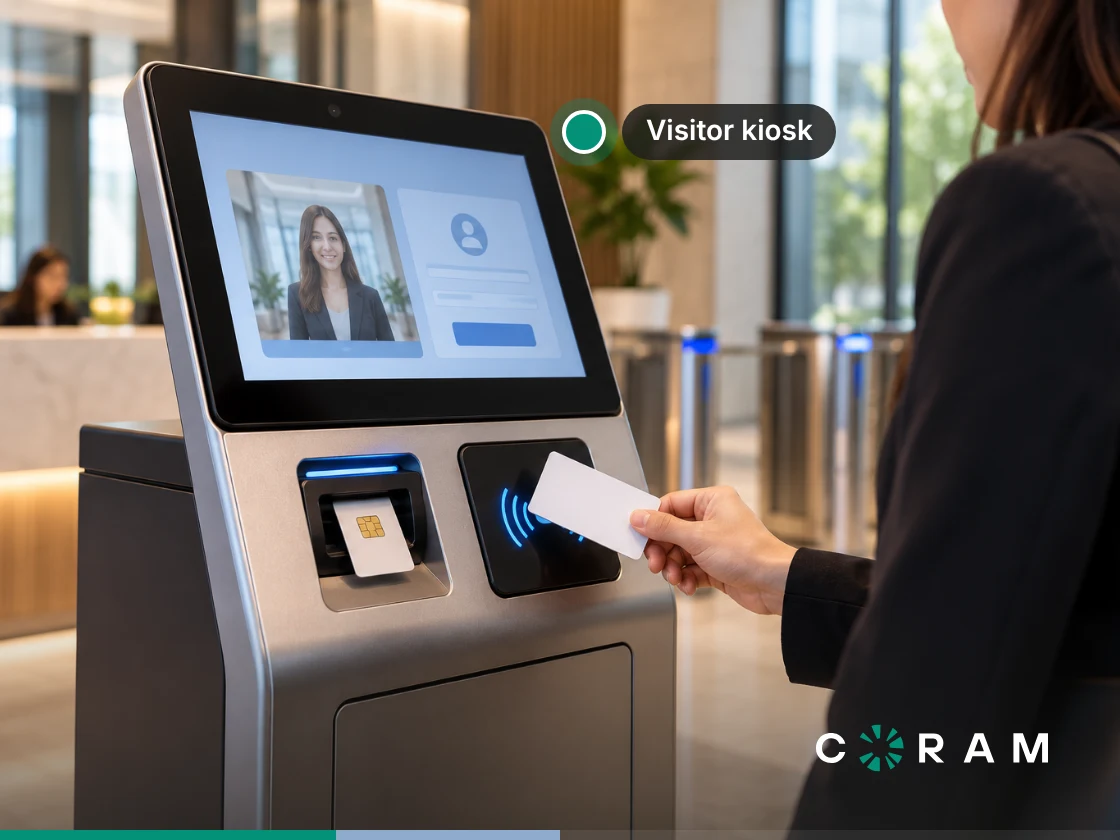
Coram Guest Management runs lobby check-in on an iPad. The system replaces paper sign-in sheets with a digital check-in flow that captures guest information, notifies the person they're visiting, screens against your blacklist and against criminal record databases, captures signed legal agreements, and prints identification badges. Check-in runs as a configurable flow on iPads running iPadOS 26 or later.
Key Capabilities for a SwipedOn Switch
a) Configurable check-in with signed agreements: Check-in fields are configurable, with up to three custom questions, and the guest signs the legal agreement on the iPad. The signed PDF is saved on the guest's record and can be emailed to a recipient list you set.
b) Pre-registration and check-in from a phone: Pre-registration lets you invite guests before they arrive, and each guest fills in their details on their own phone. Invited guests get an eight-character check-in code they scan as a QR code or type at the kiosk, and walk-ins can scan the kiosk's QR code to finish check-in on their own phone, with no app to download.
c) On-device ID verification: The iPad scans the guest's ID document on the device. Coram checks whether the name on the guest's identity document matches the name they entered at check-in, and, with background checks turned on, whether the document has expired.
d) Blacklist matching with a hold for approval: Coram compares the guest's details with your organization's blacklist entries. A match on email address, phone number, or ID document number holds the guest. The iPad shows "Approval pending" for 15 seconds and then resets while an admin approves or denies the guest in the web app. If no one acts within 3 hours, Coram denies the check-in automatically.
e) Criminal record screening: Coram runs an instant search of national criminal-record databases, including court records, arrest and warrant data, and sex offender registries. It is a database search rather than a live county-court search, so coverage depends on what each jurisdiction reports.
f) A small guest-data footprint: The ID image is never stored. The iPad hashes the document number, and Coram keeps that hash for blacklist matching and the last four digits for the guest log, along with the verification result, document type, issuing country and state, and expiry date. It doesn't store the name or date of birth read from the ID. For an IT Director, that means less guest data to protect and less to explain in a privacy review.
g) Offline check-in: If connectivity drops, guests still complete the full check-in, including the agreement, and the iPad asks them to wait for staff. Blacklist and background checks and host notifications run when the iPad reconnects, and the badge prints automatically if that happens within 15 minutes; after that, staff print it from the guest log. Keep a fallback such as handwritten labels at the desk.
h) Site licensing without seat counts: A site license covers unlimited users and iPads with no per-seat fee, so adding hosts or front desk staff leaves the bill where it was.
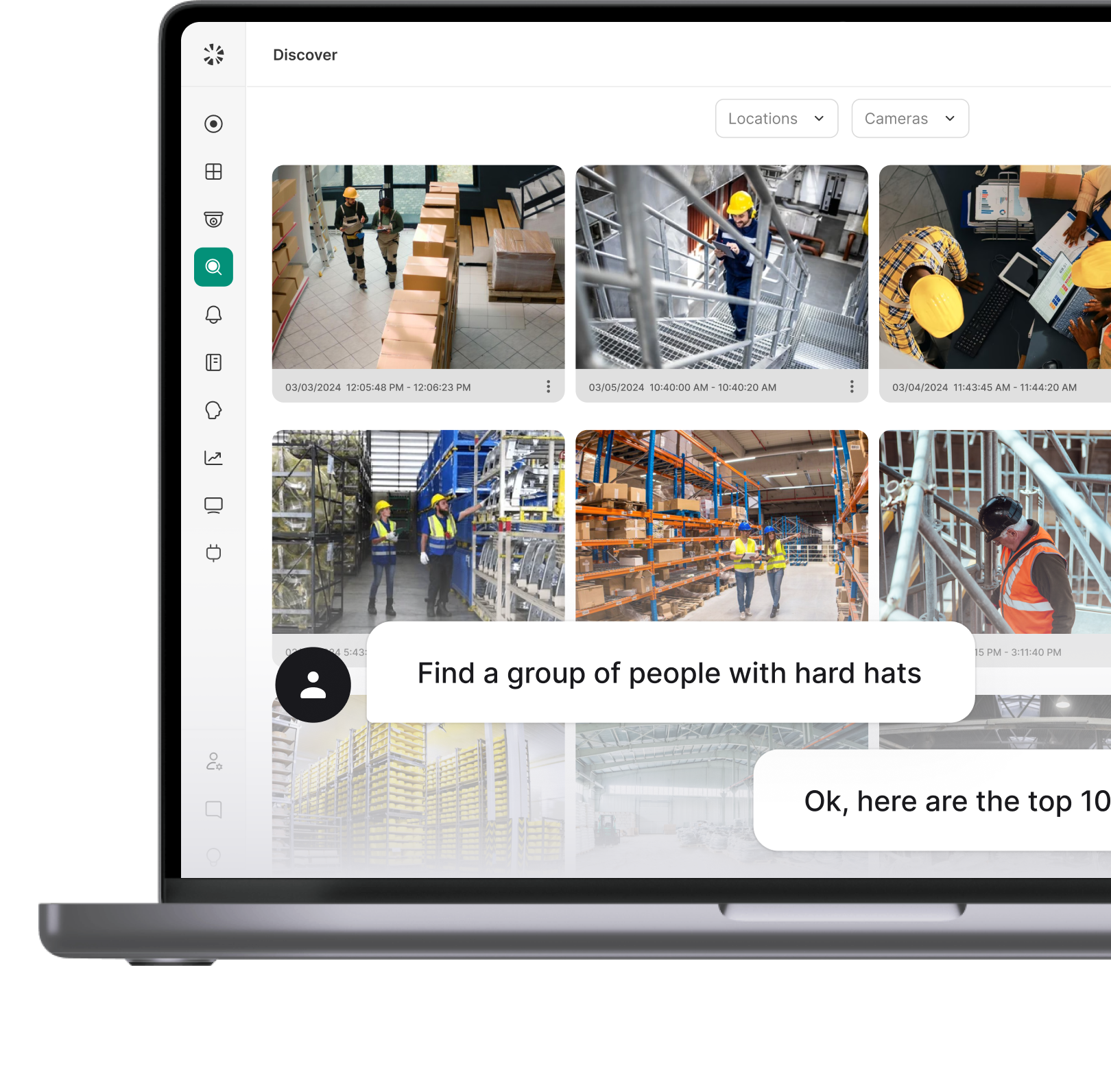
i) One platform, with camera-matched guest records: Guest Management runs in the same Coram web app as Video Security, Access Control and Emergency Management, with one profile per employee and a role for each product. With facial recognition turned on, Guest Face Matching uses the guest's check-in photo to find their detections on your Coram cameras around the time of the visit.
Say someone asks who the contractor in the lobby was last Tuesday afternoon. A guest log search by company or host finds the record, and with facial recognition on, Guest Face Matching shows where that guest appeared on your Coram cameras during the visit. Run the offline test and the export test against Coram Guest Management in a demo before your renewal date.
Limitations of Coram Guest Management Today
Seven limits apply today. Check each against your current SwipedOn setup before the demo.
Best for: an office with one or a few sites where screening depth and a small guest-data footprint drive the decision, especially one that wants guest records matched to camera footage on the same platform.
Sign In App
Sign In App is the stay-put option, and for many SwipedOn customers it is the sensible default. Its SwipedOn page says existing customers can still log in and use the application as before, so staying doesn't ask for a new kiosk setup on day one.
Key features:
a) Three published tiers: Core at $630/site/year, Enhanced at $1,260/site/year and Pro at $1,890/site/year.
b) Per-site licensing with free extra devices: Each location with a different postcode or zip code needs its own site subscription, and additional devices for each entrance cost nothing extra. A building with three entrances pays one site fee; three buildings on three postcodes pay three.
c) What Enhanced adds: A pre-visit registration portal, ID scanning, Spaces, time and attendance, and onboarding sessions.
d) Directory sync in the site subscription: The pricing page lists Azure AD / Entra ID and Google Workspace directory sync, employee and contractor sign-in, and delivery sign-in under what a site subscription includes.
e) Badges print offline: Sign In App's documentation says that if the internet is unavailable when a visitor signs in, the badge still prints, and the visitor's details upload once the connection returns.
Limitations:
a) SSO and SCIM sit in Pro, so a site that needs SSO is priced at the top tier.
b) Migration date, end-of-life date, and renewal pricing are all unpublished, so get each one in writing before you sign.
For SwipedOn pricing, the comparison that counts is your current invoice next to the Sign In App tier that matches your feature set, with a written price hold through the migration. If you are weighing Sign In App alternatives at the same time, those tier prices make a clean baseline for every quote that follows.
Best for: an office with one or a few sites that wants the shortest possible path and no migration at all.
Envoy
Envoy pairs a polished host experience with a large integrations catalogue, and sells visitor management alongside separately priced workplace products. As a SwipedOn replacement, it prices per location, so the multi-site math follows the same shape as a per-site model.
Key features:
a) Visitors Premium pricing: $362 per location/month billed annually.
b) Pre-arrival details on every tier, QR sign-in from Premium: Even the free Basic plan lets visitors provide their details before they arrive, and QR code sign-in starts at Premium.
c) SSO and directory integrations on Premium: Premium adds both, alongside legal documents and badge printing.
d) Products beyond visitors: Deliveries, Reservations for desks, rooms and parking, Screens and Response, each priced separately, on top of an Envoy platform fee.
Limitations:
a) ID scanning and blocklist scanning sit in the Enterprise tier, so the Premium price excludes both. Enterprise ID scanning includes 500 scans a year, with add-ons for higher volume.
b) Enterprise pricing is custom, so the number to compare for screening comes from a quote.
Best for: an office that wants the most polished host experience and a large integrations catalogue, and is willing to reach the Enterprise tier for screening.
Eptura Visitor
Eptura Visitor is the product formerly sold as Proxyclick, now part of Eptura's wider set of workplace modules. Eptura doesn't publish pricing on its site, which makes this a quote-only evaluation. Our guide to Proxyclick alternatives covers what changed with the rebrand.
Limitations:
a) Every figure comes from a sales quote, so build the quote cycle into your migration window.
b) Ask the quote to list which ID scanning and screening features your plan includes, since Eptura doesn't detail them publicly.
Best for: multi-region enterprises already buying other Eptura workplace modules.
FacilityOS (formerly iLobby)
iLobby now sells under the FacilityOS brand, and VisitorOS, the visitor product, is sold in tiers with published starting prices. For a closer look, see our guide to iLobby alternatives.
Key features:
a) VisitorOS tiers: Corporate starting at $225/month and Enhanced starting at $299/month, with Enterprise by quote. Corporate includes a 10.9-inch iPad enrolled in mobile device management.
b) Directory, SSO, and export in the base tier: Corporate includes Active Directory and SSO, plus CSV/XLS export.
c) Pre-registration from Enhanced: Enhanced adds touchless sign-in, pre-registration, and badge printing.
d) Modules beyond visitors: EmergencyOS (a basic version is included with VisitorOS), ContractorOS, SecurityOS for access control, and LogisticsOS.
Limitations:
a) Visitor screening and ID validation are add-ons on Corporate and Enhanced, included only in Enterprise. Screening, powered by Checkr Trust, checks global watchlists and US criminal and sex offender databases.
b) The pricing page doesn't state a billing unit, so ask what the starting price covers before setting it beside per-site figures.
Best for: regulated sites that need contractor and emergency modules alongside visitors.
Sine
Sine, now part of Honeywell, prices on volume. Its plans page says plans are based on the average estimated check-in volume at your site, across all check-in types. That billing unit behaves differently from every other vendor here as a building gets busier: a flat site fee holds steady when traffic doubles, and a volume-based plan moves with it.
Key features:
a) Invitations on the entry plan: The Small plan includes digital invitations and FastTrack QR codes, and Medium adds FastTrack pre-registration.
b) Visitors, contractors and staff in one check-in: Sine Core covers all three, with roll calls on the Small plan.
c) Screening on the Large plan: Real-time visitor screening through Family Watchdog, a third-party service.
Limitations:
a) Sine doesn't publish public rates, and Enterprise needs a quote.
b) Ask how the plan changes when actual check-ins run above the estimate, and price it against your busiest quarter.
c) Ask whether Large-plan screening covers criminal records or registry data only.
Best for: sites with predictable, modest visitor volume.
Verkada Guest
Verkada Guest comes inside the Workplace license. Verkada lists Verkada Guest, Mailroom, and Incident Response as part of the Workplace and Workplace K-12 licenses, with the Workplace license at $3,600 MSRP (1-year).
Key features:
a) ID-based screening: Guest scans government-issued IDs against aggregated criminal and sex offender registries, with custom deny lists.
b) Pre-registration and camera integration: It supports pre-screening and registration, and integrates with Verkada cameras to monitor check-in events.
Limitations:
a) Guest is sold only inside the Workplace license, so outside a Verkada environment, using it means extending Verkada into your building.
b) Verkada's Guest datasheet calls for a valid Workplace license per iPad, so confirm whether a second lobby iPad means a second license.
Best for: sites already standardized on Verkada cameras and access control.
Which One Fits Your Situation
Your Next Move on the Renewal
Your renewal date is the deadline that matters, and it arrives whether or not Sign In App publishes a migration date.
Export the guest log, signed agreements, blacklist, and host directory this week, then send the five written questions before the renewal notice lands. With those answers in hand, run Coram Guest Management and the other SwipedOn alternatives through the same export and offline tests.