


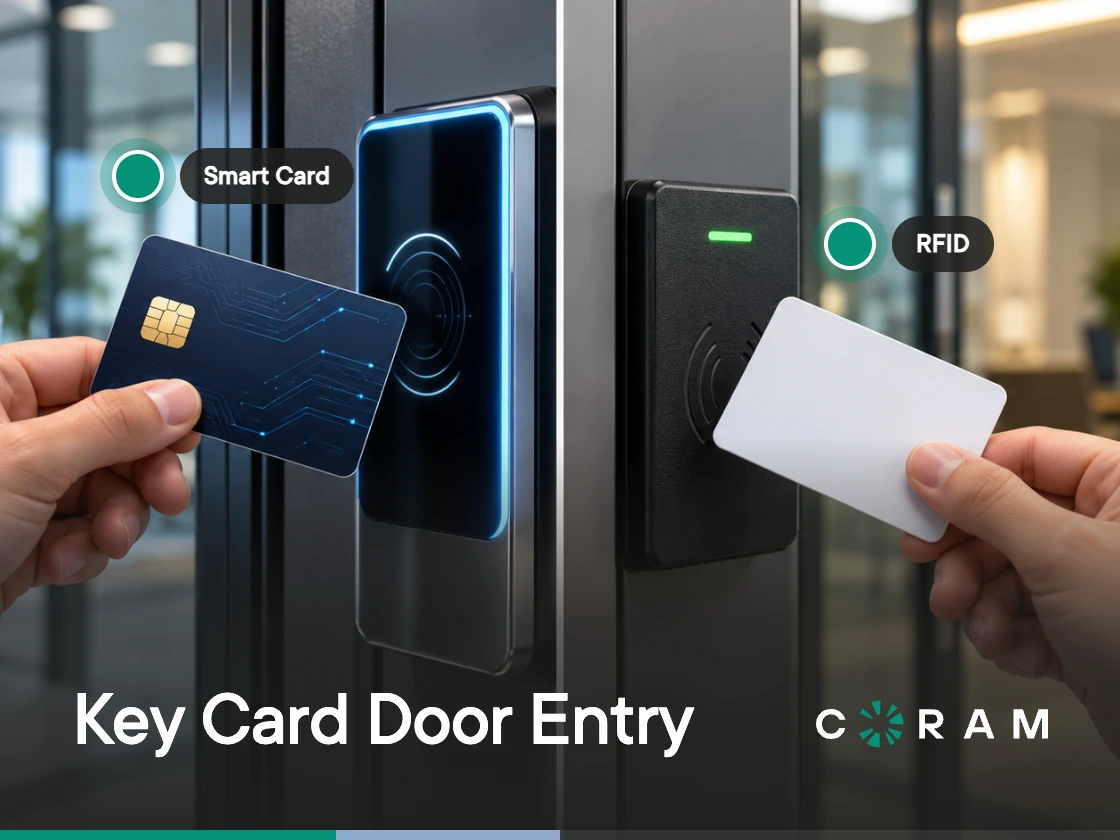
Somebody has told you your prox cards are insecure, and there is a quote on your desk to re-badge the building. Both card families still work. The difference between them is real and narrower than the sales pitch, and the expensive part of this decision sits in the readers rather than the cards.
Smart card vs proximity card comes down to three things: what each card sends, what the wiring behind the reader does with it once it arrives, and whether your site meets the conditions that make a re-badge worth paying for.
A proximity card holds a fixed number and sends it to the reader in the clear. An encrypted smart card holds a protected credential and runs a challenge-and-response with the reader before it releases anything. Same plastic, same tap, two different security models. Which card you can reuse depends on the reader on the wall.
The Only Three Card Families You Have to Choose Between
Three credential families cover almost every badge in a commercial building: 125 kHz proximity cards, 13.56 MHz smart cards, and multi-technology cards carrying both. The table sets them against the four questions that decide the purchase.
Proximity cards run at 125 kHz and carry a facility code and card number that never change. They read on most prox readers already installed, which is most of the reason buildings still have them. Their weakness is the fact that defines them: the number is plain, and it repeats.
Smart cards run at 13.56 MHz, and the secure ones hold a key the reader has to challenge before the credential is released. On cards like DESFire EV2/EV3 and Seos, the card checks the reader, the reader checks the card, and the credential comes out only after both have passed. Everything people like about smart card access control follows from that exchange. The frequency alone doesn't buy it, though. A reader set up to read only the card's serial number can be copied about as easily as prox, and MIFARE Classic, whose encryption was broken in 2008, can be copied with widely available tools, so neither belongs in the same category as a modern encrypted credential.
Multi-technology cards carry both radios in one piece of plastic, so one badge opens a door with an old reader and a door with a new one. They exist for the migration window, when part of the site has been swapped and part has not. They cost more than either single-technology card, and they inherit the weaker of the two security models while both stay enabled.
What a Prox Card Actually Sends to the Reader
A prox card sends one number and keeps no secret. A proximity card transmits a facility code and card number the moment the reader's field energizes the chip, and it has no way to refuse.
Everything people say about prox security follows from that one fact. The number never changes. The card cannot ask who is asking, so anything able to read the number is able to repeat it, and copying one takes an off-the-shelf RFID tool, a writable card of the matching type, and a few inches of proximity to the original (farther with a boosted antenna).
There is no key to break and no challenge to answer. Copying the card is transcription. The duplicate then presents the same facility code and card number, and the reader has no way to tell the two apart.
Prox is still everywhere for reasons worth respecting. Proximity cards remain common in commercial buildings, and most sites evaluating a change are starting from prox. The readers are paid for, the badges work every morning for thousands of people, and the failure mode needs somebody physically close to a card belonging to someone else. An RFID proximity card is a weak credential that has been good enough for a long time, which is a different statement from a bad one.
What a Smart Card Changes, and What It Does Not
A smart card moves the secret onto the card and makes the reader earn it. With an encrypted card, the key never leaves the chip, which closes the copying problem that defines 125 kHz.
That is the whole of what changes. The credential becomes hard to duplicate, and every other way a door gets opened by the wrong person stays exactly as it was:
- A card handed to the wrong person, or lent out for an afternoon
- A card that stays active for weeks after someone leaves
- A door propped open with a wedge because the loading bay is busy
- Two people walking in on one tap
Those are administration and door hardware problems. They are solved by deprovisioning that runs on time, by door position and request-to-exit sensors that report what the door is doing, and by alerts someone reads. A credential has no vote in any of them, whatever it costs.
The Link You Forgot: Wiegand vs OSDP Between Reader and Controller
A smart card protects the credential between the card and the reader, and then the reader still has to send something down a wire to the controller. That second link decides how much the first one bought you, and it is the part almost nobody prices. (For the full protocol comparison, see OSDP vs Wiegand.)
The Wiegand reader interface is the older of the two, published by the Security Industry Association as a standard for the 26-bit reader interface and still wired into a large share of installed doors. It runs one way, with no encryption and no supervision, so the credential crosses the last stretch of wire in the clear, and a reader housing that gets opened and tapped reports nothing back over the data lines.
OSDP, published by the same association, replaces that with a two-wire RS-485 connection carrying traffic in both directions. Secure Channel arrived in OSDP Version 2, the generation developed after the specification transferred to SIA in 2012. It encrypts the data exchanged between reader and controller using AES-128, and SIA recommends OSDP for government and other higher-security installations.
The protocol also supervises the wiring continuously, so a cut line or a tampered reader registers as an event. OSDP was approved as an international standard, IEC 60839-11-5, in 2020, and SIA released version 2.2.2 in October 2024.
Find out what protocol your installed readers are wired for before anyone prices a card. The reader's spec sheet and the controller's configuration will tell you. At the reader, terminals labeled A and B (an RS-485 pair) point to OSDP, and separate data-zero and data-one terminals point to Wiegand; the conductor count in the cable is only a clue, since spare conductors are common. Then ask the second question, because it is the one that gets skipped. A reader listed as OSDP-capable can still be running with Secure Channel switched off, and an encrypted card feeding an unencrypted link has bought you a stronger card and the same wire. Reader frequency and card frequency have to match before any of this matters, which is the ground covered in access control readers.
When Re-Badging Is Worth It, and When It Is Not
Re-badging earns its money when the credential is the weakest link in the chain, and on many sites something else is weaker. Four situations change that, and they are specific enough to check in an afternoon.
Re-badge when:
- A compliance framework, insurer or customer contract names credential encryption as a requirement
- Cards have already been copied or lost at scale, and you cannot account for the population in circulation
- The readers are at end of life and due for replacement on their own schedule
- It is a new building, where nothing is sunk and the price difference is one line in the fit-out
Three situations make it a poor use of budget, or at best a partial fix. The first is a Wiegand-only reader estate that is staying Wiegand. Encrypted cards still make the badges far harder to clone with a handheld tool, which is a real gain over 125 kHz, but the credential gets decrypted at the reader and sent down an unencrypted wire anyway, so the chain is only as strong as that wire. Price the reader-to-controller link into the same project. The second is a site whose real problem is administration, where badges stay live after termination and the same door gets propped every Tuesday; new cards will reproduce that behavior at a higher unit cost. The third is a partial re-badge covering a few sensitive doors while the rest of the building stays on prox, which protects those doors and leaves every other entrance on cards that copy as easily as before.
The test is short. Write down what a copied badge would get somebody in your building, then write down what a stale badge, a shared badge or a held-open door would get them. Re-badge when the first list is the longer one.
What Migration Actually Costs You
The cards are usually the cheapest line on the quote, and they are the line everybody starts with. Walk the four in descending order of cost and the shape of the project changes:
- Readers: Every door that will read the new cards needs a 13.56 MHz reader first, and this is usually the largest hardware number in the project.
- Labor to swap them: Each reader is a visit, a mount, a pull or reuse of cable, and a functional test. Multi-story and multi-site work adds travel and after-hours rates.
- The controller or panel: If the existing panel cannot speak the protocol the new readers use, or cannot be configured for Secure Channel, it joins the bill of materials.
- The cards: Programmed encrypted credentials cost more per card than programmed prox, and blank stock still has to be encoded for your system before it opens a door. Our access control cost breakdown has per-card ranges.
Then there is the cost nobody puts on the quote. Between the first reader swap and the last one, both card families have to work at the same time, which means either multi-technology cards for everyone or a period where staff carry two badges and learn which doors take which. Sites underestimate how long that window runs.
Re-issuing is the other one. Every person in the building needs a new credential enrolled, photographed where badges carry photos, distributed, and reconciled against the old population so the retired cards are deactivated rather than forgotten in desk drawers. For a few hundred people, that is a project with an owner and a schedule.
Where Coram Access Control Sits in This Decision
Coram Access Control is a cloud-managed access control system within Coram's AI physical security platform. Coram replaces the panel and keeps the readers, locks and wiring already on the wall. The controller and Coram's DR-U1 reader both support Wiegand and OSDP readers at 125 kHz and 13.56 MHz. Each door takes up to two readers, one Wiegand and one OSDP, though most sites use a single entry-side reader, and every order includes one DR-U1 reader per door and a starter set of ID cards, which takes two of the lines above off the hardware quote.
The reuse argument is the honest one, with one condition. Existing unencrypted cards carry over as they are, including 125 kHz prox. Encrypted third-party stock such as DESFire EV3 or Seos does not, so a site already on encrypted cards should raise that before anything is quoted. For a site running 125 kHz today, the controller can change first: management, logging and video pairing modernize now, while the badges people carry keep working.
Coram is built for the second list, not the first. Its own cards are 13.56 MHz cards read by serial number, which puts them in the same cloning bracket as prox rather than alongside an encrypted credential, so a contract or framework that requires credential encryption is a requirement Coram doesn't meet today. Where the stale, shared and propped-open list is longer, Coram covers it: held-open, forced-entry and tailgating alerts arrive with the video of that door attached (held-open and forced-entry need a door position sensor), a door can require a PIN alongside the card, and Access Control runs alongside Video Security, Emergency Management and Guest Management in the same platform.
Credentials are card, fob or PIN, and mobile access is App Unlock in the Coram mobile app; Coram does not support a phone tap at the reader or a face read at the door. A demo is the quickest way to walk your existing reader list against Wiegand and OSDP support before anyone quotes you new cards.
Deciding Without Re-Wiring the Building
Both card families still work, and the hardware already on your wall decides which one you should be buying.
Check the readers and the protocol they run on before you price a single card, because that link decides how much the card's encryption is worth by the time the credential reaches the controller.
Then run the two lists: what a copied badge would open, set against what a stale badge, a shared badge or a held-open door would open. When the second list is the longer one, the fix is administrative, and re-wiring the building will not deliver it.





.png)

