


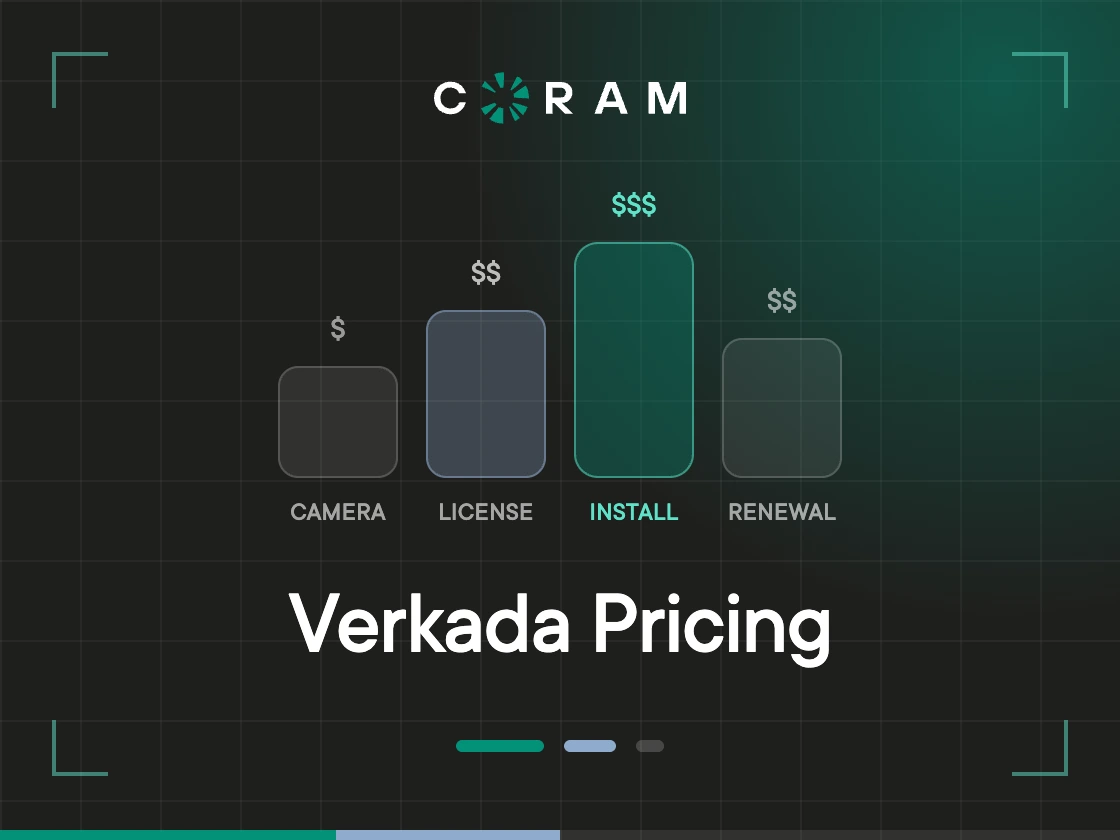
The invoice that causes the argument usually lands in year four. The cameras went up in year one, nobody has touched them since, and the hardware line was approved and forgotten. Then the license renewal arrives and someone in finance wants to know why a one-time purchase is back on the budget.
It's back because it was never one-time. Verkada's model has two halves: you buy the device once, and you license it for as long as you want it to work.
Verkada does publish its numbers, which is worth saying plainly because the opposite gets repeated a lot. Hardware MSRP sits on verkada.com/pricing. Every camera there carries the note "Additional license required," and the license price is not on that page. It lives in a separate document, Pricing & Ordering Information | August 2026, at docs.verkada.com/docs/pricing-overview.pdf. So the mandatory recurring half of your cost is one PDF away from the page you land on, and most buyers never open it.
The hardware number is the one people negotiate. The license number decides the five-year total.
How Verkada Pricing Works
Two costs start everything: the device purchase, and the software license that device needs to function. The hardware is one-time. The license recurs, and it is tied to the device.
Four things shape how that plays out on a real quote.
Licensing is per device, and on multisensor cameras it is per lens. Every camera needs its own license, and the licenses are split by product line: cameras, access control, alarms, intercoms, guest management, sensors, environmental devices. Each carries its own. Multi-lens cameras sit on a higher license tier than single-sensor models, which the SKU table below covers in detail.
Term length changes the annual number. Licenses come in 1-, 3-, 5-, and 10-year terms, and the annualized rate moves with the commitment. Check the total term price and the effective annual price side by side before you pick one.
The license does not cover the project. Installation, cabling, PoE switches, network work, mounts, and accessories all sit outside the device and its license. Find out whether they're separate line items on your quote or buried somewhere else in the project budget.
And two quotes for identical hardware can land at different totals, because reseller pricing, volume, term, and region all move the number. Compare the SKU, the license tier, the term, and the extras. Not the total.
Read a Verkada quote as upfront hardware plus recurring per-device licensing. The more devices and product lines you add, the more that structure decides your budget.
Verkada Camera Pricing by SKU
Camera prices span a wide range, so the hardware line looks very different depending on what's in the mix.
The multisensor row is the one that catches people out. A four-camera multisensor takes one MLT4 license, not one standard camera license. Verkada's licensing documentation puts it directly: one MLT4 camera license per four-camera multisensor. Two-lens models use LIC-CAM-MLT2-5Y-CAP at $1,999.
Run the CH53-E through that and you get $3,899 in hardware plus $3,249 in five-year licensing. $7,148 over five years, not the $4,998 a standard license implies. Government-tier licenses are priced separately again.
If your design includes multi-lens cameras, count lenses when you size the license line. Not housings.
Verkada License Tiers and What Each One Covers
There is no single flat subscription across the platform. Products carry their own license requirements, terms, and pricing. The standard camera license includes 30 days of continuous cloud backup, and longer retention costs extra. Alarms run on a completely separate tier system.
Two parts of this get misread constantly when people compare quotes. Retention is a licensing decision, not a hardware one. And the configuration in your demo may not be the configuration in your quote.
The Tier in the Demo May Not Be the Tier in the Quote
A demo can show more than you're buying. When the quote arrives, check the license type, the retention period, and the included features against what you saw. Don't assume the demonstrated configuration is the one that got priced.
Camera Licenses
Every camera needs one. It covers AI-powered video analytics and alerts, unlimited platform users, live link sharing, guaranteed onboard retention, third-party integrations, and 30-day cloud backup.
Need more than 30 days in the cloud? Extended Cloud Backup is licensed per camera in 30-day increments, at $749 for a five-year, 30-day license. A camera at 60 days of cloud retention therefore costs $1,099 plus $749 across five years.
Access Control Licensing
Doors have their own structure. Verkada's documentation says every access-controlled door managed in Command needs a license, currently $999 for five years. Model those costs separately from cameras.
One wrinkle worth catching: the AC43-4 controller ships with a 1-year license included, so the recurring line on that hardware starts in Year 2, not Year 1.
Alarm Licensing
Alarms don't use the camera licensing model, and there are two product lines to keep straight. Classic Alarms is the legacy line, and it lists Basic, Standard, Premium, and Custom tiers, separated by how many alarm events the monitoring team can verify. Current retail is different: Basic Alarms at $600 a year, Video Alarms at $1,500 a year. Each physical site address needs its own alarm license.
If a quote references the Classic tiers, ask which line you're actually buying.
Guest Licensing
Guest is licensed separately from cameras and access control. If it's in the deployment, put its licensing on its own cost line. Don't assume the camera license covers it.
Command Connector Licensing
Command Connector is how supported third-party cameras get into Command. The pricing page lists the hardware on its own at $4,499 for the CC300, $6,999 for the CC500, and $9,999 for the CC700, and notes that channel licenses cost extra on top. If you're bringing existing cameras, model those channel licenses separately from native Verkada camera licenses.
Desk Station Licensing
Desk Station carries its own license. Treat it as a separate recurring line. It isn't covered by a camera, access control, or intercom license.
License Groups
License groups organize licenses across a deployment. They're administrative, not a substitute for the underlying product licenses, so check the quote against the actual number and type of licensed devices.
Verkada Pricing for Access Control, Alarms, Guest, and Sensors
More products means more licensing lines. Each one prices differently, so a multi-product deployment has to be modelled across every line you're buying.
Cameras are one part of your software budget. Access control is licensed per door, independent of video, so a site with cameras and controlled doors needs both modelled on their own. Alarms follow a tier structure built around monitoring requirements, so they get their own recurring line too. Guest, sensors, and vape detection are all licensed separately. Each adds its own recurring cost. None of them fold into your camera license count.
Every product line you add is another renewal you'll be managing in five years.
What a Verkada Deployment Actually Costs: Three Worked Scenarios
The three models below hold the camera and license assumptions constant and change only the deployment size. They use the CM4 at $899 MSRP and a five-year camera license at $1,099 (LIC-CAM-5Y-CAP). Verkada prices hardware and license separately, so both are in the calculation.
These are illustrative models, not customer quotes. They exclude installation, cabling, PoE switches, network work, mounts, accessories, taxes, and reseller discounts. They also assume single-sensor cameras throughout. Swap any one of them for a four-lens multisensor and that camera's license line goes from $1,099 to $3,249.
Scenario 1: 20 Cameras at One Site
Twenty cameras at one site is $17,980 in hardware. The five-year licensing adds $21,980 on top, for a five-year total of $39,960. Note which half is bigger.
That's $33.30 per camera per month over five years.
Scenario 2: 150 Cameras Across 8 Buildings
$134,850 goes out the door before a single camera is mounted. That's the hardware alone. The five-year licenses add $164,850, which brings the total to $299,700, and it means the recurring half of this deployment outweighs the capital half by $30,000.
Per camera per month, it's still $33.30. The figure holds because the hardware model and license term are deliberately identical across all three scenarios.
Scenario 3: 400 Cameras Across Multiple Retail Sites
At 400 cameras the same assumptions produce $359,600 in hardware, $439,600 in five-year licensing, and a combined total just under $800,000 before anyone installs anything.
Reading the Three Together
The per-camera monthly figure never moves, because the inputs never move. What moves is the size of the commitment: $40,000 at twenty cameras, close to $800,000 at four hundred.
The number that matters is yours, not these. Swap in your actual camera mix, license terms, retention requirements, and quoted reseller pricing, and the model tells you something. Verkada also announced a list-price update effective June 5, 2026, and confirmed that licenses bought before then hold their price through the existing term.
Note: Five-year hardware and licensing total divided by camera count divided by 60 months equals five-year cost per camera per month. These figures are illustrative calculations based on published MSRP, not quotes. Actual pricing varies with hardware selection, license term, reseller, volume, region, and other deployment costs, for which you need a quote from Verkada or your reseller.
If you're weighing this against other platforms, the best Verkada competitors and alternatives are worth running through the same model.
Renewal and Price Increases: The Part Quotes Do Not Show
Hardware is bought once. Licenses come due again, and what happens at that point decides whether your five-year number was real.
Verkada's documentation says Command access is lost 30 days after a license expires. During that window, connected cameras keep recording locally, and footage is retrievable on renewal inside the retention period. The End User Agreement (v3.2, effective August 5, 2026) separately states that hardware will not function as designed without valid licensing. Both statements are true at the same time, and the space between them is exactly what you want in writing before you sign.
Can the price go up at renewal? Yes. IPVM documented the pattern in "Verkada Criticizes Rivals for Cost Increases While Leading Industry in Price Hikes," and Verkada's own June 2026 update confirms that new pricing applies at renewal and when you expand. Nothing carries your original rate forward except the term you already bought.
Growth compounds this. Every camera you add is another recurring license, and the same holds for access control, alarms, and guest management on their own separate renewal clocks.
The Renewal Math
Take Scenario 2 forward one term. In Year 6 those 150 cameras are six years old and fully paid for. The licenses come due anyway: 150 x $1,099, or $164,850 for the next five years, with no hardware attached to it. Age doesn't discount the recurring line.
That's the flat case. Since Verkada has confirmed new pricing applies at renewal, here's the same renewal at two illustrative increase levels:
These are sensitivity illustrations, not forecasts. Verkada hasn't published an escalation rate, which is the whole problem: the number isn't knowable from your original quote. Ask for it in writing. Then run the same exercise on your door, alarm, and guest licenses, which will not all renew in the same year.
Work backward from your own renewal date, not from a budget cycle. If your term ends in eleven months, your evaluation window opened a while ago.
Before signing, ask:
- What will the renewal cost based on today's pricing?
- Can the license price change at renewal, and is there a cap?
- Which product licenses renew separately, and on what dates?
- What happens to Command and stored footage if a license expires?
- What additional licenses will new cameras or sites require?
- Can the existing hardware be reused if we move to another platform?
- What migration or replacement costs should we include in the five-year budget?
Ask the last two of every vendor you evaluate, Coram included. Hardware that stops working when a contract ends is a category-wide question, and you want the answer in the comparison rather than in a blog post. If a move is on the table, it's worth understanding how to switch from Verkada without replacing every camera.
The quote tells you what it costs to deploy. The renewal terms tell you what it costs to keep.
How to Read and Pressure-Test a Verkada Quote
Before you compare totals, break the total apart. You want to see what you pay upfront, what renews, and what shows up later. Ask the vendor to itemize:
- Camera or device model and quantity, with lens count on any multisensor
- Hardware price per device
- License type, quantity, and term
- Retention or additional licensing requirements
- Access control, alarm, guest, or other product licenses
- Installation, cabling, network, and other project costs
- Discounts, reseller adjustments, shipping, and taxes
Then push the model past the initial term. Check the recurring lines at Year 3 and Year 5, and build in whatever growth you expect in cameras, buildings, or other licensed devices.
Comparing against another vendor only works if both quotes are normalized against the same:
- Number of cameras and other devices
- Retention requirement
- Contract period
- Included features and services
- Installation and infrastructure assumptions
- Expected expansion
A cheaper camera does not mean a cheaper five years. The licensing model decides that. For the final comparison, normalize everything to cost per camera per month: five-year hardware plus licensing cost, divided by camera count, divided by 60 months.
Note: Keep the excluded costs visible while you model, so the upfront cost, recurring licensing, renewal exposure, and long-term total stay easy to compare side by side.
How Coram's Pricing Model Compares
Coram is an AI physical security platform. Its Video Security, Access Control, Emergency Management, and Guest Management products run in the Coram Cloud dashboard, so cameras, controlled doors, emergency alerts, and visitor check-in are managed in one place instead of four systems.
Against the cost structure above, one difference does most of the work. Coram connects to ONVIF-compatible IP cameras streaming H.264 or H.265, from 150+ brands including Axis, Hanwha/Wisenet, Bosch, Honeywell, Pelco, Uniview, and Vivotek. A working camera fleet doesn't have to come down.
That doesn't remove hardware from the model. It changes its shape, from per-camera to per-site. In Scenario 2, the $134,850 that goes out the door before the first mount is replaced by one on-site appliance. Worth checking first: analog, coax, and MPEG-only cameras aren't supported, and neither is anything without ONVIF. Audit the fleet before you assume it carries over.
Where new cameras are needed, Coram provides complimentary NDAA-compliant 5MP cameras with the software subscription, and the camera line runs well past 5MP into 4K, 12MP fisheye, PTZ, panoramic, and four-head multisensor models. The Coram Point appliance, the on-site hardware that handles local AI processing, is bought upfront and owned by the customer. It's covered under warranty for the length of the subscription.
Software licensing looks similar to what's described above. Coram sells 1-, 3-, 5-, and 10-year video licenses, and they include the Coram Cloud dashboard with unlimited user seats, ongoing software updates for the term, and 24/7 online support. Storage days are one of the inputs that sets the quoted price, so a comparison against a Verkada quote has to hold retention constant on both sides (the same caution that applies throughout this guide).
Not everything sits inside the video license, and the comparison is only useful if that's on the table. Safety alert licenses for firearm detection, slip and fall, and PPE are separate SKUs. Continuous cloud backup is a separate paid election. An offline camera still consumes its license. Model those lines the way you'd model the Verkada license lines above.
Coram's pricing is quote-based too. There's no public list to check a number against, which is the same complaint this guide has made about the license half of Verkada's pricing throughout. The number depends on locations, camera type, and storage requirements, confirmed during the sales process. The architectural differences behind these two cost structures are covered separately in how Coram and Verkada compare on architecture.
If a contract ends and a customer doesn't renew, they keep the IP cameras Coram provided, and those should work with any other NVR, because Coram never disables RTSP. They also keep the Coram Point, if it was purchased upfront.
For a real comparison, map your locations, camera type, and storage requirements against the hardware, licensing, retention, and infrastructure costs itemized in the Verkada quote. Not against either platform's sticker price. Coram pricing is set once those three inputs are confirmed.
What to Do Next
Stop at the hardware total and you've seen maybe half the cost. The rest is the per-device licenses, the renewal point, and the licensing that arrives with every camera you add after signing. Those compound across years, on hardware you bought exactly once.
Model the full term before you sign. The quote stops being a mystery and becomes a budget you can defend in a room.
If you want the same five-year number modelled against your existing camera fleet, request pricing from Coram. Bring your site count, camera mix, and required retention days, and the comparison runs on the same basis as the scenarios above.





.png)

