


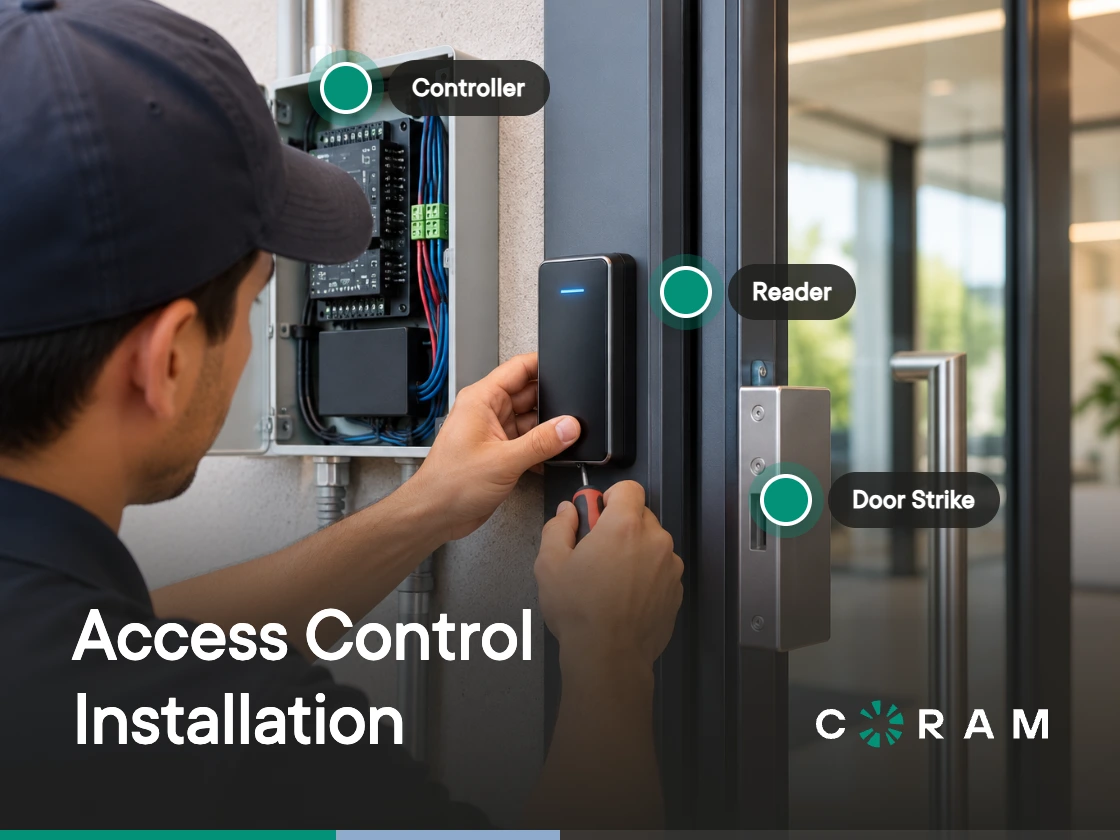
An access control installation quote arrives with line items that are hard to defend. Controller counts, cable footage, labor hours, an inspection fee. Finance asks why one door costs three times what another door costs, and the answer sits in a design document nobody at the table has read.
Cost and schedule are set almost entirely by six decisions made during design, before a single piece of hardware ships. Change one of them on paper and it costs nothing. Change it after cable is in the wall and it costs a return visit.
An access control installation covers mounting and powering a door controller, running cable to each door, connecting a reader, an electric lock, a door position sensor and a request-to-exit device per door, wiring the fire alarm interface, and commissioning every door before handover.
The Six Decisions That Set Your Installation Cost
Six choices set the price of an access control installation: controller placement, reader protocol, lock behavior on power loss, door input supervision, power and network design, and who does the work. Everything else on the quote follows from them.
What ties the six together is when they get made. Each one is a sentence in a design document today and a crew, a ladder and a second cable pull in six weeks. A fail-secure lock ordered for a door the fire marshal reads as an egress path is a hardware swap, a rescheduled inspection, and a delayed handover, all traceable to one unanswered question during design.
Guides that answer how to install an access control system usually open with a numbered step list that ends at "test the system." Those steps are the cheapest part of the project. The expensive part happens earlier, in a conversation about floor plans and cable paths that most teams outsource to an installer instead of having it internally first.
This page assumes you already know what a reader, a controller, a credential and an electric lock do. If any of that is new, the components of an access control system covers it, and the rest of this page keeps moving.
They are listed in the order they get made, which is the only ordering that matters here. Decision 1 constrains Decision 2, Decision 3 constrains what you can buy for Decision 5, and Decision 6 changes who is standing in the building when all of it goes wrong.
Decision 1: One Controller per Cluster, or One per Door
Building layout determines controller count. Door count does not.
Two topologies are available, and most sites use both. Centralized means doors clustered around a communications closet, where one multi-door panel covers several openings on short cable runs. Distributed means a single-door controller mounted near the opening it serves, which trades hardware count for cable length.
A four-door panel serving four doors down one corridor is efficient. The same panel serving one door in the corridor and three doors across a parking lot is a cable budget disguised as a hardware saving.
The test is a floor plan and a highlighter. Walk the door list, and for each opening ask whether a cable run from that door to the nearest closet is a reasonable pull through the building as it stands today. Doors that fail the test take a controller of their own.
Real sites come out mixed. A hundred-door campus spread across five buildings can correctly end up with more single-door controllers than multi-door panels, and a hundred-door office tower with a closet on every floor can end up with almost none. Coram sizes the same way: the DC-41 supports up to four doors, and the DC-11 supports one. There is no software limit to the number of controllers you can add, so the topology follows the floor plan instead of a purchasing rule.
The cable run limits that settle the harder cases belong to Decision 2, and they are worth reading before you commit a closet location.
Decision 2: Keep the Readers You Have, or Move to OSDP
Cable distance settles the reader protocol decision more often than preference does. Most reader manufacturers rate Wiegand to about 500 feet on 18 AWG cable, and less on thinner cable; OSDP is rated to about 4,000 feet over RS-485. A reader past the Wiegand rating needs a design change (OSDP, a Wiegand extender, or a controller moved closer to the door), and each of those shows up on the quote. Wiegand is the legacy unencrypted protocol that has been the default at the door for decades and works with almost everything already mounted on a wall. OSDP is the modern encrypted protocol defined by the Security Industry Association, which runs over RS-485 and supports daisy-chaining.
The gap between the cheap answer and the right answer is widest here. Keeping the readers already on the wall costs nothing on the quote and can cost a rework line at every door that sits too far from its panel to work reliably.
Coram controllers support Wiegand and OSDP readers at 125 kHz and 13.56 MHz, which is why a retrofit can usually leave existing readers and cabling in place and replace the panel behind them.
Read the table against your own door list before you price anything. A reader sitting more than about 500 feet of cable from its panel, or closer on thin legacy cable, is past what Wiegand is rated for, and the design has to change before that door can be priced. Below that distance the choice opens up again, and the trade becomes cable cost against credential security on runs that pass through ceilings and risers you do not control.
The daisy-chain row moves money too. A bus that picks up several readers on one run, rather than one home run per reader, changes the cable footage line before it changes anything else.
Decision 3: Fail-Safe or Fail-Secure Locks
A fail-safe lock unlocks when power is removed. A fail-secure lock stays locked when power is removed. That single sentence pair carries more consequence than the rest of this list combined, and it gets decided by default on most projects, usually by whatever the installer had on the truck last time.
In hardware terms, the split comes down mostly to electric strike against magnetic lock. A magnetic lock holds the door shut with an electromagnet, which makes it fail-safe by construction: cut the power and the door opens. An electric strike is sold in both behaviors, so the same opening can be ordered either way, and the frame preparation differs enough that swapping one for the other after installation means reworking the frame. That is the whole reason this decision gets settled on paper.
The fire alarm interface turns it from a preference into a code question.
On an egress door that is electrically locked against exit and released by a sensor, typically a magnetic lock, both the International Building Code and NFPA 101 require the lock to release. A door with an electric strike and a lever or panic bar that always allows free mechanical exit falls outside these provisions. IBC Section 1010.2.12 in the 2021 edition, renumbered to 1010.2.11 in the 2024 edition, covers sensor release of electrically locked egress doors and requires that loss of power to the lock automatically unlocks the door, that fire alarm activation, where the building has a fire alarm system, unlocks it until that system is reset, and that a manual unlocking device sits 40 to 48 inches above the floor within 5 feet of the opening. NFPA 101 carries the parallel provision at 7.2.1.6.2, inside Chapter 7 and Section 7.2.1.6, Special Locking Arrangements.
Edition matters here. Both codes renamed and renumbered these provisions repeatedly, and the section your inspector cites depends on which edition your jurisdiction has adopted, which is often several cycles behind the current one.
Settle this with the authority having jurisdiction before anyone orders lock hardware. The lock, the door frame preparation, and the inspection all follow from the answer, and reversing it after installation means new hardware, new frame prep, and a second inspection visit.
Decision 4: Supervised or Unsupervised Door Inputs
A door position sensor and a request-to-exit device can each be wired two ways, and the difference shows up only when something goes wrong. An unsupervised input reports two states: open or closed. A supervised input adds end-of-line resistors at the device so the panel reads the circuit resistance rather than a bare contact closure, which lets it distinguish a normal closed door from a cut, shorted or removed wire.
On a controller with supervised inputs, supervision costs a resistor network at each device and a few extra minutes of termination time per door. That is usually the entire price. Coram's DC-41 and DC-11 accept either wiring on their door position and request-to-exit inputs, set per door in the web app, with a 1 kΩ end-of-line resistor network; supervision needs a four-wire device, so a simple two-wire contact stays unsupervised.
What it buys is the difference between a system that reports and a system that can be trusted to report. An unsupervised door with its sensor wire quietly cut reads as closed and secure forever, and nothing in the log says otherwise.
Skipping the door position sensor entirely costs more than supervision does. A door position input (DPI) tells the controller whether the door is physically open or closed, and Coram requires one for door-held-open and forced-entry events. Without one, the door still unlocks on a valid credential and still logs the grant, and the two events most worth knowing about stop existing. Coram's alerts cover door held open, door forced open, tamper, tailgating and controller status (power loss, backup battery and an open enclosure lid), and the first two of those depend on the sensor being there.
Decide supervision per door rather than per site. An interior storage room and a loading dock exterior do not carry the same consequence when a wire fails.
Decision 5: How the Doors Behave When the Power or Network Drops
Power loss and network loss are two different failures, and the doors behave differently in each. A network outage leaves every door working on the rules it already holds. A power outage is the one whose answer depends on which controller you bought.
Take the network first. Controller-based systems hold credentials and schedules locally, so the doors keep making the same decisions they were making an hour ago. What stops is administration: revoking a badge, adding a contractor, changing a schedule, watching events arrive. The doors are fine and the dashboard is stale.
Coram's two controllers sit at opposite ends of that question. The DC-41 runs from AC mains and has an internal backup battery that maintains operation for a limited time during a power outage. The DC-11 is powered over Ethernet from your network switch and has no internal battery, so it stays online only while the switch supplies power. Put the switch on an uninterruptible power supply if you need the door to keep working through an outage. A PoE controller inherits the fate of its switch, which means the UPS line on the quote is a door availability decision wearing a network line item.
The network prerequisites are short enough to settle a security review in one paragraph. Each controller must be connected to the internet via Ethernet. No local discovery or port forwarding is required, because the controller reaches out to the cloud as a client rather than accepting inbound connections, so the firewall work is an outbound allowlist rather than an open port.
Bring that sentence to the security review early. Inbound port requests are where access control projects stall inside IT, and this one avoids the request entirely.
Decision 6: In-House Electrician, Installer, or Integrator
Pulling low-voltage cable is within reach of a competent in-house electrician, and on a small interior access control installation that is a real way to save money. Three parts of the job sit outside that scope: the fire alarm interface, the permit, and the commissioning record.
Whether you need a licensed installer comes down to those three. A site whose controlled doors sit off any egress path, with a permit route your facilities team already knows, can reasonably run in-house. Any site with doors electrically locked against egress should put a licensed installer or integrator on the fire alarm interface and the inspection at minimum, even where your own electrician pulls every foot of cable.
Three questions separate a cable contractor from a security integrator, and they are worth asking on the first call:
- Who files the permit, and is the fee inside your number or outside it?
- Who attends the fire inspection, and who returns if a door fails it?
- Who holds the warranty on the door hardware itself, as opposed to the labor?
An answer of "the customer" to any of the three is a legitimate bid. It is also a line item you now own, and the quote it sits next to is no longer comparable to one where the bidder owns all three. For the full vetting process, how to hire an access control system installer covers the selection side of this decision.
What Access Control Installation Costs, and What Moves the Number
A published per-door figure for an access control installation is worth almost nothing. The same door costs different money in two buildings because of its frame, its cable path and its jurisdiction, and every published average blends buildings that have nothing in common with yours. Coram's access control system cost guide gives typical per-door ranges, which are useful as a sanity check on a bid and too broad to budget from.
What transfers between buildings is direction. You can predict which way each driver pushes your own quote, and that is enough to read a bid and know which assumptions to challenge. Three of the drivers below account for most of the surprises.
Door and Frame Condition
Door and frame condition turns a clean scope into change orders. A hollow metal frame that is plumb, already prepped and paired with a compatible lockset takes an electric strike in an afternoon. An aluminum storefront stile, a sagging wood door, a frame with no existing prep, or a fire-rated assembly that requires listed hardware each add door work that has nothing to do with access control and everything to do with the opening. Nobody prices this accurately from a spreadsheet of door numbers, which is why the site survey is the first thing to insist on.
Cable Path and Run Length
Cable path is where retrofit quotes go wrong. Existing conduit between a closet and a door is close to free. Finished drywall, a plenum ceiling, a rated wall that needs firestopping, or a core drill through a slab is labor that scales with distance and with how occupied the building is. Decision 1 and Decision 2 both land here, because the topology sets the footage and the protocol sets how far a run can go before it stops working reliably.
Permit and Fire Inspection
Permits and inspections are the driver most quotes handle by omission. The permit fee is usually small. The inspection queue is not, and a failed inspection costs a return visit, possible hardware changes, and a second slot in that queue. Ask which edition of the code your jurisdiction has adopted before the design is final, because Decision 3 is priced against that edition and not against the current one.
Take the table into the bid review rather than the budget meeting. A quote that answers the right-hand column is comparable to another quote that answers it. One that does not is an estimate with confidence attached.
How Long an Access Control Installation Takes
The schedule has a shape worth more than a duration: site survey, design sign-off, hardware lead time, cable pull, terminate and mount, commission, inspect, enroll users. Most access control installations move through those eight steps in roughly that order, and two of them run long.
Hardware lead time is the first. It starts when the purchase order is signed, it has nothing to do with how fast your installer works, and it is the reason design sign-off deserves more urgency than it usually gets.
The inspection queue is the second. A jurisdiction's calendar does not care about your go-live date, and a failed inspection means rejoining the back of it.
Both sit outside the installer's control, which is worth saying out loud when a schedule slips and the installer gets the call. Per-door labor, the part everyone pictures when they imagine an access control system installation, is the smallest variable in the calendar for most sites. Doubling the crew shortens the cable and mounting work and leaves the two long steps where they were. When you compare bids, ask for dates against each of the eight steps, because a single go-live date hides where the lead time and the inspection slot sit.
The Commissioning Checklist: Proving Each Door Works Before You Sign Off
A door that reads a card is a door that reads a card. Commissioning is the part of an access control installation that proves the other six things at that opening also work, and the acceptance walk is the last moment when calling the installer back costs nothing.
Run the table below once per door and attach the completed set to the acceptance certificate. It takes a few minutes per opening, and it converts "the system is installed" into a document that names which doors passed, on what date, and who watched.
The fire alarm row is the one to schedule rather than squeeze in. It needs the fire alarm contractor on site at the same time as the access control installer, and in many jurisdictions it needs the inspector too, which makes it the hardest hour of the project to book and the worst one to discover you skipped.
The last row looks like paperwork and is the one that saves an investigation six months later. A log entry carrying the wrong door name is a configuration error that nobody finds until the day it matters.
Where Coram Access Control Fits
Coram Access Control is a cloud-managed access control system that works with the readers, locks, and cabling already on your doors and replaces only the panel behind them. It runs on two controllers, the DC-41 for up to four doors and the DC-11 for one, with no software limit to the number you can add, so the topology from Decision 1 maps onto hardware without a purchasing constraint bending it.
The rest of the access control line answers the decisions above directly:
- Supports Wiegand and OSDP readers at 125 kHz and 13.56 MHz, so existing readers and cabling can stay on the wall during a retrofit
- Supervised or unsupervised door position and request-to-exit inputs, set per door
- Each controller connects to the internet via Ethernet, with no local discovery or port forwarding required
- Door position sensor support for door-held-open and forced-entry events, with alerts covering held open, forced open, tamper, tailgating and controller status
- Lockdowns across the doors you choose, picked individually or as a door group
- Native camera integration, so a badge event carries the matching clip
That last point is where the access control line stops being a standalone system. Access Control, Video Security, Emergency Management, and Guest Management run on one platform, which is why a lockdown reaches every door in it at once rather than door by door, and why investigating a forced-entry event at 2 a.m. means opening the clip attached to the event instead of matching a timestamp against a separate video system by hand.
One boundary worth stating before it costs anyone a design cycle: Coram Access Control replaces the panel rather than layering software onto the one already in your closet. A plan built around keeping the existing panel is a different project with a different scope.
Before You Request a Quote
You now have the six decisions, which means you have the scope document. Write the answers down before the site walk and hand them to every bidder, so each quote prices the same building instead of a different set of assumptions about it.
A scope that states the following returns comparable bids:
- Controller topology per floor or zone, with the doors that need their own controller marked
- Reader protocol per door, and which existing readers stay
- Fail-safe or fail-secure per door, with the egress-path doors identified
- Supervised or unsupervised inputs, per door
- Power and network design, including who provides drops, switch capacity and UPS
- Who files the permit and who attends the fire inspection
Anything a bidder has to assume becomes a change order after the cable is in the wall. Access control system design and installation are one continuous job, and the design half is the only half you can still change for free.
Before You Request a Quote
You now have the six decisions, which means you have the scope document. Write the answers down before the site walk and hand them to every bidder, so each quote prices the same building instead of a different set of assumptions about it.
A scope that states the following returns comparable bids:
- Controller topology per floor or zone, with the doors that need their own controller marked
- Reader protocol per door, and which existing readers stay
- Fail-safe or fail-secure per door, with the egress-path doors identified
- Supervised or unsupervised inputs, per door
- Power and network design, including who provides drops, switch capacity and UPS
- Who files the permit and who attends the fire inspection
Anything a bidder has to assume becomes a change order after the cable is in the wall. Access control system design and installation are one continuous job, and the design half is the only half you can still change for free.





.png)

