


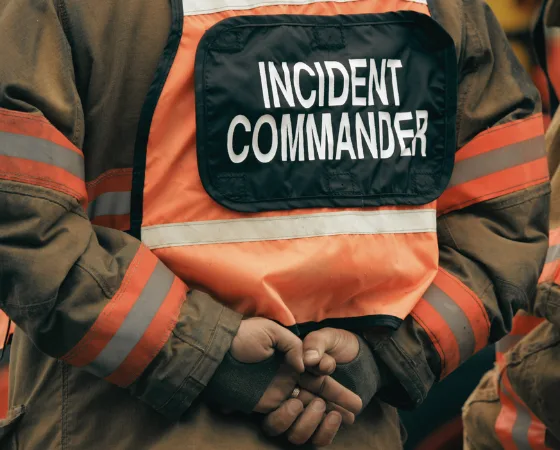
When something goes wrong on your premises, the difference between a controlled response and a chaotic one comes down to one thing: whether your team already knows what to do.
Physical security incidents happen across every environment. Schools are managing unauthorized access during class hours. Warehouses dealing with after-hours intrusions. Healthcare facilities responding to patient safety threats.
Enterprise campuses handle everything from tailgating to active threats. In each of these settings, a physical security incident response plan is what separates a team that contains the situation from one that scrambles through it.
This guide covers how to build one from the ground up: risk assessment, team structure, severity classification, core response procedures, and the technology that makes detection and response faster.
TL;DR
- A physical security incident response plan defines who responds, in what sequence, and through what channels before an incident occurs
- Effective plans cover five response phases: detection, containment, communication, evidence preservation, and recovery
- Severity levels give your team a shared classification system that connects directly to response actions
- Integrated video security and access control compresses detection and investigation time significantly
- Every incident closes with a post-incident review that strengthens the plan for next time
What is an Incident Response Plan (IRP)?
An incident response plan is a documented set of procedures that guides your organization through detecting, managing, and recovering from a security incident. It defines who is responsible for each action, what sequence those actions follow, and how communication flows from the moment an incident is identified to the moment it is resolved.
Most published definitions frame IRPs around cybersecurity. Physical security incidents carry the same operational weight. A forced entry, an active threat, an access control failure, or an unauthorized presence in a restricted area all require the same structured response logic: detection, containment, communication, recovery, and review.
A well-built IRP does three things:
- Eliminates decision delay by giving responders a clear action sequence before pressure hits
- Defines accountability so no step gets missed because everyone assumes someone else handled it
- Creates an evidence trail that supports post-incident review, insurance claims, legal proceedings, and compliance audits
The plan doesn't need to be long. It needs to be specific, tested, and accessible to everyone who might need it.
Fundamentals of an Incident Response Plan
An incident response plan is built on four core elements that determine whether it holds up when something actually happens.
- Defined scope: Specify which incident types, locations, and assets the plan covers. A school district's IRP looks different from a warehouse operation's, even if the underlying framework is the same.
- Clear ownership: Every action needs a named role, not a department. When an incident occurs, individuals act.
- Communication protocols: Define who gets notified first, through what channel, and in what order, including internal escalation paths and external contacts like law enforcement and legal counsel.
- Review and testing cadence: Tabletop exercises, drills, and annual reviews are what turn written procedures into muscle memory.
What are the Types of Physical Security Incidents
Physical security incidents don't follow a single pattern. Some unfold in seconds and demand immediate action. Others develop quietly over time and only become visible in hindsight.
Understanding the range of incidents your plan needs to cover is the first step toward building response procedures that actually fit the situation.
Unauthorized Access and Intrusion
This is the most common category across every environment. It includes tailgating through badge-controlled doors, credential misuse by former employees, forced entry after hours, and visitors who move beyond permitted areas.
In schools, this is a daily operational risk. In warehouses and healthcare facilities, it directly affects both asset security and regulatory compliance.
Active Threats and Physical Altercations
These are the high-urgency, life-safety incidents that demand the fastest response. Weapon-related threats, physical confrontations, and intruder situations fall here.
Response time is measured in seconds, communication needs to reach everyone simultaneously, and lockdown or evacuation decisions have to be made with whatever information is available at that moment.
Access Control and Technology Failures
A malfunctioning door controller, an expired credential that should have been revoked, and a camera that goes offline during a critical window.
These incidents are easy to overlook because they don't look like emergencies. But an unmonitored entry point is an open vulnerability, and an access control failure during an active incident compounds every other response effort.
Theft, Vandalism, and Internal Threats
After-hours intrusions, equipment theft, and internal actors misusing access privileges sit in this category.
Internal threats are particularly difficult because the person involved already has legitimate access. Detection depends heavily on behavioral patterns, access logs, and video review rather than perimeter controls alone.
Environmental and Safety Incidents
Fire, flooding, power failure, medical emergencies, and workplace accidents all require a coordinated response, even though no threat actor is involved.
These incidents affect evacuation procedures, facility access, and in many cases trigger external reporting obligations to insurers, regulators, or law enforcement.
How to Build Your Incident Response Team?
An incident response plan is only as effective as the people executing it. The team needs to be structured before an incident occurs, with roles assigned, responsibilities documented, and communication lines established.
Your core team typically includes:
- Incident Response Lead: owns the overall response, makes containment and escalation decisions
- Security Manager or Officer: handles on-the-ground coordination and law enforcement liaison
- IT or Systems Administrator: manages access control systems, cameras, and technology response
- Facilities Manager: coordinates lockdowns, evacuations, and building access
- Legal or Compliance Representative: advises on regulatory obligations and documentation
- Communications Lead: manages internal notifications and external messaging
Four rules that make the team functional:
- Assign a backup for every role. Incidents don't wait for the right person to be available.
- Attach a task list to every role title. Specify what each person does during detection, containment, recovery, and review.
- Include external contacts with escalation thresholds and expected response times.
- Keep the team small. Speed and clarity outperform size every time.
How to Conduct a Physical Security Risk Assessment
A physical security risk assessment is what makes your incident response plan specific to your environment rather than generic. It identifies which assets need protection, which threats are most likely, and where your current controls fall short. Without it, your IRP is built on assumptions.
Map Your Assets and Entry Points
Start by documenting every physical location, entry point, and asset that carries operational or safety value. The questions that drive this step:
- Which areas, if compromised, would directly affect safety or operations?
- Where does access currently go unmonitored or unlogged?
- Which entry points see the highest traffic and therefore the highest exposure?
For schools, this means every building entrance, classroom wing, and administrative area. For warehouses and manufacturing facilities, it means loading docks, equipment storage, and shift-change access points.
Identify Your Threat Landscape
Once assets are mapped, assess which threats are realistic for your environment. A healthcare facility faces different threat patterns than a school or a logistics warehouse.
Consider three inputs:
- Historical incidents at your specific location
- Threat patterns reported across your industry
- Vulnerabilities tied to your building layout, staffing model, and operational hours
The output should be a prioritized list ranked by likelihood and potential impact, not an exhaustive inventory of every conceivable scenario.
Evaluate Your Current Controls
Run a straight audit against what's already in place:
The gap between your threat landscape and your existing controls is where your IRP needs to be strongest.
Document and Prioritize Findings
The output of your risk assessment is a written summary covering critical assets, realistic threat scenarios, control gaps, and improvement priorities. This document becomes the foundation your IRP builds from. Review it annually, and revisit it whenever your facility, staffing, or operations change significantly.
How to Define Incident Severity Levels?
Every incident your team encounters sits somewhere on a spectrum of urgency. A propped door at the end of a shift demands a different response than an active intruder. Severity levels give your team a shared language for how serious an incident is and what level of response it triggers, so the right resources reach the right situation at the right time.
How Most Organizations Structure Severity
Three to four levels cover the full range of physical security incidents without overcomplicating the classification process.
Level 1, Critical: Immediate threat to life or safety. Active intruder, weapon detection, violent altercation. Full response activated, law enforcement contacted, and evacuation or lockdown initiated.
Level 2, High: Confirmed unauthorized access, forced entry, or a significant access control failure with potential for escalation. Incident Response Lead engaged, investigation begins immediately.
Level 3, Medium: Suspicious activity, propped doors, credential anomalies, or minor policy violations that require investigation but carry no immediate threat. Logged, assigned, and monitored.
Level 4, Low: Routine access errors, isolated technical faults, or minor incidents with no immediate risk. Documented and reviewed in the next scheduled audit cycle.
What Each Level Should Trigger
Severity classification is only useful if it connects directly to a response action. For each level, your plan should specify:
- Who gets notified, and through what channel
- Whether law enforcement or emergency services are contacted
- Whether a lockdown, shelter-in-place, or evacuation is initiated
- What evidence needs to be preserved and by whom
- How long is the response window before escalation to the next level
Who Makes the Call
Classification decisions under pressure need a single owner. Assign the severity call to your Incident Response Lead, with a defined escalation path if that person is unavailable.
When two people are deciding severity simultaneously, response time suffers.
Build in one override rule: when in doubt, classify higher. Downgrading a Level 1 response that turned out to be a Level 3 situation costs time. Underresponding to a Level 1 situation costs far more.
How to Build Your Core Response Procedures
Core response procedures are the operational heart of your IRP. This is where the plan moves from structure to action, giving your team a clear sequence to follow from the moment an incident is identified to the moment it is closed out. Each procedure maps directly to a phase in the response lifecycle.
Detection and Initial Reporting
Response starts with recognition. Define what constitutes a reportable incident, who receives the report, and through what channel.
A security officer spotting suspicious activity on camera, an employee finding a propped door, or an access control system flagging an anomaly all represent detection points. Define a single reporting path for each incident type and make sure every staff member knows it.
Containment
Once an incident is confirmed and classified, the immediate priority is preventing it from expanding. Containment actions will vary by incident type:
- Unauthorized access: lock down affected entry points, suspend compromised credentials
- Active threat: initiate lockdown or evacuation protocol, alert law enforcement
- Access control failure: switch affected doors to manual control, deploy staff coverage
- Theft or vandalism: preserve the scene, restrict access to the affected area
Every containment action should have a named owner and a time threshold. If containment isn't achieved within that window, the severity level escalates automatically.
Communication and Notification
Parallel to containment, your communications lead executes the notification sequence. This means internal alerts to staff, escalation to leadership, and, where necessary, contact with law enforcement, legal counsel, or external agencies.
For schools and healthcare facilities, this step also includes parent or patient communication protocols, which carry their own regulatory requirements and timing expectations. Document the sequence, the channel, and the message template for each scenario in advance.
Evidence Preservation
Before any cleanup or system reset occurs, evidence needs to be secured. This includes:
- Video footage from relevant cameras was flagged and exported
- Access control logs pulled and saved for the incident window
- Physical evidence was photographed and documented
- Witness accounts recorded while details are fresh
This step is consistently skipped during high-pressure responses. Build it into the procedure as a mandatory checkpoint, not an afterthought
Recovery and Restoration
Once the incident is contained and evidence is secured, the focus shifts to restoring normal operations. This means re-enabling access points, verifying system integrity, debriefing affected staff, and confirming that the vulnerability that allowed the incident to occur has been addressed before operations resume fully.
Post-Incident Review
Every incident closes with a documented review covering what happened, how the response performed, what worked, and what needs to change. Assign a review owner, set a completion deadline of no more than five business days after the incident closes, and store the output centrally for future planning reference.
How Technology Strengthens Your Incident Response Plan
A well-written IRP defines what your team should do. Technology determines how fast and accurately they can do it. The gap between a response that contains an incident and one that misses it comes down to what your systems detected, how quickly that information reached the right person, and how much context was available when decisions had to be made.
AI-Powered Video Security
Traditional camera systems record footage. AI-powered video security actively monitors it. That distinction matters during an incident because detection becomes automatic rather than dependent on someone watching a screen at the right moment.
Modern platforms handle detection across the scenarios your IRP is built around:
- Unauthorized access attempts and tailgating at controlled entry points
- Weapon detection with real-time alerts before a situation escalates
- After-hours motion in restricted areas triggers immediate notification
- AI-powered search that pulls relevant footage in seconds during an active response
For incident response specifically, this means faster detection, faster containment decisions, and a cleaner evidence trail.
Integrated Access Control
Access control systems generate a precise record of every entry and exit event across your facility. During an incident, that data answers the questions your response team needs answered immediately:
When access control integrates with video security, every door event connects directly to the corresponding footage.
Coram's platform unifies both into a single dashboard, so during an active incident, your team sees the access event, the credential that triggered it, and the camera feed from that exact entry point, all without switching systems.
For security managers overseeing multiple locations, that unified view is what makes coordinated response possible at scale. Book a demo to see how it works across your facilities.
Real-Time Alerts and Automated Notifications
Your communication procedures are only as fast as your alerting infrastructure. Define the triggers, and the system handles the escalation:
A door held open beyond a set threshold alerts the response lead. A camera detecting motion in a restricted area after hours notifies security immediately. An access attempt using a revoked credential flags automatically before anyone reaches a screen.
For facilities managing multiple locations, automated alerts are what make consistent response times achievable across every site without adding headcount.
Centralized Incident Logging
Every action taken during a response needs to be logged, timestamped, and retrievable from one place. What a centralized platform captures:
- Access events and credential activity for the incident window
- Camera footage linked to specific door and alert events
- Alert history showing what triggered, when, and who was notified
- Response actions documented in sequence for post-incident review
This record supports compliance audits, insurance documentation, legal proceedings, and the lessons-learned review your team conducts after every incident closes.
When Your Plan Is the Difference
A physical security incident response plan gives your team the one thing that matters most under pressure: a decision already made.
Who responds, in what order, through what channel, with what authority. That clarity is what separates a contained incident from one that compounds.
The organizations that handle physical security incidents well didn't figure it out during the incident. They built the structure before it happened, tested it, and backed it with technology that made detection and response faster at every step.
Coram is built for exactly that environment. From AI-powered threat detection and real-time alerts to unified access control and incident logging, the platform gives security teams the visibility and speed that their response plan depends on.
If you're ready to see it in action across your doors, cameras, and locations, book a demo today.





.png)

